

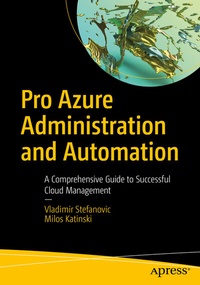
Pro Azure Administration and Automation
Description

Learn best practices and the proper use of Azure management tools, such as Azure Portal, Azure PowerShell, Azure CLI, and ARM templates, which are time-saving tools that support daily administration tasks such as monitoring, alerting, backups, security, and more. This book explores common Azure services, including Azure networking, virtual machines, app services, backup, monitoring, and other tools of the trade that IT professionals use on a regular basis. And you will come away with a strong understanding of these services and how to use them.
While Microsoft Azure is no longer "the new cloud on the block," it continues to be one of the fastest-growing platforms with regard to features, integrations, and capabilities. Over the last decade, it has undergone significant changes and amassed a large following, but many of its users, especially those who transitioned from traditional admin tasks to modern cloud computing, are not reaping its full benefits.Management inthe cloud, while seemingly simpler in some ways, is not without its own set of complexities and headaches. Admins want to streamline it where it makes sense and allocate the right resources to the right job in order to keeps cost in check, but where does one begin?
Pro Azure Administration and Automation is a comprehensive guide that is chock full of time-saving recipes and scripts you can rely on to learn about day-to-day Azure administration and automation.
What You Will Learn
- Attain theoretical and practical knowledge on deploying and managing Azure
- Gain an understanding of services, their relationship with other services, and their configuration parameters
- Adopt a modern mindset, transitioning from a traditional IT admin mindset to a cloud admin pro
- Understand how everything in the cloud is billable and learn how to factor it into choices
- Apply in-chapter PowerShell scripts andARM templates which can be re-purposed
- Know when it makes sense to be more involved in tasks (for example, automation and scripting)
Who This Book Is For
IT professionals who are responsible for the day-to-day tasks in Azure as well as cloud management and planning
More details
Other editions
Additional editions
Persons
Vladimir Stefanovic
is a Microsoft Azure MVP and Cloud Solution Architect with more than 15 years of experience in the IT industry. He is also a Microsoft Certified Trainer (MCT) and the MCT Regional Lead for the Serbian chapter. Over the course of his career as a Solution Architect, he has designed and delivered numerous projects in Microsoft Azure and on-premises environments, helping companies across industries customize their infrastructures to meet their specific needs. As a technical trainer, he has delivered hundreds of courses and has successfully mentored many, from students and enthusiasts, to IT professionals.
Milos Katinski
is an Azure Solutions Engineer with more than 12 years of IT experience spanning from on-premises to cloud-native solutions. Over the last few years, he has focused on cloud technologies and DevOps culture and has helped companies make a smooth transition to Microsoft Azure. Milos enjoys sharing his cloud knowledge and is an active blogger and a regular speaker. He is an active leader of one of the Azure Serbia user groups, and an organizer at Azure Saturday-Belgrade edition conference organizers.
Content
Chapter 01: Foundations in Cloud Computing.- Chapter 02: Azure Administration.- Chapter 03: Virtual Networks in Azure.- Chapter 04: Virtual Machine, Virtual Machine Scale Sets in Azure Compute.- Chapter 05: App Services and Containers in Azure Compute.- Chapter 06: Azure Storage .- Chapter 07: Advanced Azure Networking.- Chapter 08: Monitoring and Data Protection.- Chapter 09: Network Traffic Management.- Chapter 10: Azure Security and Compliance.
