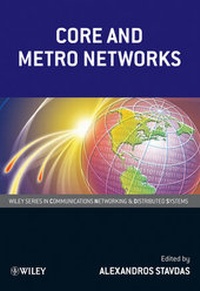
Core and Metro Networks
Description
Alles über E-Books | Antworten auf Fragen rund um E-Books, Kopierschutz und Dateiformate finden Sie in unserem Info- & Hilfebereich.
More details
Other editions
Additional editions

Person
Dr. Alexandros Stavdas currently fills the position of Associate Professor in the department of Telecommunications Science and Technology at the University of Peloponnese, Tripolis, Greece. Dr. Stavdas holds a B.Sc. in Physics (University of Athens), a M.Sc. in Optoelectronics and Laser Devices (Heriot-Watt University/St-Andrews University), a Ph.D. (University College of London) in the field of wavelength routed WDM networks.
He is also heading the Optical Networking Group of NTUA. He is the author or co-author of over 50 journal publications and conference articles. He also served as Technical Program Committee Chairman and Member in a large number of conferences. Current interests include physical layer modeling of optical networks, ultra-high capacity end-to-end optical networks, OXC architectures, Optical Packet/Burst Switching and WDM access networks.

Content
System requirements
File format: PDF
Copy-Protection: Adobe-DRM (Digital Rights Management)
System requirements:
- Computer (Windows; MacOS X; Linux): Install the free reader Adobe Digital Editions prior to download (see eBook Help).
- Tablet/smartphone (Android; iOS): Install the free app Adobe Digital Editions or the app PocketBook before downloading (see eBook Help).
- E-reader: Bookeen, Kobo, Pocketbook, Sony, Tolino and many more (only limited: Kindle).
The file format PDF always displays a book page identically on any hardware. This makes PDF suitable for complex layouts such as those used in textbooks and reference books (images, tables, columns, footnotes). Unfortunately, on the small screens of e-readers or smartphones, PDFs are rather annoying, requiring too much scrolling.
This eBook uses Adobe-DRM, a „hard” copy protection. If the necessary requirements are not met, unfortunately you will not be able to open the eBook. You will therefore need to prepare your reading hardware before downloading.
Please note: We strongly recommend that you authorise using your personal Adobe ID after installation of any reading software.
For more information, see our eBook Help page.