

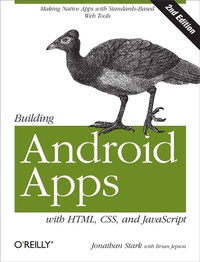
Building Android Apps with HTML, CSS, and JavaScript
Making Native Apps with Standards-Based Web Tools
Published on 13. January 2012
178 pages
978-1-4493-2793-4 (ISBN)
Description

If you know HTML, CSS, and JavaScript, you already have the tools you need to develop Android applications. Now updated for HTML5, the second edition of this hands-on guide shows you how to use open source web standards to design and build apps that can be adapted for any Android device.Youll learn how to create an Android-friendly web app on the platform of your choice, and then use Adobes free PhoneGap framework to convert it to a native Android app. Discover why device-agnostic mobile apps are the wave of the future, and start building apps that offer greater flexibility and a much broader reach.Convert a website into a web application, complete with progress indicators and other featuresAdd animation with JQTouch to make your web app look and feel like a native Android appMake use of client-side data storage with apps that run when the Android device is offlineUse PhoneGap to hook into advanced Android features, including the accelerometer, geolocation, and alertsTest and debug your app on the Web with real users, and submit the finished product to the Android Market
More details
Other editions
Additional editions
Jonathan Stark | Brian Jepson | Brian MacDonald
Building Android Apps with HTML, CSS, and JavaScript
Making Native Apps with Standards-Based Web Tools
Book
02/2012
2nd Edition
O'Reilly
€37.50
Shipment within 10-20 days
Content
- Intro
- Table of Contents
- Preface
- Who Should Read This Book
- What You Need to Use This Book
- Conventions Used in This Book
- Using Code Examples
- Safari® Books Online
- How to Contact Us
- Acknowledgments
- Chapter 1. Getting Started
- Web Apps Versus Native Apps
- What Is a Web App?
- What Is a Native App?
- Pros and Cons
- Which Approach Is Right for You?
- Web Programming Crash Course
- Introduction to HTML
- Introduction to CSS
- Applying a stylesheet
- Introduction to JavaScript
- Chapter 2. Basic Styling
- Don't Have a Website?
- First Steps
- Prepare a Separate Android Stylesheet
- Control the Page Scaling
- Adding the Android CSS
- Adding the Android Look and Feel
- Adding Basic Behavior with jQuery
- What You've Learned
- Chapter 3. Advanced Styling
- Adding a Touch of Ajax
- Traffic Cop
- Setting Up Some Content to Work With
- Routing Requests with JavaScript
- Simple Bells and Whistles
- Progress Indicator
- Setting the Page Title
- Handling Long Titles
- Automatic Scroll-to-Top
- Hijacking Local Links Only
- Roll Your Own Back Button
- Adding an Icon to the Home Screen
- What You've Learned
- Chapter 4. Animation
- With a Little Help from Our Friend
- Sliding Home
- Adding the Dates Panel
- Adding the Date Panel
- Adding the New Entry Panel
- Adding the Settings Panel
- Putting It All Together
- Customizing jQTouch
- What You've Learned
- Chapter 5. Client-Side Data Storage
- Web Storage
- Saving User Settings to Local Storage
- Saving the Selected Date to Session Storage
- Web SQL Database
- Creating a Database
- Inserting Rows
- Error handling
- Selecting Rows and Handling Result Sets
- Deleting Rows
- Web Database Error Code Reference
- What You've Learned
- Chapter 6. Going Offline
- The Basics of the Offline Application Cache
- Online Whitelist and Fallback Options
- Creating a Dynamic Manifest File
- Debugging
- The JavaScript Console
- What You've Learned
- Chapter 7. Going Native
- Introduction to PhoneGap
- Building Your App Locally with Eclipse and the Android SDK
- Download and Install Eclipse Classic
- Download and Install the Android SDK
- Install the ADT Plug-In in Eclipse
- Add Android Platforms and Other Components
- Download the Latest Copy of PhoneGap
- Set Up a New Android Project
- Running Kilo as an Android App
- Controlling the Phone with JavaScript
- Beep, Vibrate, and Alert
- Geolocation
- Accelerometer
- What You've Learned
- Chapter 8. Submitting Your App to the Android Market
- Preparing a Release Version of Your App
- Removing Debug Code
- Versioning Your App
- Compile and Sign Your App
- Uploading Your App to the Android Market
- Distributing Your App Directly
- Further Reading
- Appendix. Detecting Browsers with WURFL
- Installation
- Configuration
- Testing wurfl-php
