

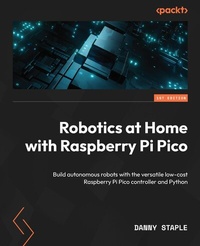
Robotics at Home with Raspberry Pi Pico
Build autonomous robots with the versatile low-cost Raspberry Pi Pico controller and Python
Published on 23. September 2024
400 pages
978-1-80323-041-2 (ISBN)
Description

Design, build, and program a mobile robot platform while gaining an understanding of the Raspberry Pi Pico, Free CAD, and robot sensors using Python to code, Bluetooth to connect & smartphone to control your projects
Key Features
Gain in depth knowledge of robotics with easy-to-follow instructions
Build a rover platform designed for experimentation and extension
Enhance your robot building skills through planning, building, and coding
Purchase of the print or Kindle book includes a free PDF eBook
Book DescriptionThe field of robotics is expanding, and this is the perfect time to learn how to create robots at home for different purposes. This book will help you take your first steps in planning, building, and programming a robot with Raspberry Pi Pico, an impressive controller bursting with I/O capabilities. After a quick tour of Pico, you'll begin designing a robot chassis in 3D CAD. With easy-to-follow instructions, shopping lists, and plans, you'll start building the robot. Further, you'll add simple sensors and outputs to extend the robot, reinforce your design skills, and build your knowledge in programming with CircuitPython. You'll also learn about interactions with electronics, standard robotics algorithms, and the discipline and process for building robots. Moving forward, you'll learn how to add more complicated sensors and robotic behaviors, with increasing complexity levels, giving you hands-on experience. You'll learn about Raspberry Pi Pico's excellent features, such as PIO, adding capabilities such as avoiding walls, detecting movement, and compass headings. You'll combine these with Bluetooth BLE for seeing sensor data and remotely controlling your robot with a smartphone. Finally, you'll program the robot to find its location in an arena. By the end of this book, you'll have built a robot at home, and be well equipped to build more with different levels of complexity.What you will learn
Interface Raspberry Pi Pico with motors to move parts
Design in 3D CAD with Free CAD
Build a simple robot and extend it for more complex projects
Interface Raspberry Pi Pico with sensors and Bluetooth BLE
Visualize robot data with Matplotlib
Gain an understanding of robotics algorithms on Pico for smart behavior
Who this book is forThis book is for beginner robot makers, keen hobbyists, technical enthusiasts, developers and STEM teachers who want to build robots at home. Prior knowledge of coding - beginner to intermediate programming, will be helpful.
Key Features
Gain in depth knowledge of robotics with easy-to-follow instructions
Build a rover platform designed for experimentation and extension
Enhance your robot building skills through planning, building, and coding
Purchase of the print or Kindle book includes a free PDF eBook
Book DescriptionThe field of robotics is expanding, and this is the perfect time to learn how to create robots at home for different purposes. This book will help you take your first steps in planning, building, and programming a robot with Raspberry Pi Pico, an impressive controller bursting with I/O capabilities. After a quick tour of Pico, you'll begin designing a robot chassis in 3D CAD. With easy-to-follow instructions, shopping lists, and plans, you'll start building the robot. Further, you'll add simple sensors and outputs to extend the robot, reinforce your design skills, and build your knowledge in programming with CircuitPython. You'll also learn about interactions with electronics, standard robotics algorithms, and the discipline and process for building robots. Moving forward, you'll learn how to add more complicated sensors and robotic behaviors, with increasing complexity levels, giving you hands-on experience. You'll learn about Raspberry Pi Pico's excellent features, such as PIO, adding capabilities such as avoiding walls, detecting movement, and compass headings. You'll combine these with Bluetooth BLE for seeing sensor data and remotely controlling your robot with a smartphone. Finally, you'll program the robot to find its location in an arena. By the end of this book, you'll have built a robot at home, and be well equipped to build more with different levels of complexity.What you will learn
Interface Raspberry Pi Pico with motors to move parts
Design in 3D CAD with Free CAD
Build a simple robot and extend it for more complex projects
Interface Raspberry Pi Pico with sensors and Bluetooth BLE
Visualize robot data with Matplotlib
Gain an understanding of robotics algorithms on Pico for smart behavior
Who this book is forThis book is for beginner robot makers, keen hobbyists, technical enthusiasts, developers and STEM teachers who want to build robots at home. Prior knowledge of coding - beginner to intermediate programming, will be helpful.
All prices
More details
Edition
Digital original
Language
English
Place of publication
Birmingham
United Kingdom
Target group
Professional and scholarly
US School Grade: College Graduate Student
Edition type
Digital original
Product notice
Reflowable
File size
23,44 MB
ISBN-13
978-1-80323-041-2 (9781803230412)
Copyright in bibliographic data and cover images is held by Nielsen Book Services Limited or by the publishers or by their respective licensors: all rights reserved.
Schweitzer Classification
Other editions
Additional editions
Danny Staple
Robotics at Home with Raspberry Pi Pico
Build autonomous robots with the versatile low-cost Raspberry Pi Pico controller and Python
Book
03/2023
Packt Publishing
€63.70
Shipment within 3-4 weeks
Person
Staple Danny :
Danny Staple builds robots and gadgets as a hobbyist, makes videos about his work with robots, and attends community events such as PiWars and Arduino Day. He has been a professional Python programmer, later moving into DevOps, since 2009, and a software engineer since 2000. He has worked with embedded systems, including embedded Linux systems, throughout the majority of his career. He has been a mentor at a local CoderDojo, where he taught how to code with Python. He has run Lego Robotics clubs with Mindstorms. He has also developed Bounce!, a visual programming language targeted at teaching code using the NodeMCU IoT platform. The robots he has built with his children include TankBot, SkittleBot (now the Pi Wars robot), ArmBot, and SpiderBot.
Danny Staple builds robots and gadgets as a hobbyist, makes videos about his work with robots, and attends community events such as PiWars and Arduino Day. He has been a professional Python programmer, later moving into DevOps, since 2009, and a software engineer since 2000. He has worked with embedded systems, including embedded Linux systems, throughout the majority of his career. He has been a mentor at a local CoderDojo, where he taught how to code with Python. He has run Lego Robotics clubs with Mindstorms. He has also developed Bounce!, a visual programming language targeted at teaching code using the NodeMCU IoT platform. The robots he has built with his children include TankBot, SkittleBot (now the Pi Wars robot), ArmBot, and SpiderBot.
Content
Table of Contents
Planning a Robot with Raspberry Pi Pico
Preparing Raspberry Pi Pico
Designing a Robot Chassis in FreeCAD
Building a Robot Around Pico
Driving Motors with Raspberry Pi Pico
Measuring Movement with Encoders on Raspberry Pi Pico
Planning and Shopping for More Devices
Sensing Distances to Detect Objects with Pico
Teleoperating a Raspberry Pi Pico Robot with Bluetooth LE
Using the PID Algorithm to Follow Walls
Controlling Motion with Encoders on Raspberry Pi Pico
Detecting Orientation with an IMU on Raspberry Pi Pico
Determining Position using Monte Carlo Localization
Continuing Your Journey
Planning a Robot with Raspberry Pi Pico
Preparing Raspberry Pi Pico
Designing a Robot Chassis in FreeCAD
Building a Robot Around Pico
Driving Motors with Raspberry Pi Pico
Measuring Movement with Encoders on Raspberry Pi Pico
Planning and Shopping for More Devices
Sensing Distances to Detect Objects with Pico
Teleoperating a Raspberry Pi Pico Robot with Bluetooth LE
Using the PID Algorithm to Follow Walls
Controlling Motion with Encoders on Raspberry Pi Pico
Detecting Orientation with an IMU on Raspberry Pi Pico
Determining Position using Monte Carlo Localization
Continuing Your Journey
