

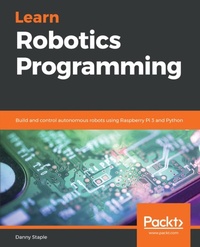
Learn Robotics Programming
Build and control autonomous robots using Raspberry Pi 3 and Python
Published on 23. September 2024
472 pages
978-1-78934-593-3 (ISBN)
Description

No detailed description available for "Learn Robotics Programming".
All prices
More details
Edition
Digital original
Language
English
Place of publication
Birmingham
United Kingdom
Target group
Professional and scholarly
US School Grade: College Graduate Student
Edition type
Digital original
File size
105,73 MB
ISBN-13
978-1-78934-593-3 (9781789345933)
Copyright in bibliographic data and cover images is held by Nielsen Book Services Limited or by the publishers or by their respective licensors: all rights reserved.
Schweitzer Classification
Other editions
New editions
Danny Staple
Learn Robotics Programming
Build and control AI-enabled autonomous robots using the Raspberry Pi and Python
E-Book
09/2024
2nd Edition
Packt Publishing
from
€29.99
Available for download
Additional editions
Danny Staple
Learn Robotics Programming
Build and control autonomous robots using Raspberry Pi 3 and Python
Book
11/2018
Packt Publishing
€79.40
Shipment within 3-4 weeks
Person
Staple Danny :
Danny Staple builds robots and gadgets as a hobbyist, makes videos about his work with robots, and attends community events such as PiWars and Arduino Day. He has been a professional Python programmer, later moving into DevOps, since 2009, and a software engineer since 2000. He has worked with embedded systems, including embedded Linux systems, throughout the majority of his career. He has been a mentor at a local CoderDojo, where he taught how to code with Python. He has run Lego Robotics clubs with Mindstorms. He has also developed Bounce!, a visual programming language targeted at teaching code using the NodeMCU IoT platform. The robots he has built with his children include TankBot, SkittleBot (now the Pi Wars robot), ArmBot, and SpiderBot.
Danny Staple builds robots and gadgets as a hobbyist, makes videos about his work with robots, and attends community events such as PiWars and Arduino Day. He has been a professional Python programmer, later moving into DevOps, since 2009, and a software engineer since 2000. He has worked with embedded systems, including embedded Linux systems, throughout the majority of his career. He has been a mentor at a local CoderDojo, where he taught how to code with Python. He has run Lego Robotics clubs with Mindstorms. He has also developed Bounce!, a visual programming language targeted at teaching code using the NodeMCU IoT platform. The robots he has built with his children include TankBot, SkittleBot (now the Pi Wars robot), ArmBot, and SpiderBot.
Content
Table of Contents
Introduction To Robotics
Exploring Robot Building Blocks - Code And Electronics
Introducing The Raspberry Pi - Starting With Raspbian
Preparing A Raspberry Pi For A Robot - Headless By Default
Backing Up The Code With Git And SD Card Copies
Building Robot Basics - Wheels, Power And Wiring
Drive And Turn - Moving Motors With Python
Programming Line Following Sensors Using Python
Programming RGB Strips In Python
Use Python To Control Servo Motors
Programming Distance Sensors With Python
Programming Encoders With Python
Robot Vision - Using A Pi Camera And OpenCV
Voice Communication With A Robot Using Mycroft
Programming A Gamepad On Raspberry Pi With Python
Taking Your Robot Programming Skills Further
Planning Your Next Robot Project - Putting It All Together
Appendix
Assessment
Introduction To Robotics
Exploring Robot Building Blocks - Code And Electronics
Introducing The Raspberry Pi - Starting With Raspbian
Preparing A Raspberry Pi For A Robot - Headless By Default
Backing Up The Code With Git And SD Card Copies
Building Robot Basics - Wheels, Power And Wiring
Drive And Turn - Moving Motors With Python
Programming Line Following Sensors Using Python
Programming RGB Strips In Python
Use Python To Control Servo Motors
Programming Distance Sensors With Python
Programming Encoders With Python
Robot Vision - Using A Pi Camera And OpenCV
Voice Communication With A Robot Using Mycroft
Programming A Gamepad On Raspberry Pi With Python
Taking Your Robot Programming Skills Further
Planning Your Next Robot Project - Putting It All Together
Appendix
Assessment

