

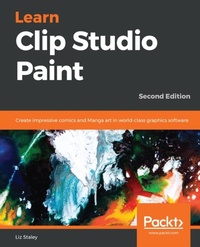
Learn Clip Studio Paint
Create impressive comics and Manga art in world-class graphics software
2nd Edition
Published on 3. June 2024
448 pages
978-1-78934-581-0 (ISBN)
Description

No detailed description available for "Learn Clip Studio Paint".
More details
Other editions
New editions
Inko Ai Takita | Liz Staley
Learn Clip Studio Paint
A beginner's guide to creating compelling comics and manga art
E-Book
09/2024
3rd Edition
Packt Publishing
from
€43.19
Available for download
Additional editions
Liz Staley
Learn Clip Studio Paint
Create impressive comics and Manga art in world-class graphics software, 2nd Edition
Book
12/2018
2nd Edition
Packt Publishing
€52.30
Shipment within 3-4 weeks
Person
Staley Liz :
Liz Staley is a visual artist and blogger who loves horses, animation, comics, and true crime. She began her digital art journey using Adobe Photoshop and then learned how to use Clip Studio Paint. She currently writes a weekly blog for Graphixly with art and Clip Studio Paint tips. Although she still loves the medium of comics and animation, her personal art now mostly consists of animal portraits that combine education with conservation. Liz loves horses, dogs, horror movies, anime, and learning the Japanese language.
Liz Staley is a visual artist and blogger who loves horses, animation, comics, and true crime. She began her digital art journey using Adobe Photoshop and then learned how to use Clip Studio Paint. She currently writes a weekly blog for Graphixly with art and Clip Studio Paint tips. Although she still loves the medium of comics and animation, her personal art now mostly consists of animal portraits that combine education with conservation. Liz loves horses, dogs, horror movies, anime, and learning the Japanese language.
Content
Table of Contents - Installing Clip Studio Paint, Recommended Systems, and Interface Basics
- Preferences, Shortcuts, and Other Commands
- Clip Studio Paint Brushes: an Introduction
- Pencilling: Layer Properties
- Erasers, Selections, and the Subview Palette
- All About Rulers
- Using 3D Figures and Objects
- Vector Layers and the Material Palette
- Using Text and Balloon Tools
- Creating Sound Effects
- Making Layer Masks and Screentones
- Making Comic Panels
- Auto Actions and Your Workflow
- Inking Tools
- Inking Special Effects
- Color Palettes
- Using CSP to Color Your Comics
- Exporting and Printing your Comic
- What is the Clip Studio App And Getting Animated
- Preferences, Shortcuts, and Other Commands
- Clip Studio Paint Brushes: an Introduction
- Pencilling: Layer Properties
- Erasers, Selections, and the Subview Palette
- All About Rulers
- Using 3D Figures and Objects
- Vector Layers and the Material Palette
- Using Text and Balloon Tools
- Creating Sound Effects
- Making Layer Masks and Screentones
- Making Comic Panels
- Auto Actions and Your Workflow
- Inking Tools
- Inking Special Effects
- Color Palettes
- Using CSP to Color Your Comics
- Exporting and Printing your Comic
- What is the Clip Studio App And Getting Animated
