

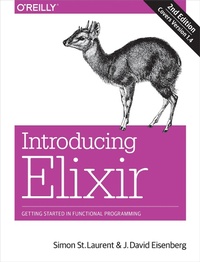
Introducing Elixir
Getting Started in Functional Programming
Published on 22. December 2016
248 pages
978-1-4919-5686-1 (ISBN)
Description

Smooth, powerful, and small, Elixir is an excellent language for learning functional programming, and with this hands-on introduction, youll discover just how powerful Elixir can be. Authors Simon St. Laurent and J. David Eisenberg show you how Elixir combines the robust functional programming of Erlang with an approach that looks more like Ruby, and includes powerful macro features for metaprogramming.Updated to cover Elixir 1.4, the second edition of this practical book helps you write simple Elixir programs by teaching one skill at a time. Once you pick up pattern matching, process-oriented programming, and other concepts, youll understand why Elixir makes it easier to build concurrent and resilient programs that scale up and down with ease.Get comfortable with IEx, Elixirs command line interfaceLearn Elixirs basic structures by working with numbersDiscover atoms, pattern matching, and guards: the foundations of your program structureDelve into the heart of Elixir processing with recursion, strings, lists, and higher-order functionsCreate Elixir processes and send messages among themStore and manipulate structured data with Erlang Term Storage and the Mnesia databaseBuild resilient applications with the Open Telecom Platform
More details
Other editions
Additional editions
Simon St. Laurent | J.david Eisenberg
Introducing Elixir, 2e
Getting Started in Functional Programming
Book
02/2017
2nd Edition
O'Reilly
€24.00
Shipment within 10-20 days
Content
- Intro
- Copyright
- Table of Contents
- Preface
- Who This Book Is For
- Who This Book Is Not For
- What This Book Will Do For You
- How This Book Works
- Other Resources
- Elixir Will Change You
- Conventions Used in This Book
- Using Code Examples
- Help This Book Grow
- Please Use It For Good
- O'Reilly Safari
- How to Contact Us
- Acknowledgments
- Chapter 1. Getting Comfortable
- Installation
- Installing Erlang
- Installing Elixir
- Firing It Up
- First Steps
- Moving Through Text and History
- Moving Through Files
- Doing Something
- Calling Functions
- Numbers in Elixir
- Working with Variables in the Shell
- Chapter 2. Functions and Modules
- Fun with fn
- And the &
- Defining Modules
- From Module to Free-Floating Function
- Splitting Code Across Modules
- Combining Functions with the Pipe Operator
- Importing Functions
- Default Values for Arguments
- Documenting Code
- Documenting Functions
- Documenting Modules
- Chapter 3. Atoms, Tuples, and Pattern Matching
- Atoms
- Pattern Matching with Atoms
- Atomic Booleans
- Guards
- Underscoring That You Don't Care
- Adding Structure: Tuples
- Pattern Matching with Tuples
- Processing Tuples
- Chapter 4. Logic and Recursion
- Logic Inside of Functions
- Evaluating Cases
- Adjusting to Conditions
- if, or else
- Variable Assignment in case and if Constructs
- The Gentlest Side Effect: IO.puts
- Simple Recursion
- Counting Down
- Counting Up
- Recursing with Return Values
- Chapter 5. Communicating with Humans
- Strings
- Multiline Strings
- Unicode
- Character Lists
- String Sigils
- Asking Users for Information
- Gathering Characters
- Reading Lines of Text
- Chapter 6. Lists
- List Basics
- Splitting Lists into Heads and Tails
- Processing List Content
- Creating Lists with Heads and Tails
- Mixing Lists and Tuples
- Building a List of Lists
- Chapter 7. Name-Value Pairs
- Keyword Lists
- Lists of Tuples with Multiple Keys
- Hash Dictionaries
- From Lists to Maps
- Creating Maps
- Updating Maps
- Reading Maps
- From Maps to Structs
- Setting Up Structs
- Creating and Reading Structs
- Pattern Matching Against Structs
- Using Structs in Functions
- Adding Behavior to Structs
- Adding to Existing Protocols
- Chapter 8. Higher-Order Functions and List Comprehensions
- Simple Higher-Order Functions
- Creating New Lists with Higher-Order Functions
- Reporting on a List
- Running List Values Through a Function
- Filtering List Values
- Beyond List Comprehensions
- Testing Lists
- Splitting Lists
- Folding Lists
- Chapter 9. Playing with Processes
- The Shell Is a Process
- Spawning Processes from Modules
- Lightweight Processes
- Registering a Process
- When Processes Break
- Processes Talking Amongst Themselves
- Watching Your Processes
- Watching Messages Among Processes
- Breaking Things and Linking Processes
- Chapter 10. Exceptions, Errors, and Debugging
- Flavors of Errors
- Rescuing Code from Runtime Errors as They Happen
- Logging Progress and Failure
- Tracing Messages
- Watching Function Calls
- Chapter 11. Static Analysis, Typespecs, and Testing
- Static Analysis
- Typespecs
- Writing Unit Tests
- Setting Up Tests
- Embedding Tests in Documentation
- Chapter 12. Storing Structured Data
- Records: Structured Data Before Structs
- Setting Up Records
- Creating and Reading Records
- Using Records in Functions
- Storing Data in Erlang Term Storage
- Creating and Populating a Table
- Simple Queries
- Overwriting Values
- ETS Tables and Processes
- Next Steps
- Storing Records in Mnesia
- Starting Up Mnesia
- Creating Tables
- Reading Data
- Chapter 13. Getting Started with OTP
- Creating Services with GenServer
- A Simple Supervisor
- Packaging an Application with Mix
- Chapter 14. Using Macros to Extend Elixir
- Functions Versus Macros
- A Simple Macro
- Creating New Logic
- Creating Functions Programatically
- When (Not) to Use Macros
- Chapter 15. Using Phoenix
- Skeleton Installation
- Structuring a Basic Phoenix Application
- Presenting a Page
- Routing
- A Simple Controller
- A Simple View
- Calculating
- Sharing the Gospel of Elixir
- Appendix A. An Elixir Parts Catalog
- Shell Commands
- Reserved Words
- Operators
- Guard Components
- Common Functions
- Datatypes for Documentation and Analysis
- Appendix B. Generating Documentation with ExDoc
- Using ExDoc with Mix
- Index
- About the Authors
- Colophon
