

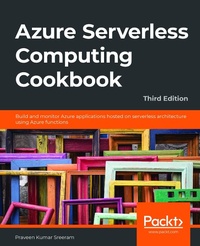
Azure Serverless Computing Cookbook
Build and monitor Azure applications hosted on serverless architecture using Azure functions
3rd Edition
Published on 19. June 2020
458 pages
978-1-80020-315-0 (ISBN)
Description

Discover recipes for implementing solutions to real-world business problems through serverless applicationsKey Features - Test, troubleshoot, and monitor Azure functions to deliver high-quality and reliable cloud-centric applications
- Understand Visual Studio's integrated developer experience for Azure functions
- Explore best practices for organizing and refactoring code within the Azure functions
Book DescriptionThis third edition of Azure Serverless Computing Cookbook guides you through the development of a basic back-end web API that performs simple operations, helping you understand how to persist data in Azure Storage services. You'll cover the integration of Azure Functions with other cloud services, such as notifications (SendGrid and Twilio), Cognitive Services (computer vision), and Logic Apps, to build simple workflow-based applications. With the help of this book, you'll be able to leverage Visual Studio tools to develop, build, test, and deploy Azure functions quickly. It also covers a variety of tools and methods for testing the functionality of Azure functions locally in the developer's workstation and in the cloud environment. Once you're familiar with the core features, you'll explore advanced concepts such as durable functions, starting with a "hello world" example, and learn about the scalable bulk upload use case, which uses durable function patterns, function chaining, and fan-out/fan-in. By the end of this Azure book, you'll have gained the knowledge and practical experience needed to be able to create and deploy Azure applications on serverless architectures efficiently. What you will learn - Implement continuous integration and continuous deployment (CI/CD) of Azure functions
- Develop different event-based handlers in a serverless architecture
- Integrate Azure functions with different Azure services to develop enterprise-level applications
- Accelerate your cloud application development using Azure function triggers and bindings
- Automate mundane tasks at various levels, from development to deployment and maintenance
- Develop stateful serverless applications and self-healing jobs using durable functions
Who this book is forIf you are a cloud developer or architect who wants to build cloud-native systems and deploy serverless applications with Azure functions, this book is for you. Prior experience with Microsoft Azure core services will help you to make the most out of this book.
- Understand Visual Studio's integrated developer experience for Azure functions
- Explore best practices for organizing and refactoring code within the Azure functions
Book DescriptionThis third edition of Azure Serverless Computing Cookbook guides you through the development of a basic back-end web API that performs simple operations, helping you understand how to persist data in Azure Storage services. You'll cover the integration of Azure Functions with other cloud services, such as notifications (SendGrid and Twilio), Cognitive Services (computer vision), and Logic Apps, to build simple workflow-based applications. With the help of this book, you'll be able to leverage Visual Studio tools to develop, build, test, and deploy Azure functions quickly. It also covers a variety of tools and methods for testing the functionality of Azure functions locally in the developer's workstation and in the cloud environment. Once you're familiar with the core features, you'll explore advanced concepts such as durable functions, starting with a "hello world" example, and learn about the scalable bulk upload use case, which uses durable function patterns, function chaining, and fan-out/fan-in. By the end of this Azure book, you'll have gained the knowledge and practical experience needed to be able to create and deploy Azure applications on serverless architectures efficiently. What you will learn - Implement continuous integration and continuous deployment (CI/CD) of Azure functions
- Develop different event-based handlers in a serverless architecture
- Integrate Azure functions with different Azure services to develop enterprise-level applications
- Accelerate your cloud application development using Azure function triggers and bindings
- Automate mundane tasks at various levels, from development to deployment and maintenance
- Develop stateful serverless applications and self-healing jobs using durable functions
Who this book is forIf you are a cloud developer or architect who wants to build cloud-native systems and deploy serverless applications with Azure functions, this book is for you. Prior experience with Microsoft Azure core services will help you to make the most out of this book.
More details
Other editions
Additional editions
Praveen Kumar Sreeram
Azure Serverless Computing Cookbook
Build and monitor Azure applications hosted on serverless architecture using Azure functions, 3rd Edition
Book
06/2020
3rd Edition
Packt Publishing
€64.40
Shipment within 3-4 weeks
Previous edition
Praveen Kumar Sreeram
Azure Serverless Computing Cookbook,
Build and monitor Azure applications hosted on serverless architecture using Azure Functions, 2nd Edition
E-Book
11/2018
1st Edition
Packt Publishing
€34.99
Available for download
Content
- Cover
- FM
- Dedication
- Table of Contents
- Preface
- Chapter 1: Accelerating cloud app development using Azure Functions
- Introduction
- Building a back-end web API using HTTP triggers
- Getting ready
- How to do it.
- How it works.
- See also
- Persisting employee details using Azure Table Storage output bindings
- Getting ready
- How to do it.
- How it works.
- Saving profile picture paths to queues using queue output bindings
- Getting ready
- How to do it.
- How it works.
- Storing images in Azure Blob Storage
- Getting ready
- How to do it.
- How it works.
- There's more.
- Resizing an image using an ImageResizer trigger
- Getting ready
- How to do it.
- How it works.
- Chapter 2: Working with notifications using the SendGrid and Twilio services
- Introduction
- Sending an email notification using SendGrid service
- Getting ready
- Creating a SendGrid account API key from the Azure portal
- Generating credentials and the API key from the SendGrid portal
- Configuring the SendGrid API key with the Azure Function app
- How to do it...
- Creating a storage queue binding to the HTTP trigger
- Creating a queue trigger to process the message of the HTTP trigger
- Creating a SendGrid output binding to the queue trigger
- How it works...
- Sending an email notification dynamically to the end user
- Getting ready
- How to do it.
- Accepting the new email parameter in the RegisterUser function
- Retrieving the UserProfile information in the SendNotifications trigger
- How it works...
- There's more...
- Implementing email logging in Azure Blob Storage
- How to do it...
- How it works.
- Modifying the email content to include an attachment
- Getting ready
- How to do it...
- Customizing the log file name using the IBinder interface
- Adding an attachment to the email
- Sending an SMS notification to the end user using the Twilio service
- Getting ready
- How to do it...
- How it works...
- Chapter 3: Seamless integration of Azure Functions with Azure Services
- Introduction
- Using Cognitive Services to locate faces in images
- Getting ready
- How to do it.
- There's more...
- Monitoring and sending notifications using Logic Apps
- Getting ready
- How to do it...
- How it works...
- Integrating Logic Apps with serverless functions
- How to do it...
- There's more...
- Auditing Cosmos DB data using change feed triggers
- Getting ready
- How to do it...
- There's more...
- Integrating Azure Functions with Data Factory pipelines
- Getting ready.
- How to do it...
- Chapter 4: Developing Azure Functions using Visual Studio
- Introduction
- Creating a function application using Visual Studio 2019
- Getting ready
- How to do it.
- How it works.
- There's more.
- Debugging Azure Function hosted in Azure using Visual Studio
- Getting ready
- How to do it...
- How it works.
- There's more...
- Connecting to the Azure Storage from Visual Studio
- Getting ready
- How to do it...
- How it works.
- There's more.
- Deploying the Azure Function application using Visual Studio
- How to do it.
- There's more...
- Debugging Azure Function hosted in Azure using Visual Studio
- Getting ready
- How to do it.
- Deploying Azure Functions in a container
- Getting ready
- Creating an ACR
- How to do it...
- Creating a Docker image for the function application
- Pushing the Docker image to the ACR
- Creating a new function application with Docker
- How it works...
- Chapter 5: Exploring testing tools for Azure functions
- Introduction
- Testing Azure functions
- Getting ready
- How to do it.
- Testing HTTP triggers using Postman
- Testing a blob trigger using Storage Explorer
- Testing a queue trigger using the Azure portal
- There's more.
- Testing an Azure function in a staging environment using deployment slots
- How to do it.
- There's more...
- Creating and testing Azure functions locally using Azure CLI tools
- Getting ready
- How to do it...
- Validating Azure function responsiveness using Application Insights
- Getting ready
- How to do it.
- How it works.
- There's more...
- Developing unit tests for Azure functions with HTTP triggers
- Getting ready
- How to do it...
- Chapter 6: Troubleshooting and monitoring Azure Functions
- Introduction
- Troubleshooting Azure Functions
- How to do it.
- Viewing real-time application logs
- Diagnosing the function app
- Integrating Azure Functions with Application Insights
- Getting ready
- How to do it.
- How it works.
- There's more.
- Monitoring Azure Functions
- How to do it.
- How it works.
- Pushing custom metrics details to Application Insights Analytics
- Getting ready
- How to do it.
- Creating a timer trigger function using Visual Studio
- Configuring access keys
- Integrating and testing an Application Insights query
- Configuring the custom-derived metric report
- How it works.
- Sending application telemetry details via email
- Getting ready
- How to do it.
- How it works.
- Integrating Application Insights with Power BI using Azure Functions
- Getting ready
- How to do it...
- Configuring Power BI with a dashboard, a dataset, and the push URI
- Creating an Azure Application Insights real-time Power BI-C# function
- How it works.
- There's more.
- Chapter 7: Developing reliable serverless applications using durable functions
- Introduction
- Configuring durable functions in the Azure portal
- Getting ready
- How to do it.
- Creating a serverless workflow using durable functions
- Getting ready
- How to do it...
- Creating the orchestrator function
- Creating an activity function
- How it works.
- There's more...
- Testing and troubleshooting durable functions
- Getting ready
- How to do it...
- Implementing reliable applications using durable functions
- Getting ready
- How to do it...
- Creating the orchestrator function
- Creating a GetAllCustomers activity function
- Creating a CreateBARCodeImagesPerCustomer activity function
- How it works.
- There's more...
- Chapter 8: Bulk import of data using Azure Durable Functions and Cosmos DB
- Introduction
- Business problem
- The durable serverless way of implementing CSV imports
- Uploading employee data to blob storage
- Getting ready
- How to do it...
- There's more.
- Creating a blob trigger
- How to do it.
- There's more.
- Creating the durable orchestrator and triggering it for each CSV import
- How to do it...
- How it works.
- There's more.
- Reading CSV data using activity functions
- Getting ready
- How to do it...
- Reading data from blob storage
- Reading CSV data from the stream
- Creating the activity function
- There's more...
- Autoscaling Cosmos DB throughput
- Getting ready
- How to do it...
- There's more...
- Bulk inserting data into Cosmos DB
- How to do it...
- There's more.
- Chapter 9: Configuring security for Azure Functions
- Introduction
- Enabling authorization for function apps
- Getting ready
- How to do it.
- How it works.
- There's more.
- Controlling access to Azure Functions using function keys
- How to do it.
- There's more...
- Securing Azure Functions using Azure Active Directory
- Getting ready
- How to do it...
- Throttling Azure Functions using API Management
- Getting ready
- How to do it...
- How it works...
- Securely accessing an SQL database from Azure Functions using Managed Identity
- How to do it...
- Configuring additional security using IP whitelisting
- Getting ready.
- How to do it.
- There's more
- Chapter 10: Implementing best practices for Azure Functions
- Introduction
- Adding multiple messages to a queue using the IAsyncCollector function
- Getting ready
- How to do it...
- There's more...
- Implementing defensive applications using Azure functions and queue triggers
- Getting ready
- How to do it.
- Running tests using the CreateQueueMessage console application
- There's more.
- Avoiding cold starts by warming the app at regular intervals
- Getting ready
- How to do it...
- Sharing code across Azure functions using class libraries
- How to do it.
- There's more.
- Migrating C# console application to Azure functions using PowerShell
- Getting ready
- How to do it.
- Implementing feature flags in Azure functions using App Configuration
- Getting ready
- How to do it.
- Chapter 11: Configuring serverless applications in the production environment
- Introduction
- Deploying Azure functions using the Run From Package feature
- Getting ready
- How to do it...
- How it works...
- Deploying Azure functions using ARM templates
- Getting ready
- How to do it.
- There's more.
- Configuring a custom domain for Azure functions
- Getting ready
- How to do it...
- Techniques to access application settings
- Getting ready
- How to do it...
- Breaking down large APIs into smaller subsets using proxies
- Getting ready
- How to do it...
- There's more...
- Moving configuration items from one environment to another
- Getting ready
- How to do it.
- Chapter 12: Implementing and deploying continuous integration using Azure DevOps
- Introduction
- Prerequisites
- Continuous integration-creating a build definition
- Getting ready
- How to do it.
- How it works...
- There's more.
- Continuous integration-queuing a build and triggering it manually
- Getting ready
- How to do it...
- Continuous integration-configuring and triggering an automated build
- How to do it.
- How it works.
- Continuous integration-executing unit test cases in the pipeline
- How to do it.
- There's more.
- Creating a release definition
- Getting ready
- How to do it.
- How it works.
- There's more.
- Triggering a release automatically
- Getting ready
- How to do it.
- How it works.
- There's more.
- Integrating Azure Key Vault to configure application secrets
- How to do it.
- How it works.
- Index
