

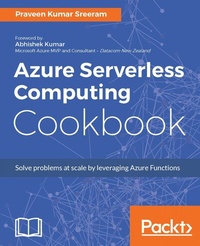
Azure Serverless Computing Cookbook
Build applications hosted on serverless architecture using Azure Functions
Published on 8. July 2025
332 pages
978-1-78839-259-4 (ISBN)
Description

No detailed description available for "Azure Serverless Computing Cookbook".
More details
Edition
Digital original
Language
English
Place of publication
Birmingham
United Kingdom
Target group
Professional and scholarly
US School Grade: College Graduate Student
Edition type
Digital original
File size
4,30 MB
ISBN-13
978-1-78839-259-4 (9781788392594)
Copyright in bibliographic data and cover images is held by Nielsen Book Services Limited or by the publishers or by their respective licensors: all rights reserved.
Schweitzer Classification
Other editions
New editions
Praveen Kumar Sreeram
Azure Serverless Computing Cookbook,
Build and monitor Azure applications hosted on serverless architecture using Azure Functions, 2nd Edition
E-Book
11/2018
1st Edition
Packt Publishing
€34.99
Available for download
Additional editions
Praveen Kumar Sreeram
Azure Serverless Computing Cookbook
Book
08/2017
Packt Publishing
€56.20
Shipment within 3-4 weeks
Person
Sreeram Praveen Kumar :
Praveen Kumar Sreeram is an author, Microsoft Certified Trainer, and certified Azure Solutions Architect. He has over 15 years of experience in the field of development, analysis, design, and the delivery of applications of various technologies. His projects range from custom web development using ASP.NET and MVC to building mobile apps using the cross-platform Xamarin technology for domains such as insurance, telecom, and wireless expense management. He has been given the Most Valuable Professional award twice by one of the leading social community websites, CSharpCorner, for his contributions to the Microsoft Azure community through his articles. Praveen is highly focused on learning about technology, and blogs about his learning regularly. You can also follow him on Twitter at @PrawinSreeram. Currently, his focus is on analyzing business problems and providing technical solutions for various projects related to Microsoft Azure and .NET Core.
Praveen Kumar Sreeram is an author, Microsoft Certified Trainer, and certified Azure Solutions Architect. He has over 15 years of experience in the field of development, analysis, design, and the delivery of applications of various technologies. His projects range from custom web development using ASP.NET and MVC to building mobile apps using the cross-platform Xamarin technology for domains such as insurance, telecom, and wireless expense management. He has been given the Most Valuable Professional award twice by one of the leading social community websites, CSharpCorner, for his contributions to the Microsoft Azure community through his articles. Praveen is highly focused on learning about technology, and blogs about his learning regularly. You can also follow him on Twitter at @PrawinSreeram. Currently, his focus is on analyzing business problems and providing technical solutions for various projects related to Microsoft Azure and .NET Core.
Content
- Cover
- Copyright
- Credits
- Foreword
- About the Author
- About the Reviewer
- Acknowledgments
- www.PacktPub.com
- Customer Feedback
- Table of Contents
- Preface
- Chapter 1: Accelerate Your Cloud Application Development Using Azure Function Triggers and Bindings
- Introduction
- Building a backend Web API using HTTP triggers
- Getting ready
- How to do it.
- How it works.
- See also
- Persisting employee details using Azure Storage table output bindings
- Getting ready
- How to do it...
- How it works...
- Understanding more about Storage Connection
- What is Azure Table storage service?
- Partition key and row key
- There's more...
- Saving the profile images to Queues using Queue output bindings
- Getting ready
- How to do it.
- How it works.
- There's more.
- See also
- Storing the image in Azure Blob storage
- Getting ready
- How to do it...
- How it works...
- There's more...
- See also...
- Cropping an image using ImageResizer trigger
- Getting ready
- How to do it...
- How it works...
- See also
- Chapter 2: Working with Notifications Using SendGrid and Twilio Services
- Introduction
- Sending an email notification to the administrator of the website using the SendGrid service
- Getting ready
- Creating a SendGrid account
- Generating the SendGrid API key
- Configuring the SendGrid API key with the Azure Function app
- How to do it...
- How it works...
- See also
- Sending an email notification to the end user dynamically
- Getting ready
- How to do it...
- How it works...
- There's more...
- See also
- Implementing email logging in the Blob storage
- How to do it...
- How it works...
- Modifying the email content to include an attachment
- Getting ready
- How to do it...
- Customizing the log file name using IBinder interface
- Adding an attachment to the email
- There's more...
- Sending SMS notification to the end user using the Twilio service
- Getting ready
- How to do it...
- How it works...
- Chapter 3: Seamless Integration of Azure Functions with Other Azure Services
- Introduction
- Using Cognitive Services to locate faces from the images
- Getting ready
- Creating a new Computer Vision API account
- Configuring App settings
- How to do it...
- How it works...
- There's more...
- Azure SQL Database interactions using Azure Functions
- Getting ready
- How to do it...
- How it works...
- Processing a file stored in OneDrive using an external file trigger
- Getting ready
- How to do it...
- Monitoring tweets using Logic Apps and notifying when popular users tweet
- Getting ready
- How to do it...
- Create a new Logic App
- Designing the Logic App with Twitter and Gmail connectors
- Testing the Logic App functionality
- How it works...
- See also
- Integrating Logic Apps with Azure Functions
- Getting ready
- How to do it...
- There's more...
- See also
- Chapter 4: Understanding the Integrated Developer Experience of Visual Studio Tools for Azure Functions
- Introduction
- Creating the function app using Visual Studio 2017
- Getting ready
- How to do it...
- How it works...
- There's more...
- Debugging C# Azure Functions on a local staged environment using Visual Studio 2017
- Getting ready
- How to do it...
- How it works...
- There's more...
- Connecting to the Azure Cloud storage from local Visual Studio environment
- Getting ready
- How to do it...
- How it works...
- There's more...
- See also
- Deploying the Azure Function app to Azure Cloud using Visual Studio
- How to do it...
- There's more...
- See also
- Debugging live C# Azure Function hosted on the Microsoft Azure Cloud environment using Visual Studio
- Getting ready
- How to do it...
- See also
- Chapter 5: Exploring Testing Tools for the Validation of Azure Functions
- Introduction
- Testing Azure Functions
- Getting ready
- How to do it...
- Testing HTTP triggers using Postman
- Testing Blob trigger using the Microsoft Storage Explorer
- Testing Queue trigger using the Azure Management portal
- There's more...
- Testing an Azure Function on a staged environment using deployment slots
- How to do it...
- There's more
- Load testing Azure Functions using VSTS
- Getting ready
- How to do it...
- There's more...
- See also
- Creating and testing Azure Function locally using Azure CLI tools
- Getting ready
- How to do it...
- Testing and validating Azure Function responsiveness using Application Insights
- Getting ready
- How to do it...
- How it works...
- There's more...
- Chapter 6: Monitoring and Troubleshooting Azure Serverless Services
- Introduction
- Monitoring your Azure Functions
- Getting ready
- How to do it...
- There's more...
- Monitoring Azure Functions using Application Insights
- Getting ready
- How to do it...
- How it works...
- There's more ...
- Pushing custom telemetry details to analytics of Application Insights
- Getting ready
- How to do it...
- Creating AI function
- Configuring access keys
- Integrating and testing AI query
- Configuring the custom derived metric report
- How it works...
- See also
- Sending application telemetry details via email
- Getting ready
- How to do it...
- How it works...
- There's more...
- See also
- Integrating real-time AI monitoring data with Power BI using Azure Functions
- Getting ready
- How to do it...
- Configuring Power BI with dashboard, dataset, and push URI
- Creating Azure AI real-time Power BI - C# function
- How it works...
- There's more...
- Chapter 7: Code Reusability and Refactoring the Code in Azure Functions
- Introduction
- Creating a common code repository for better manageability within a function app
- How to do it...
- How it works...
- There's more...
- See also
- Shared code across Azure Functions using class libraries
- How to do it...
- How it works...
- There's more...
- See also
- Azure Functions and precompiled assemblies
- Getting ready...
- How to do it...
- Creating a class library using Visual Studio
- Creating a new HTTP trigger Azure Function
- How it works...
- There's more...
- See also
- Migrating legacy C# application classes to Azure Functions using PowerShell
- Getting ready
- How to do it...
- Creating an application using Visual Studio
- Creating a new PowerShell Azure Function
- How it works...
- See also
- Using strongly typed classes in Azure Functions
- Getting ready
- How to do it...
- How it works...
- There's more...
- See also
- Chapter 8: Developing Reliable and Durable Serverless Applications Using Durable Functions
- Introduction
- Configuring Durable Functions in the Azure Management portal
- Getting ready
- How to do it...
- There's more...
- See also
- Creating a hello world Durable Function app
- Getting ready
- How to do it...
- Creating HttpStart Function - the Orchestrator client
- Creating Orchestrator function
- Creating Activity function
- How it works...
- There's more...
- See also
- Testing and troubleshooting Durable Functions
- Getting ready
- How to do it...
- See also
- Implementing multithreaded reliable applications using Durable Functions
- Getting ready
- How to do it...
- Creating Orchestrator function
- Creating Activity function GetAllCustomers
- Creating Activity function CreateQRCodeImagesPerCustomer
- How it works...
- There's more...
- See also
- Chapter 9: Implement Best Practices for Azure Functions
- Adding multiple messages to a Queue using the IAsyncCollector function
- Getting ready
- How to do it...
- How it works...
- There's more...
- Implementing defensive applications using Azure Functions and Queue triggers
- Getting ready
- How to do it...
- CreateQueueMessage - C# Console Application
- Developing the Azure Function - Queue trigger
- Running tests using the Console Application
- How it works...
- There's more...
- Handling massive ingress using Event Hub for IoT and similar scenarios
- Getting ready
- How to do it...
- Creating an Azure Function Event Hub trigger
- Developing a Console Application that simulates IoT data
- Enabling authorization for function apps
- Getting ready
- How to do it...
- How it works...
- There's more...
- See also
- Controlling access to Azure Functions using function keys
- How to do it...
- Configuring the function key for each application
- Configuring one host key for all the functions in a single function app
- There's more...
- See also
- Chapter 10: Implement Continuous Integration and Deployment of Azure Functions Using Visual Studio Team Services
- Introduction
- Prerequisites
- Continuous integration - creating a build definition
- How to do it...
- How it works...
- There's more...
- See also
- Continuous integration - queuing the build and trigger manually
- Getting ready
- How to do it...
- See also
- Configuring and triggering the automated build
- How to do it...
- How it works...
- There's more...
- See also
- Creating a release definition
- Getting ready
- How to do it...
- How it works...
- There's more...
- See also
- Trigger the release automatically
- Getting ready
- How to do it...
- How it works...
- There's more...
- See also
- Index
