

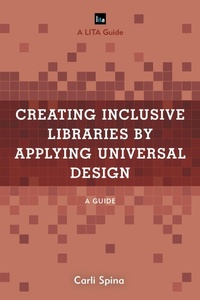
Creating Inclusive Libraries by Applying Universal Design
A Guide
1st Edition
Published on 7. June 2021
204 pages
979-8-8818-7513-8 (ISBN)
Description

As libraries of all types strive to serve diverse communities, Universal Design offers principles and approaches that can be used to create welcoming spaces and services. Applying Universal Design to Create Inclusive Libraries: A LITA Guide offers a thorough and engaging introduction to Universal Design and concrete examples of how these principles can be applied at libraries of all sizes, types, and budgets.
This guide covers both Universal Design and Universal Design for Learning and includes real examples of how libraries have used these principles to create more welcoming environments and programming. Featuring a mix of examples, case studies, and checklists, this guide is suitable for those who are new to accessibility and inclusion work. Examples discussed cover a range of types of projects for all budgets, from major renovations to in-house signage design projects. Libraries covered include public libraries, academic libraries, school libraries, and more. It will leave readers confident of steps that they can take at their library to improve inclusion at any price point.
This guide covers both Universal Design and Universal Design for Learning and includes real examples of how libraries have used these principles to create more welcoming environments and programming. Featuring a mix of examples, case studies, and checklists, this guide is suitable for those who are new to accessibility and inclusion work. Examples discussed cover a range of types of projects for all budgets, from major renovations to in-house signage design projects. Libraries covered include public libraries, academic libraries, school libraries, and more. It will leave readers confident of steps that they can take at their library to improve inclusion at any price point.
More details
Other editions
Additional editions
Book
06/2021
Rowman & Littlefield Publishers
€55.50
Shipment within 3-4 weeks
Person
Carli Spina is associate professor and head of research & instructional services at SUNY's Fashion Institute of Technology in New York City. She holds a J. from the University of Chicago Law School, an MLIS from Simmons GSLIS, and an MEd from the Harvard Graduate School of Education. While at the Harvard Graduate School of Education, she completed coursework on accessibility and Universal Design, including taking a course from Prof. David H. Rose, who defined Universal Design for Learning. This educational background offers her a unique perspective on Universal Design, accessibility, and services for disabled patrons that considers legal, pedagogical, and practical considerations.
Spina has extensive experience working on projects related to accessibility, Universal Design, user experience, and technology in libraries as well as serving as a coordinator for services to patrons with disabilities. She served as the inaugural chair of LITA's Diversity and Inclusion Committee and as the leader of the ASCLA Library Services to People with Visual or Physical Disabilities That Prevent Them from Reading Standard Print Interest Group. She has worked with a number of professional organizations, libraries, and other organizations to offer training and support on Universal Design, inclusion, and accessibility. She has also written extensively on disability, accessibility, and Universal Design, including for Theological Librarianship, Marketing Libraries Journal, the Association of Research Libraries, WeaveUX (forthcoming), and School Library Journal.
Spina has extensive experience working on projects related to accessibility, Universal Design, user experience, and technology in libraries as well as serving as a coordinator for services to patrons with disabilities. She served as the inaugural chair of LITA's Diversity and Inclusion Committee and as the leader of the ASCLA Library Services to People with Visual or Physical Disabilities That Prevent Them from Reading Standard Print Interest Group. She has worked with a number of professional organizations, libraries, and other organizations to offer training and support on Universal Design, inclusion, and accessibility. She has also written extensively on disability, accessibility, and Universal Design, including for Theological Librarianship, Marketing Libraries Journal, the Association of Research Libraries, WeaveUX (forthcoming), and School Library Journal.
Content
Preface
The Role of Universal Design in LibrariesDefining Universal Design: Key History and ContextThe Principles of Universal DesignThe Limitations of Universal DesignApplying Universal Design Concepts to LibrariesUniversal Design Case StudiesA Checklist for Applying Universal Design in LibrariesDefining Universal Design for LearningThe Principles of Universal Design for LearningThe Limitations of Universal Design for LearningApplying Universal Design For Learning in LibrariesUniversal Design for Learning Case StudiesA Checklist for Applying Universal Design for Learning in LibrariesHow Universal Design Leads to InclusionRecommended Resources
The Role of Universal Design in LibrariesDefining Universal Design: Key History and ContextThe Principles of Universal DesignThe Limitations of Universal DesignApplying Universal Design Concepts to LibrariesUniversal Design Case StudiesA Checklist for Applying Universal Design in LibrariesDefining Universal Design for LearningThe Principles of Universal Design for LearningThe Limitations of Universal Design for LearningApplying Universal Design For Learning in LibrariesUniversal Design for Learning Case StudiesA Checklist for Applying Universal Design for Learning in LibrariesHow Universal Design Leads to InclusionRecommended Resources
