

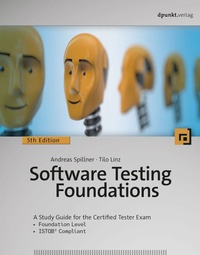
Software Testing Foundations
A Study Guide for the Certified Tester Exam- Foundation Level- ISTQB® Compliant
5th Edition
Published on 28. July 2021
339 pages
978-3-96910-298-5 (ISBN)
Available for download
Description

Fundamental knowledge and basic experience - brought through practical examples
Thoroughly revised and updated 5th edition, following upon the success of four previous editions
Updated according to the most recent ISTQB® Syllabus for the Certified Tester Foundations Level (2018)
Authors are among the founders of the Certified Tester Syllabus
Professional testing of software is an essential task that requires a profound knowledge of testing techniques. The International Software Testing Qualifications Board (ISTQB®) has developed a universally accepted, international qualification scheme aimed at software and system testing professionals, and has created the Syllabi and Tests for the Certified Tester. Today about 673,000 people have taken the ISTQB® certification exams.
The authors of Software Testing Foundations, 5th Edition, are among the creators of the Certified Tester Syllabus and are currently active in the ISTQB®. This thoroughly revised and updated fifth edition covers the Foundation Level (entry level) and teaches the most important methods of software testing. It is designed for self-study and provides the information necessary to pass the Certified Tester-Foundations Level exam, version 2018, as defined by the ISTQB®.
Topics covered:
- Fundamentals of Testing
- Testing and the Software Lifecycle
- Static and Dynamic Testing Techniques
- Test Management
- Test Tools
More details
Other editions
Additional editions
Andreas Spillner | Tilo Linz
Software Testing Foundations
A Study Guide for the Certified Tester Exam
Book
07/2021
5th Edition
dpunkt
€39.90
No shipping information available
Andreas Spillner | Tilo Linz
Software Testing Foundations
A Study Guide for the Certified Tester Exam
Book
07/2021
dpunkt
€44.90
Article exhausted; check different version
Persons
Andreas Spillner taught at the University of Bremen in the Department of Electrical Engineering and Computer Science until 2017. For more than 10 years, he was president of the German Special Interest Group in Software Testing, Analysis, and Verification of the German Society for Informatics. He is a honorary member of the German Testing Board. His work emphasis is on software engineering, quality assurance, and testing.
Tilo Linz is CEO of imbus AG, a leading solution provider for software testing in Germany, and has been active in the field of software quality and software testing for more than 25 years. His work emphasis is on consulting and coaching projects on software quality management, optimizing software development, and testing processes. He is also an author of several books on software testing. His latest book is "Testing in Scrum". More details can be found in his blog 'Softwaretest Knowledge'.
Content
- Intro
- 1 Introduction
- 2 Software Testing Basics
- 3 Testing Throughout the Software Development Lifecycle
- 4 Static Testing
- 5 Dynamic Testing
- 6 Test Management
- 7 Test Tools
- Appendices
- A Important Notes on the Syllabus and the Certified Tester Exam
- B Glossary
- C References
- Index
- 1 Introduction
- 2 Software Testing Basics
- 2.1 Concepts and Motivations
- 2.1.1 Defect and Fault Terminology
- 2.1.2 Testing Terminology
- 2.1.3 Test Artifacts and the Relationships Between Them
- 2.1.4 Testing Effort
- 2.1.5 Applying Testing Skills Early Ensures Success
- 2.1.6 The Basic Principles of Testing
- 2.2 Software Quality
- 2.2.1 Software Quality according to ISO 25010
- 2.2.2 Quality Management and Quality Assurance
- 2.3 The Testing Process
- 2.3.1 Test Planning
- 2.3.2 Test Monitoring and Control
- 2.3.3 Test Analysis
- 2.3.4 Test Design
- 2.3.5 Test Implementation
- 2.3.6 Test Execution
- 2.3.7 Test Completion
- 2.3.8 Traceability
- 2.3.9 The Influence of Context on the Test Process
- 2.4 The Effects of Human Psychology on Testing
- 2.4.1 How Testers and Developers Think
- 2.5 Summary
- 3 Testing Throughout the Software Development Lifecycle
- 3.1 Sequential Development Models
- 3.1.1 The Waterfall Model
- 3.1.2 The V-Model
- 3.2 Iterative and Incremental Development Models
- 3.3 Software Development in Project and Product Contexts
- 3.4 Testing Levels
- 3.4.1 Component Testing
- 3.4.2 Integration Testing
- 3.4.3 System Testing
- 3.4.4 Acceptance Testing
- 3.5 Test Types
- 3.5.1 Functional Tests
- 3.5.2 Non-Functional Tests
- 3.5.3 Requirements-Based and Structure-Based Testing
- 3.6 Testing New Product Versions
- 3.6.1 Testing Following Software Maintenance
- 3.6.2 Testing Following Release Development
- 3.6.3 Regression Testing
- 3.7 Summary
- 4 Static Testing
- 4.1 What Can We Analyze and Test?
- 4.2 Static Test Techniques
- 4.3 The Review Process
- 4.3.1 Review Process Activities
- 4.3.2 Different Individual Review Techniques
- 4.3.3 Roles and Responsibilities within the Review Process
- 4.4 Types of Review
- 4.5 Critical Factors, Benefits, and Limits
- 4.6 The Differences Between Static and Dynamic Testing
- 4.7 Summary
- 5 Dynamic Testing
- 5.1 Black-Box Test Techniques
- 5.1.1 Equivalence Partitioning
- 5.1.2 Boundary Value Analysis
- 5.1.3 State Transition Testing
- 5.1.4 Decision Table Testing
- 5.1.5 Pair-Wise Testing
- 5.1.6 Use-Case Testing
- 5.1.7 Evaluation of Black-Box Testing
- 5.2 White-Box Test Techniques
- 5.2.1 Statement Testing and Coverage
- 5.2.2 Decision Testing and Coverage
- 5.2.3 Testing Conditions
- 5.2.4 Evaluation of White-Box Testing
- 5.3 Experience-Based Test Techniques
- 5.4 Selecting the Right Technique
- 5.5 Summary
- 6 Test Management
- 6.1 Test Organization
- 6.1.1 Independent Testing
- 6.1.2 Roles, Tasks, and Qualifications
- 6.2 Testing Strategies
- 6.2.1 Test Planning
- 6.2.2 Selecting a Testing Strategy
- 6.2.3 Concrete Strategies
- 6.2.4 Testing and Risk
- 6.2.5 Testing Effort and Costs
- 6.2.6 Estimating Testing Effort
- 6.2.7 The Cost of Testing vs. The Cost of Defects
- 6.3 Test Planning, Control, and Monitoring
- 6.3.1 Test Execution Planning
- 6.3.2 Test Control
- 6.3.3 Test Cycle Monitoring
- 6.3.4 Test Reports
- 6.4 Defect Management
- 6.4.1 Evaluating Test Reports
- 6.4.2 Creating a Defect Report
- 6.4.3 Classifying Failures and Defects
- 6.4.4 Defect Status Tracking
- 6.4.5 Evaluation and Reporting
- 6.5 Configuration Management
- 6.6 Relevant Standards and Norms
- 6.7 Summary
- 7 Test Tools
- 7.1 Types of Test Tools
- 7.1.1 Test Management Tools
- 7.1.2 Test Specification Tools
- 7.1.3 Static Test Tools
- 7.1.4 Tools for Automating Dynamic Tests
- 7.1.5 Load and Performance Testing Tools
- 7.1.6 Tool-Based Support for Other Kinds of Tests
- 7.2 Benefits and Risks of Test Automation
- 7.3 Using Test Tools Effectively
- 7.3.1 Basic Considerations and Principles
- 7.3.2 Tool Selection
- 7.3.3 Pilot Project
- 7.3.4 Success Factors During Rollout and Use
- 7.4 Summary
- Appendices
- A Important Notes on the Syllabus and the Certified Tester Exam
- B Glossary
- C References
- C.1 Literature
- C.2 Norms and Standards
- C.3 URLs
- Index
