

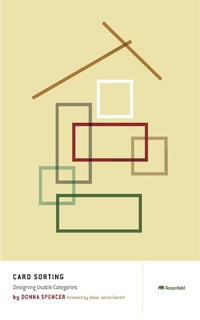
Card Sorting
Designing Usable Categories
1st Edition
Published on 1. April 2009
162 pages
978-1-933820-07-1 (ISBN)
Description

Card sorting helps us understand how people think about content and categories. Armed with this knowledge, we can group information so that people can better find and understand it. In this book, Donna describes how to plan and run a card sort, then analyse the results and apply the outcomes to your project.
More details
Other editions
Additional editions
Book
04/2009
Rosenfeld Media
€72.00
Shipment within 3-4 weeks
Content
- Card Sorting: Designing Usable Categories
- Title Page
- Table of Contents
- Copyright
- How to Use This Book
- Frequently Asked Questions
- Foreword
- Chapter 1: All About Card Sorting
- My First Card Sort
- What Is Card Sorting?
- Steps in a Card Sort
- How Card Sorting Is Used
- A Word of Caution
- Complementary User Research Techniques
- Timing of Card Sorts in a Project
- Let's Get Sorting
- Chapter 1 Summary/Tips
- Chapter 2: All About Organizing
- The Challenges of Organizing
- Structure: Hierarchies and Databases
- Classification Schemes
- Categories
- Chapter 2 Summary/Tips
- References
- Chapter 3: Defining the Need
- Need to Learn Broad Ideas
- Need to Check You're on Track
- Need to Explore an Idea in Detail
- Need to Compare People
- Justify a Recommendation
- Setting Goals
- Chapter 3 Summary/Tips
- Chapter 4: Choose the Method
- Open or Closed Card Sort
- Team Versus Individual Card Sorts
- Manual Versus Software
- Chapter 4 Summary/Tips
- Chapter 5: Choose the Content
- Locating Content
- Tips for Selecting Content
- How Much Content/How Many Cards?
- Working on Large Sites
- Chapter 5 Summary/Tips
- Chapter 6: Choose the People
- Choosing a Facilitator
- Choosing the Participants
- Chapter 6 Summary/Tips
- Chapter 7: Make the Cards
- Making Physical Cards
- Closed Card Sort: Making Category Cards
- Making "Cards" Using a Software Tool
- Chapter 7 Summary/Tips
- Chapter 8: Manage the Sort
- Prepare for Analysis
- Other Supplies
- Before You Start: The Test Run
- Run the Card Sort
- Hand Out the Cards
- Observe the Sort
- Record the Outcomes
- Chapter 8 Summary/Tips
- Chapter 9: Use Exploratory Analysis
- Goals and Exploratory Analysis
- Preparing for Exploratory Analysis
- Start the Analysis
- Chapter 9 Summary/Tips
- Chapter 10: Use Statistical Analysis
- Goals and Statistical Analysis
- Analyzing the Data
- Chapter 10 Summary/Tips
- Chapter 11: Use What You've Learned
- Use All Inputs
- Be Practical
- Don't Assume
- Determine Categories Carefully
- Be Flexible
- Test Your IA
- Don't Rely on a Technique to Do Your Thinking
- Appendix: Documentation
- Bare-Bones Report
- Detailed Report
- Comprehensive Report
- Index
- Acknowledgments
- About the Author
- Back Cover
