

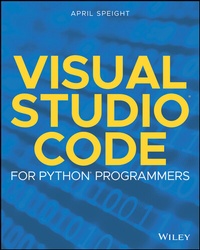
Visual Studio Code for Python Programmers
1st Edition
Published on 4. June 2021
256 pages
978-1-119-77338-2 (ISBN)
Description

Become proficient and efficient with Visual Studio Code and learn how to integrate all your external tools!
Visual Studio Code for Python Programmers helps Python developers become not just familiar, but productive in Visual Studio Code. To start, you'll find the steps for installing Visual Studio Code on Windows, Mac and Linux platforms, along with an introduction to the editing features of the workspace. Coverage of more advanced functionality includes managing source code, debugging, unit testing, and Jupyter Notebook support. The book finishes with a walk-through of real-world projects which utilize Visual Studio Code features introduced in the book.
For developers, the choice of an editor is a very personal one. You have idiosyncratic needs and wants that are unique to you as a developer. This book will help you learn how to customize Visual Studio Code to meet your needs and Python development workflow.
* Introduces you to the features of the Visual Studio Code workspace and how those features can be customized
* Demonstrates how Visual Studio Code allows you to choose your structure according to your needs
* Covers editing code in Python, including syntax highlighting, code completion, object definition, refactoring, and code navigation
* Describes Git integration and how to perform common Git functions (commits, checkouts, branches, and merges) from within Visual Studio Code
* Highlights debugging features for Python developers
A final section on Real World Applications will step you through several examples (and features integration with Django, Flask, Jupyter Notebook, Docker, and Azure), so you can hit the ground running with Visual Studio Code.
Visual Studio Code for Python Programmers helps Python developers become not just familiar, but productive in Visual Studio Code. To start, you'll find the steps for installing Visual Studio Code on Windows, Mac and Linux platforms, along with an introduction to the editing features of the workspace. Coverage of more advanced functionality includes managing source code, debugging, unit testing, and Jupyter Notebook support. The book finishes with a walk-through of real-world projects which utilize Visual Studio Code features introduced in the book.
For developers, the choice of an editor is a very personal one. You have idiosyncratic needs and wants that are unique to you as a developer. This book will help you learn how to customize Visual Studio Code to meet your needs and Python development workflow.
* Introduces you to the features of the Visual Studio Code workspace and how those features can be customized
* Demonstrates how Visual Studio Code allows you to choose your structure according to your needs
* Covers editing code in Python, including syntax highlighting, code completion, object definition, refactoring, and code navigation
* Describes Git integration and how to perform common Git functions (commits, checkouts, branches, and merges) from within Visual Studio Code
* Highlights debugging features for Python developers
A final section on Real World Applications will step you through several examples (and features integration with Django, Flask, Jupyter Notebook, Docker, and Azure), so you can hit the ground running with Visual Studio Code.
More details
Other editions
Additional editions
April Speight
Visual Studio Code for Python Programmers
Book
08/2021
Wiley
€47.50
Shipment within 15-20 days
Person
APRIL SPEIGHT is a developer who specializes in Python and conversational design for chat bots and AI Assistants. Her passion for learning and teaching Python led to her first published title, Bite-Size Python: An Introduction to Python Programming. She currently works on content creation and developer community engagement for Spatial Computing and Mixed Reality at Microsoft.
