

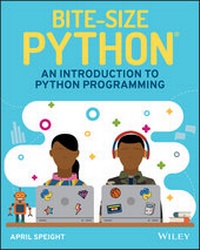
Bite-Size Python
Description

Python has now surpassed Java as the most commonly used programming language. As the language rises in popularity, this complete guide can teach basic Python concepts to kids with its simple, friendly format. Bite-Size Python: An Introduction to Python Programming provides children with a foundation in the Python language. This unique book shares knowledge through easy-to-understand examples, fast exercises, and fun projects!
As children learn, their parents, caregivers, and instructors can also join in their discoveries. Bite-Size Python is ideal for those who are new to programming, giving kids ages 9 and up a beginners' approach to learning one of the most important programming languages.
* Gives an overview of Python
* Provides exciting programming projects
* Offers instruction on how to download and install Python
* Presents key programming language concepts
* Simplifies technical definitions
With this playful guide to learning Python, readers can try out activities on their computers for a hands-on learning experience. The artwork in Bite-Size Python represents children of various backgrounds, so any child who picks up this book will be empowered to learn and young readers will love showing their projects to friends and family!
More details
Other editions
Additional editions
Person
Content
2 Install Python 9
3 IDLE 15
4 Variables 23
5 Numbers 39
6 Strings 51
7 Conditionals and Control Flow 69
8 Lists 83
9 for Loops 97
10 while Loops 117
11 Functions 133
12 Dictionaries 161
13 Modules 187
14 Next Steps 205
Appendix 213
Index 219
4
Variables
What's your favorite color? If you recall from the previous chapter, you can have IDLE output any phrase you want using print(). How about giving that a try now to see your favorite color printed in the interpreter?
>>> print('blue') blue Now, what would you do if you were asked to print your favorite color five times in a row? One option would be to create five print() statements that include your favorite color. Although you could do that, after a while you'll start to realize that typing your favorite color over and over again could become pretty tiring, or you may even accidentally spell your favorite color wrong.
Imagine being asked to write your favorite color 20 times or even 100 times! Sure, you could type the same line of code over and over, however, there's a better way to reuse the same word/phrase in your code.
What Is a Variable?
A variable is a name that represents a value, such as a number or piece of text (called a string).
When you create a variable, you'll want to choose a name that is unique, is specific, is related to what the value represents, and doesn't start with a number or special character. You'll also want to avoid using keywords that already serve a purpose in Python. To review a list of Python keywords, visit docs.python.org/3/reference/lexical_analysis.html#keywords.
The variable names shown here are examples of ways that you can name a variable. Some variable names may be just one word, while others may include underscores. You can even create variable names by capitalizing the first letter of each word after the first word, which is known as camelCasing.
Once you pick a name for your variable, you can assign a value to the variable such a number or a string. If you're assigning a string to a variable, you'll need to place the string inside quotes-like how you did for printing. You could use either double quotes ("") or single quotes (''). However, you can't use both.
Thinking back to your favorite color, you could create a variable just for that and assign your favorite color as the value.
>>> color = 'blue' If you want to get more specific with your variable name, you could change the variable name to favorite_color instead. Whenever you want to create a variable name that has multiple words, you can separate each word with an underscore.
>>> favorite_color = 'blue' Now, you've seen how to assign strings to variables, but what about assigning numbers to variables? Almost the same rules apply; however, you don't always need to place quotes around the number. Whether you need to place quotes around a number will depend on what you want to do with the number. For now, let's start by using the value to print by itself in the interpreter. We can create a variable that represents your age.
>>> age = 13 So, how can you use a variable? As your coding skills improve, you'll find yourself writing many lines of code all within one program. More often, you'll need to use the same values repeatedly throughout your program. Assigning (or storing) a value to a variable name enables you to reuse the value in multiple places throughout your code. Just be sure to spell the variable name the same way in all places; otherwise, Python will think that you're using a completely different variable.
For example, if you were writing a program that used your favorite color value in multiple places within the code, the variable name could be used in its place to save you both space and sometimes time typing. Therefore, every time you want to refer to your favorite color, you could use the variable favorite_color.
Checkpoint
Which of the following variable names cannot be used in Python?
mydogsname!_best_friendscarvacationCity
Print a Variable
You can ask Python to tell you the value of a variable by using the print() statement. Instead of typing a string in the print() statement, you would use the variable name in its place and press Enter.
>>> print(favorite_color) blue The interpreter remembers the color that you assigned earlier to the favorite_color variable. Want to print your favorite color 20 times or even 100 times? Change your print() statement to print(favorite_color * 20). This syntax will multiply the number of times that the variable is printed by 20.
>>> print(favorite_color * 20) blueblueblueblueblueblueblueblueblueblueblueblueblue blueblueblueblueblueblueblue Printing isn't just for strings; you could also print numbers by using the print() statement. Give this a try by printing your age in IDLE.
>>> print(age) 13 Checkpoint
Naomi is creating a Python program that contains information about her favorite movie. She wants to store the movie title, year of release, rating, and a brief description of the movie. So far, she's created the following variables in her program:
movie_title = Toy Story 4 year = 2019 rating = '4/5' description = 'Woody, Buzz Lightyear, and the rest of the gang embark on a road trip with Bonnie and a new toy named Forky. The adventurous journey turns into an unexpected reunion as a slight detour leads Woody to his long-lost friend Bo Peep. As Woody and Bo discuss the old days, they soon start to realize that they are worlds apart when it comes to what they want from life as a toy." Naomi wants to print the value of the movie_title variable; however, the value assigned needs to be fixed. Which option correctly assigns the movie title Toy Story 4 to the variable movie_title?
movie_title = "Toy Story" 4movie_title = "Toy Story 4'movie_title = 'Toy Story 4'movie_title = 'Toy' 'Story' '4'
When Naomi tries to print the description variable, she gets an error. What is wrong with the description variable?
- The variable name is spelled wrong.
- The string is too long.
- Nothing is wrong.
- The string is surrounded by both a single quote and a double quote.
Update Variables
Variables can be used however many times you'd like throughout your code. But what happens if you want to change the value of a variable? By storing a value in a variable, you can update the value in one place. This will become more useful as you begin to write programs with many lines of code!
Let's say that you changed your mind and now you have a new favorite color. You can assign a new color to the favorite_color variable, which will change the value stored to favorite_color.
>>> favorite_color = 'pink' If you were to print favorite_color, the most recent assigned value will print in IDLE.
>>> print(favorite_color) pink Checkpoint
Every year, Harrison travels around the world to visit his friends and experience new cultures. He keeps track of his location in a Python program using the variable current_location. He's currently in Italy but travels to New York soon. Since Harrison will be changing locations, he wants to update the current_location variable with his destination.
current_location = 'Italy' current_location = 'New York' If Harrison prints the current_location variable, which location will be printed?
- New York
- Italy
- New York and Italy
- None
Project: Meet Your Classmates
Description:
After a long fun-filled summer break, it's time to return to school! On the first day of school, your teacher asks the class to go around the room and introduce yourselves to each other. Although you spent time at the pool and on vacation this summer, you also began to learn a new programming language-Python!
Eager to show off your new skills, you decide to create a Python program that enables your classmates to introduce themselves to the class.
Let's get started!
Steps:
Create a New File in IDLE
Before you begin to code, open IDLE and create a new file. Save your new file with the filename introduce:app.py. As a reminder, adding the. py extension to the filename lets the...
