

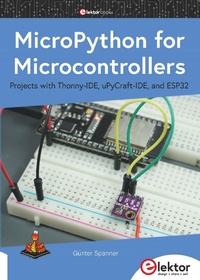
MicroPython for Microcontrollers
Projects with Thonny-IDE, uPyCraft-IDE, and ESP32
Published on 19. May 2021
229 pages
978-3-89576-437-0 (ISBN)
Description

The "Python" programming language has enjoyed an enormous upswing in recent years. Not least, various single-board systems such as the Raspberry Pi have contributed to its popularity. But Python has also found widespread use in other fields, such as artificial intelligence (AI) or machine learning (ML). It is obvious, therefore, to use Python or the "MicroPython" variant for use in SoCs (Systems on Chip) as well.
Powerful controllers such as the ESP32 from Espressif Systems offer excellent performance as well as Wi-Fi and Bluetooth functionality at an affordable price. With these features, the Maker scene has been taken by storm. Compared to other controllers, the ESP32 has a significantly larger flash and SRAM memory, as well as a much higher CPU speed. Due to these characteristics, the chip is not only suitable for classic C applications, but also for programming with MicroPython.
This book introduces the application of modern one-chip systems. In addition to the technical background, the focus is on MicroPython itself. After the introduction to the language, the programming skills learned are immediately put into practice. The individual projects are suitable for use in the laboratory as well as for everyday applications. So, in addition to the actual learning effect, the focus is also on the joy of building complete and useful devices. By using laboratory breadboards, circuits of all kinds can be realized with little effort, turning the testing and debugging of the 100% homebrew projects into an instructive pleasure.
The various applications, such as weather stations, digital voltmeters, ultrasound range finders, RFID card readers or function generators, make the projects presented ideally suited for practical courses or subject and study work in the natural sciences, or in science and technology classes.
Powerful controllers such as the ESP32 from Espressif Systems offer excellent performance as well as Wi-Fi and Bluetooth functionality at an affordable price. With these features, the Maker scene has been taken by storm. Compared to other controllers, the ESP32 has a significantly larger flash and SRAM memory, as well as a much higher CPU speed. Due to these characteristics, the chip is not only suitable for classic C applications, but also for programming with MicroPython.
This book introduces the application of modern one-chip systems. In addition to the technical background, the focus is on MicroPython itself. After the introduction to the language, the programming skills learned are immediately put into practice. The individual projects are suitable for use in the laboratory as well as for everyday applications. So, in addition to the actual learning effect, the focus is also on the joy of building complete and useful devices. By using laboratory breadboards, circuits of all kinds can be realized with little effort, turning the testing and debugging of the 100% homebrew projects into an instructive pleasure.
The various applications, such as weather stations, digital voltmeters, ultrasound range finders, RFID card readers or function generators, make the projects presented ideally suited for practical courses or subject and study work in the natural sciences, or in science and technology classes.
More details
Other editions
Additional editions
Book
05/2021
1st Edition
Elektor
€39.95
Article exhausted; check different version
Person
The author has been active in the field of electronics development and technology management for various large corporations for over 25 years.
In addition to his work as a lecturer, he has successfully published technical articles and books on the topics of electronics, microcontrollers, and sensor technology, as well as courses and learning packages. Furthermore, he is known to a wide audience through acclaimed specialist lectures and webinars.
In addition to his work as a lecturer, he has successfully published technical articles and books on the topics of electronics, microcontrollers, and sensor technology, as well as courses and learning packages. Furthermore, he is known to a wide audience through acclaimed specialist lectures and webinars.
Content
- Intro
- Content
- Notices and Disclaimers
- Demo Programs Download Archive
- Chapter 1 Introduction
- 1.1 Python, C, or Arduino?
- 1.2 Requirements
- Chapter 2 A Variety of ESP Boards
- 2.1 Commissioning and function test
- 2.2 ESP32 on battery power
- Chapter 3 Programming and Development Environments
- 3.1 Installing the uPyCraft IDE
- 3.2 MicroPython for the ESP32
- 3.3 "Hello World" for the controller
- 3.4 For professionals: Working with esptool
- 3.5 Thonny - a Python-IDE for beginners
- 3.6 Working with Thonny
- 3.7 Working with files
- 3.8 Troubleshooting tips for the Thonny IDE
- Chapter 4 First Steps in Programming
- 4.1 Never without: Comments
- 4.2 The Print() statement
- 4.3 Indentations and blocks
- 4.4 The hardware under control: digital inputs and outputs
- 4.5 Time control and sleep
- 4.6 Important values: variables and constants
- 4.7 Numbers and types of variables
- 4.8 Converting number types
- 4.9 Little Big Data: Arrays
- 4.10 Operators
- 4.11 With format, please: appealing text and data output
- 4.12 Characters in chains: strings
- Chapter 5 The Controller in Practical Use
- 5.1 LED flasher as alarm system simulator
- 5.2 Useful in an emergency: automatic SOS signal
- Chapter 6 Program Structures
- 6.1 Conditions and loops
- 6.2 Running lights and airport lighting
- 6.3 Electronic rainbow: RGB LED in use
- 6.4 SOS compact-style
- 6.5 Trial and error: try and except
- Chapter 7 Analogue-Signal Generation
- 7.1 Pulsewidth modulation
- 7.2 For romantic evenings: heartbeat simulator
- 7.3 Light alarm clock for a relaxed wake-up
- 7.4 Mood-Light with multicolour LED
- 7.5 Clean and smooth: analogue values from the DAC
- 7.6 Output of time-dependent voltages
- 7.7 For interesting curves: An arbitrary function generator
- Chapter 8 Interrupts and Timers
- 8.1 Disruption wanted: Interrupts
- 8.2 Automatic night light
- 8.3 Masters of Time: Timers
- 8.4 A multifunctional flashing light
- Chapter 9 Using Sensors
- 9.1 Acquisition of measurement and sensor values
- 9.2 Precise recording of voltages: a DIY voltmeter
- 9.3 Linearity correction
- 9.4 Linearization by limitation of the value range
- 9.5 Linearization of the ADC input by means of compensation polunomial
- 9.6 Voltage measurement
- 9.7 Cross-interferences: side effects in sensor technology
- 9.8 Touching permitted: capacitive touch sensors
- 9.9 Well chilled or overheated: temperature sensors provide clarity
- 9.10 Digital temperature recording for error-free data transmission
- 9.11 The DS18×20 One-Wire sensor
- 9.12 Data power: multi-sensor array with the DS18x20 thermal sensor
- 9.13 In full view: optical sensors
- 9.14 For film and photo professionals: electronic luxmeter
- 9.15 Electronic bats: distance measurement with ultrasound
- 9.16 No more dents and scratches: distance warning device for garages
- 9.17 Optimum indoor climate for flora and fauna
- 9.18 "Trust me ...": sensor comparison
- 9.19 Air pressure and altitude measurement
- 9.20 Detecting magnetic fields with the Hall sensor
- 9.21 Alarm detectors monitor door and gate
- Chapter 10 Display Technology and Small-Size Screens
- 10.1 Graphical representations
- 10.2 OLED display as data plotter
- 10.3 The exact time please: digital clock with OLED display
- 10.4 Not just for athletes: a stopwatch
- 10.5 Just touch: stop watch with sensor keys
- 10.6 Great climate with the BME280 sensor!
- Chapter 11 LED Matrices and Large Displays
- 11.1 LED matrix in action
- 11.2 Running scripts and animated graphics
- Chapter 12 Physical Computing: Servos bring movement into play
- 12.1 A servo tester
- 12.2 Mega-display servo thermometer
- Chapter 13 RFID and Wireless Data Transmission
- 13.1 Reading cards and chips
- 13.2 Contactless and secure: RFID lock
- Chapter14 MicroPython and the Internet of Things (IoT)
- 14.1 For modern detectives: a network scanner
- 14.2 Connected but no cables: WLAN
- 14.3 Switch and control with the web server
- 14.4 The WLAN web server in action
- 14.5 Reading out sensor data via WLAN
- 14.6 Recording environmental parameters: WLAN Thermo/Hygrometer
- Chapter 15 Simple and Good: The MQTT Protocol
- 15.1 MQTT via ThingSpeak
- Chapter 16 Sending Data to the Internet via ThingSpeak
- 16.1 Rain or storm? Virtual weather station available worldwide
- 16.2 Graphical representation of data in ThingSpeak
- 16.3 Data for the smartphone with the ThingView app
- 16.4 Against unwanted visitors: Optical room surveillance
- Chapter 17 Micropower Techniques and Sleep Modes
- 17.1 Saving power protects the environment: low-power technologies
- 17.2 Disabling unnecessary consumers
- 17.3 Weather station with battery or solar operation
- Chapter 18 Bus Systems for Efficient Communication
- 18.1 Basics and applications of the I²C bus
- 18.2 The SPI bus
- 18.3 The members of the SPI family
- 18.4 Controlling SD and µSD cards via SPI
- Chapter 19 Building Circuits with Components and Breadboards
- 19.1 Breadboards
- 19.2 Wire jumpers and jumper cables
- 19.3 Resistors
- 19.4 Light-emitting diodes (LEDs)
- 19.5 Capacitors and electrolytic capacitors
- Chapter 20 Troubleshooting
- Chapter 21 Hardware Resources
- Chapter 22 List of Figures
- Chapter 23 Bill of Materials
- Index
