

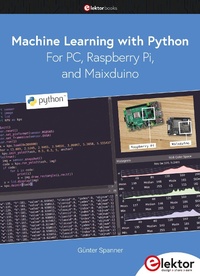
Machine Learning with Python for PC, Raspberry Pi, and Maixduino
1st Edition
Published on 4. April 2022
247 pages
978-3-89576-503-2 (ISBN)
Description

Most people are increasingly confronted with the applications of Artificial Intelligence (AI). Music or video ratings, navigation systems, shopping advice, etc. are based on methods that can be attributed to this field.
The term Artificial Intelligence was coined in 1956 at an international conference known as the Dartmouth Summer Research Project. One basic approach was to model the functioning of the human brain and to construct advanced computer systems based on this. Soon it should be clear how the human mind works. Transferring it to a machine was considered only a small step. This notion proved to be a bit too optimistic. Nevertheless, the progress of modern AI, or rather its subspecialty called Machine Learning (ML), can no longer be denied.
In this book, several different systems will be used to get to know the methods of machine learning in more detail. In addition to the PC, both the Raspberry Pi and the Maixduino will demonstrate their capabilities in the individual projects. In addition to applications such as object and facial recognition, practical systems such as bottle detectors, person counters, or a "talking eye" will also be created.
The latter is capable of acoustically describing objects or faces that are detected automatically. For example, if a vehicle is in the field of view of the connected camera, the information "I see a car!" is output via electronically generated speech. Such devices are highly interesting examples of how, for example, blind or severely visually impaired people can also benefit from AI systems.
The term Artificial Intelligence was coined in 1956 at an international conference known as the Dartmouth Summer Research Project. One basic approach was to model the functioning of the human brain and to construct advanced computer systems based on this. Soon it should be clear how the human mind works. Transferring it to a machine was considered only a small step. This notion proved to be a bit too optimistic. Nevertheless, the progress of modern AI, or rather its subspecialty called Machine Learning (ML), can no longer be denied.
In this book, several different systems will be used to get to know the methods of machine learning in more detail. In addition to the PC, both the Raspberry Pi and the Maixduino will demonstrate their capabilities in the individual projects. In addition to applications such as object and facial recognition, practical systems such as bottle detectors, person counters, or a "talking eye" will also be created.
The latter is capable of acoustically describing objects or faces that are detected automatically. For example, if a vehicle is in the field of view of the connected camera, the information "I see a car!" is output via electronically generated speech. Such devices are highly interesting examples of how, for example, blind or severely visually impaired people can also benefit from AI systems.
All prices
More details
Other editions
Additional editions

Book
04/2022
1st Edition
Elektor
€34.95
Article exhausted; check different version
Person
Dr. Günter Spanner has been working in the field of electronics development and physics technology for various large corporations for more than 20 years. In addition to his work as a lecturer, he has published successful technical articles and books on electronics, semiconductor technology and microcontrollers, and has created courses and learning packages on these topics.
Content
- Machine Learning with Python
- All rights reserved.
- Contents
- Cautionary Notices
- Program Downloads
- 1 Introduction
- 1.1 "Super Intelligence" in three steps?
- 1.2 How machines can learn
- 2 A Brief History of ML and AI
- 3 Learning from "Big Data
- 4 The Hardware Base
- 5 The PC as Universal AI Machine
- 5.1 The computer as a programming center
- 6 The Raspberry Pi
- 6.1 The Remote Desktop
- 6.2 Using smartphones and tablets as displays
- 6.3 FileZilla
- 6.4 Pimp my Pi
- 7 Sipeed Maix, aka "MaixDuino
- 7.1 Small but mighty: the performance figures of the MaixDuino
- 7.2 A wealth of applications
- 7.3 Initial start-up and functional test
- 7.4 Power supply and stand-alone operation
- 8 Programming and Development Environments
- 8.1 Thonny - a Python IDE for beginners and intermediates
- 8.2 Thonny as a universal IDE for RPi and MaixDuino
- 8.3 Working with files
- 8.4 Thonny on the Raspberry Pi
- 8.5 Tips for troubleshooting the Thonny IDE
- 8.6 The MaixPy IDE
- 8.7 A MicroPython interpreter for MaixDuino
- 8.8 The Flash tool in action
- 8.9 Machine Learning and interactive Python
- 8.10 Anaconda
- 8.11 Jupyter
- 8.12 Installation and Start-Up
- 8.13 Using MicroPython Kernels in Jupyter
- 8.14 Communication setup to the MaixDuino
- 8.15 Kernels
- 8.16 Working with Notebooks
- 8.17 All libraries available?
- 8.18 Using Spyder for Python Programming
- 8.19 Who's programming who?
- 9 Python in a Nutshell
- 9.1 Comments make your life easier
- 9.2 The print() statement
- 9.3 Output to the display
- 9.4 Indentations and Blocks
- 9.5 Time Control and Sleep
- 9.6 Hardware under control: digital inputs and outputs
- 9.7 For vital values: variables and constants
- 9.8 Numbers and variable types
- 9.9 Converting number types
- 9.10 Arrays as a basis for neural networks
- 9.11 Operators
- 9.12 Conditions, branches and loops
- 9.13 Trial and error - try and except
- 10 Useful Assistants: Libraries!
- 10.1 MatPlotLib as a graphics artist
- 10.2 The math genius: Numpy
- 10.3 Data-mining using Pandas
- 10.4 Learning and visualization using Scikit, Scipy, SkImage & Co.
- 10.5 Machine Vision using OpenCV
- 10.6 Brainiacs: KERAS and TensorFlow
- 10.7 Knowledge transfer: sharing the learning achievements
- 10.8 Graphical representation of network structures
- 10.9 Solution of the XOR problem using KERAS
- 10.10 Virtual environments
- 11 Practical Machine Learning Applications
- 11.1 Transfer functions and multilayer networks
- 11.2 Flowers and data
- 11.3 Graphical representations of data sets
- 11.4 A net for iris flowers
- 11.5 Training and testing
- 11.6 What's blossoming here?
- 11.7 Test and learning behavior
- 12 Recognition of Handwritten Numbers
- 12.1 "Hello ML" - the MNIST data set
- 12.2 A neural network reads digits
- 12.3 Training, tests and predictions
- 12.4 Live recognition of digits
- 12.5 KERAS can do even better!
- 12.6 Convolutional networks
- 12.7 Power training
- 12.8 Quality control - an absolute must!
- 12.9 Recognizing live images
- 12.10 Batch sizes and epochs
- 12.11 MaixDuino also reads digits
- 13 How Machines Learn to See: Object Recognition
- 13.1 TensorFlow for Raspberry Pi
- 13.2 Virtual environments in action
- 13.3 Using a Universal TFlite Model
- 13.4 Ideal for sloths: clothes-sorting
- 13.5 Construction and training of the model
- 13.6 MaixDuino recognizes 20 objects
- 13.7 Recognizing, counting and sorting objects
- 14 Machines Learn to Listen and Speak
- 14.1 Talk to me!
- 14.2 RPi Learns to talk
- 14.3 Talking instruments
- 14.4 Sorry, didn't get you ...
- 14.5 RPi as a ChatBot
- 14.6 From ELIZA to ChatterBots
- 14.7 The Talking Eye
- 14.8 An AI Bat
- 15 Facial Recognition and Identification
- 15.1 The right to your own image
- 15.2 Machines recognize people and faces
- 15.3 MaixDuino as a Door Viewer
- 15.4 How many guest were at the party?
- 15.5 Person-detection alarm
- 15.6 Social minefields? - face identification
- 15.7 Big Brother RPi: face identification in practice
- 15.8 Smile, please
- -)
- 15.9 Photo Training
- 15.10 "Know thyself!" . and others
- 15.11 A Biometric scanner as a door opener
- 15.12 Recognizing gender and age
- 16 Train Your Own Models
- 16.1 Creation of a model for the MaixDuino
- 16.2 Electronic parts recognition with the MaixDuino
- 16.3 Performance of the trained network
- 16.4 Field test
- 16.5 Outlook: Multi-object detectors
- 17 Dreams of the Future: from KPU to Neuromorphic Chips
- 18 Electronic Components
- 18.1 Breadboards
- 18.2 Wires and jumpers
- 18.3 Resistors
- 18.4 Light-emitting diodes (LEDs)
- 18.5 Transistors
- 18.6 Sensors
- 18.7 Ultrasound range finder
- 19 Troubleshooting
- 20 Buyers Guide
- 21 References
- Bibliography
- Index
