

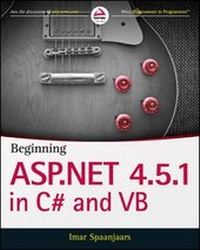
Beginning ASP.NET 4.5.1
Description

More details
Other editions
Additional editions
Person
Content
Chapter 1
Getting Started with ASP.NET 4.5.1
WHAT YOU WILL LEARN IN THIS CHAPTER:
- How to acquire and install Visual Studio Express 2013 for Web and Visual Studio 2013
- How to create your first website with Visual Studio Express 2013
- How an ASP.NET page is processed by the server and sent to the browser
- How you can use and customize the development environment
Ever since the first release of the .NET Framework 1.0 in early 2002, Microsoft has put a lot of effort and development time into ASP.NET, the part of the .NET Framework that enables you to build rich web applications. This first release meant a radical change from the older Microsoft technology to build websites called Active Server Pages (ASP), now referred to as classic ASP. The introduction of ASP.NET 1.0 and the associated Visual Studio .NET gave developers the following benefits over classic ASP:
- A clean separation between presentation and code. With classic ASP, your programming logic was often scattered throughout the HTML of the page, making it hard to make changes to the page later.
- A development model that was much closer to the way desktop applications are programmed. This made it easier for the many Visual Basic desktop programmers to make the switch to web applications.
- A feature-rich development tool (called Visual Studio .NET) that enabled developers to create and code their web applications visually.
- A choice between a number of object-oriented programming (OOP) languages, of which Visual Basic .NET and C# (pronounced as C-Sharp) are now the most popular.
- Access to the entire .NET Framework, which for the first time meant that web developers had a unified and easy way to access many advanced features to work with databases, files, e-mail, networking tools, and much more.
Despite the many advantages of ASP.NET over the older model, using ASP.NET also meant an increase in complexity and the knowledge needed to build applications with it, making it harder for many new programmers to get started with ASP.NET.
After the initial release in 2002, Microsoft released another version of the .NET Framework (called .NET 1.1) and the development IDE (called Visual Studio .NET 2003). Many people saw this as a service pack for the initial release, although it also brought a lot of new enhancements in both the framework and the development tools.
In November 2005, Visual Studio 2005 and ASP.NET 2.0 were released. To the pleasant surprise of many developers around the world, Microsoft had again been able to drastically improve and expand the product, adding many features and tools that helped reduce the complexity that was introduced with ASP.NET 1.0. New wizards and smart controls made it possible to reduce the code required to build an application, decreasing the learning curve for new developers and increasing their productivity.
In November 2007, Microsoft released Visual Studio 2008 and the ASP.NET 3.5 framework, followed by Visual Studio 2010 and ASP.NET 4 in March 2010 and Visual Studio 2012 and ASP.NET 4.5 in September 2012. Each version added a lot of new functionality, including LINQ (discussed in Chapter 14), the integration of the AJAX Framework (which you learn more about in Chapter 10), the ADO.NET Entity Framework (discussed in Chapter 14), the inclusion of jQuery (discussed in Chapter 11), and more.
The current versions, Visual Studio 2013 and ASP.NET 4.5.1, build on top of the successful Visual Studio 2012 and ASP.NET 4.5 releases, leaving many of the beloved features in place while adding new features and tools in other areas. Over the next 19 chapters, you learn how to build full-featured ASP.NET websites using Visual Studio Express 2013 for Web, Microsoft’s free development tool for ASP.NET web applications, which is also part of the full Visual Studio 2013 suite. This book guides you through the process of creating a fully functional, database-driven website, starting with a bare-bones website in the next chapter, all the way down to the deployment of it to a production environment in Chapter 19.
The sample site that comes with this book and all the examples are built with Visual Studio Express 2013 for Web (VSEW), so it’s important that you have it installed on your development machine. The next section shows you how to acquire and install VSEW. Once you have it up and running, you see how to create your first website, followed by an extensive tour through the many features of VSEW.
MICROSOFT VISUAL STUDIO EXPRESS FOR WEB
Microsoft Visual Studio (VS) hosts an enormous number of tools that will help you in rapidly creating complex ASP.NET web applications.
Visual Studio for Web comes in two flavors: as a standalone and free version called Microsoft Visual Studio Express 2013 for Web, and as part of the larger development suite called Visual Studio 2013, which is also available in different editions, each with its own price tag. With the commercial editions of Visual Studio, the web components are fully integrated. You just start Visual Studio 2013 and then create a Web Site Project or a Web Application Project, which in turn enables the web components of Visual Studio.
Although the Express edition of Visual Studio is free, it contains all the features and tools you need to create complex and feature-rich web applications. All the examples you find in the book can be built with the free Express edition, so there’s no need to shell out big bucks for the commercial versions of Visual Studio 2013 to follow along with this book.
I’ll use the term Visual Studio (VS) to refer to both the commercial and free versions of Visual Studio. When talking about the free edition specifically, I’ll use the terms Express edition or Visual Studio Express 2013 for Web.
Getting Visual Studio is easy. You can download it from the Microsoft site as discussed next.
Getting Visual Studio
You can get the free Visual Studio Express 2013 for Web from the Microsoft site at www.microsoft.com/express/. On the Express homepage, follow the Downloads link until you reach the page that offers the downloads for the Express products, including VSEW. From this page, you can download VSEW as a Web Install, where you download only the installer, while the remaining files are downloaded during the installation process. Make sure you choose Visual Studio Express 2013 for Web from the page, and not one of the other free Express products or one of the older editions of Visual Studio.
Don’t be fooled by the file size of the Web Install download, which is just a few megabytes. The file you download is just the installer that downloads the required files over the Internet. The total download depends on your current system and will be somewhere between 500MB and 1GB.
If you want to try out the full version of Visual Studio 2013, which also contains the web components, you can sign up for a free trial on the Microsoft site at http://msdn.microsoft.com/vstudio. You can choose to download an ISO image that you’ll need to burn on a DVD or choose to download the Web Installer.
Finally, you can download VSEW with the Microsoft Web Platform Installer (WPI) application available for download at www.microsoft.com/web/platform and at www.asp.net/downloads/. Besides VSEW, this tool also gives you easy access to many other web development–related tools and programs. The WPI is an excellent tool to get a whole bunch of web development–related programs and tools in one fell swoop. I often use it to get up and running quickly on a clean development machine.
Installing Visual Studio Express for Web (VSEW)
Installing VSEW is a straightforward, although somewhat lengthy, process. Depending on your installation method, your computer, and your Internet connection speed, installing VSEW may take anywhere between 20 minutes and an hour — or even more.
TRY IT OUT: Installing Visual Studio Express 2013 for Web
This Try It Out exercise guides you through installing VSEW on your computer. It assumes you’re using the web installer, although the process for installing the Express edition from a DVD is almost identical. The steps you need to perform to install the full versions of Visual Studio 2013 are similar as well, although the screens you’ll see will be somewhat different.
- Start by browsing to www.microsoft.com/express/ and follow the instructions to download VSEW 2013. You can install directly by choosing the Download and then the Install Now link or you can download an ISO file that you can burn on a DVD or mount on Windows as a virtual drive. Make sure you download Visual Studio Express 2013 for Web, and not one of the other free Express editions or older versions. If this link is ever changed or no longer provides direct access to the VSEW download, search the web for “install Visual Studio Express 2013 for Web” and you’ll be taken to a download page where you can start the installation.
- When the download completes, start the installer. You should see a screen similar to Figure 1-1.
Check the checkbox for the license terms and privacy policy.
If you’re installing the full version of Visual Studio, click the Next button that appeared when you agreed to the license terms. You see a screen similar to Figure 1-2. Make sure you select at least the Microsoft Web Developer Tools option.
