

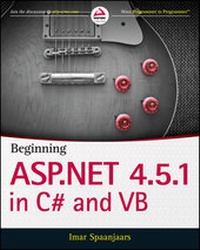
Beginning ASP.NET 4.5.1
in C# and VB
Published on 5. March 2014
864 pages
978-1-118-84690-2 (ISBN)
Description

Build your ASP.NET 4.5.1 skills with real-worldinstruction
In this comprehensive guide to getting started with ASP.NET 4.5.1,best-selling author Imar Spaanjaars provides a firm foundation forcoders new to ASP.NET and key insights for those not yet familiarwith the important updates in the 4.5.1 release. Readers learn howto build full-featured ASP.NET websites using Visual Studio Express2013 for Web, Microsoft's free development tool for ASP.NETweb applications. Beginning ASP.NET 4.5.1 guides you throughthe process of creating a fully functional, database-drivenwebsite, from creation of the most basic site structure all the waydown to the successful deployment of the website to a productionenvironment.
Beginning ASP.NET 4.5.1: in C# and VB:
* Explains how to get started with ASP.NET 4.5.1, including anintroduction to Microsoft's Visual Studio Express 2013 forWeb
* Features helpful examples for designing websites with CSS andHTML and how to overcome common formatting problems
* Shares techniques for managing server controls in ASP.NET,including standard controls, HTML controls, and data controls
* Provides real-world tips for creating consistent page layoutsthroughout your websites
* Covers practical functionality issues like validating userinput, sending e-mail from your website, and processing data at theserver
* Details what the ASP.NET state engine is and why it isimportant
* Shows how to access and modify data in a SQL Serverdatabase
* Includes coverage of jQuery, LINQ, and the EntityFramework
* Explores measures to take for optimal security
More details
Other editions
Additional editions
Imar Spaanjaars
Beginning ASP.NET 4.5.1: in C# and VB
Book
04/2014
Wrox Press
€42.00
Shipment within 15-20 days
Person
Imar Spaanjaars, a Microsoft ASP.NET MVP and anASPInsider, is the CTO of Dynamicweb North America. He is abestselling author for Wrox and one of the top contributors to theWrox Community Forum at p2p.wrox.com, with more than 15,000 answersto programmer questions.
Content
- Cover
- Title Page
- Copyright
- About the Author
- Credits
- Acknowledgments
- Contents
- Foreword
- Introduction
- Who This Book Is For
- What This Book Covers
- How This Book Is Structured
- What You Need to Use This Book
- Conventions
- Source Code
- Errata
- p2p.wrox.com
- Chapter 1: Getting Started with ASP.NET 4.5.1
- Microsoft Visual Studio Express for Web
- Getting Visual Studio
- Installing Visual Studio Express for Web (VSEW)
- Creating Your First ASP.NET 4.5.1 Website
- An Introduction to ASP.NET 4.5.1
- Understanding HTML
- A First Look at ASP.NET Markup
- A Tour of the IDE
- The Main Development Area
- Informational Windows
- Customizing the IDE
- Rearranging Windows
- Modifying the Toolbox
- Customizing the Document Window
- Customizing Toolbars
- Customizing Keyboard Shortcuts
- Resetting Your Changes
- The Sample Application
- Practical Tips on Visual Studio
- Summary
- Chapter 2: Building an ASP.NET Website
- Creating Websites with Visual Studio 2013
- Different Project Types
- Choosing the Right Website Template
- Creating and Opening a New Website
- Working with Files in Your Website
- The Many File Types of an ASP.NET Website
- Adding Existing Files
- Organizing Your Site
- Special File Types
- Working with Web Forms
- The Different Views on Web Forms
- Choosing between Code Behind and Pages with Inline Code
- Adding Markup to Your Page
- Connecting Pages
- Practical Tips on Working with Web Forms
- Summary
- Chapter 3: Designing Your Web Pages
- Why Do You Need CSS?
- Problems with Using HTML Formatting
- How CSS Fixes Formatting Problems
- An Introduction to CSS
- CSS - The Language
- The Style Sheet
- Adding CSS to Your Pages
- Working with CSS in Visual Studio
- Using the CSS Editor
- Creating Embedded and Inline Style Sheets
- Applying Styles
- Managing Styles
- Practical Tips on Working with CSS
- Summary
- Chapter 4: Working with ASP.NET Server Controls
- Introduction to Server Controls
- A Closer Look at ASP.NET Server Controls
- Defining Controls in Your Pages
- Common Properties for All Controls
- Types of Controls
- Standard Controls
- HTML Controls
- Data Controls
- Validation Controls
- Navigation Controls
- Login Controls
- Ajax Extensions
- WebParts
- Dynamic Data
- The ASP.NET State Engine
- What Is State and Why Is It Important?
- How the State Engine Works
- Not All Controls Rely on View State
- A Note about View State and Performance
- Practical Tips on Working with Controls
- Summary
- Chapter 5: Programming Your ASP.NET Web Pages
- Introduction to Programming
- Data Types and Variables
- Converting and Casting Data Types
- Using Arrays and Collections
- Statements
- Operators
- Making Decisions
- Loops
- Organizing Code
- Methods: Functions and Subroutines
- The App_Code Folder
- Organizing Code with Namespaces
- Writing Comments
- Object Orientation Basics
- Important OO Terminology
- Events
- Practical Tips on Programming
- Summary
- Chapter 6: Creating Consistent Looking Websites
- Consistent Page Layout with Master Pages
- Creating Master Pages
- Creating Content Pages
- Using a Centralized Base Page
- An Introduction to the ASP.NET Page Life Cycle
- Implementing the Base Page
- Creating Reusable Page Templates
- Themes
- Different Types of Themes
- Choosing Between Theme and StyleSheetTheme
- Applying Themes
- Extending Themes
- Dynamically Switching Themes
- Skins
- Creating a Skin File
- Named Skins
- Disable Theming for Specific Controls
- Practical Tips on Creating Consistent Pages
- Summary
- Chapter 7: Navigation
- Different Ways to Move Around Your Site
- Understanding Absolute and Relative URLs
- Understanding Default Documents
- Using the Navigation Controls
- Architecture of the Navigation Controls
- Examining the Web.sitemap File
- Using the Menu Control
- Using the TreeView Control
- Using the SiteMapPath Control
- Routing
- Setting up Extension-less URLs
- Considerations for Extension-less URLs
- Programmatic Redirection
- Programmatically Redirecting the Client to a Different Page
- Server-Side Redirects
- Practical Tips on Navigation
- Summary
- Chapter 8: User Controls
- Introduction to User Controls
- Creating User Controls
- Adding User Controls to a Content Page or Master Page
- Sitewide Registration of User Controls
- User Control Caveats
- Adding Logic to Your User Controls
- Creating Your Own Data Types for Properties
- Implementing View State Properties
- View State Considerations
- Practical Tips on User Controls
- Summary
- Chapter 9: Validating User Input
- Gathering Data from the User
- Validating User Input in Web Forms
- Understanding Request Validation
- Processing Data at the Server
- Sending E-mail from Your Website
- Reading from Text Files
- Practical Tips on Validating Data
- Summary
- Chapter 10: ASP.NET AJAX
- Introducing Ajax
- Using ASP.NET AJAX in Your Projects
- Creating Flicker-free Pages
- Providing Feedback to Users
- The Timer Control
- Using Web Services in Ajax Websites
- What Are Web Services?
- Creating Web Services
- Practical Ajax Tips
- Summary
- Chapter 11: jQuery
- An Introduction to jQuery
- Introducing NuGet
- Choosing the Location for Your jQuery Reference
- Different Ways to Include the jQuery Library
- jQuery Syntax
- jQuery Core
- Selecting Items Using jQuery
- Modifying the DOM with jQuery
- CSS Methods
- Handling Events
- Miscellaneous jQuery Functionality
- Common Mistakes When Working with jQuery
- Effects with jQuery
- jQuery and Validation
- Practical Tips on jQuery
- Summary
- Chapter 12: Introducing Databases
- What Is a Database?
- Different Kinds of Relational Databases
- Installing SQL Server 2012 Express
- Using SQL to Work with Database Data
- Retrieving and Manipulating Data with SQL
- Reading Data
- Creating Data
- Updating Data
- Deleting Data
- Creating Your Own Tables
- Data Types in SQL Server
- Understanding Primary Keys and Identities
- Creating Relationships between Tables
- Practical Database Tips
- Summary
- Chapter 13: Displaying and Updating Data
- Data Controls
- Data-bound Controls
- Data Source Controls
- Other Data Controls
- Data Source and Data-bound Controls Working Together
- Displaying and Editing Data with GridView
- Inserting Data with DetailsView
- Storing Your Connection Strings in Web.config
- Filtering Data
- Customizing the Appearance of the Data Controls
- Configuring Columns or Fields of Data-bound Controls
- Updating and Inserting Data
- Using DetailsView to Insert and Update Data
- Practical Tips for Displaying and Updating Data
- Summary
- Chapter 14: LINQ and the ADO.NET Entity Framework
- Introducing LINQ
- LINQ to Objects
- LINQ to XML
- LINQ to ADO.NET
- Introducing the ADO.NET Entity Framework
- Mapping Your Data Model to an Object Model
- Introducing Query Syntax
- Standard Query Operators
- Shaping Data with Anonymous Types
- Using Model Binding with LINQ Queries
- Introducing Model Binding
- A Note about Performance
- Practical LINQ and ADO.NET Entity Framework Tips
- Summary
- Chapter 15: Working with Data - Advanced Topics
- Formatting Your Controls Using Styles
- An Introduction to Styles
- Combining Styles, Themes, and Skins
- Handling Events
- The ASP.NET Page and Control Life Cycles Revisited
- The ASP.NET Page Life Cycle and Events in Data Controls
- Handling Errors That Occur in the Data Source Controls
- Hand-Coding Data Access Code
- Caching
- Common Pitfalls with Caching Data
- Different Ways to Cache Data in ASP.NET Web Applications
- Practical Data Tips
- Summary
- Chapter 16: Security in Your ASP.NET Website
- Introducing Security
- Identity: Who Are You?
- Authentication: How Can You Prove Who You Are?
- Authorization: What Are You Allowed to Do?
- An Introduction to the ASP.NET Application Services
- Introducing the Login Controls
- The Login Controls
- Configuring Your Web Application
- The Role Manager
- The Role Manager Configuration
- Managing Users with the WSAT
- Configuring the Web Application to Work with Roles
- Programmatically Checking Roles
- Practical Security Tips
- Summary
- Chapter 17: Personalizing Websites
- Understanding Profile
- Configuring the Profile
- Using the Profile
- Other Ways of Dealing with Profile
- Anonymous Identification
- Cleaning Up Old Anonymous Profiles
- Looking at Other Users' Profiles
- Practical Personalization Tips
- Summary
- Chapter 18: Exception Handling, Debugging, and Tracing
- Exception Handling
- Different Types of Errors
- Catching and Handling Exceptions
- Global Error Handling and Custom Error Pages
- The Basics of Debugging
- Tools Support for Debugging
- Moving Around in Debugged Code
- Debugging Windows
- Debugging Client-Side Script
- Debugging with the Page Inspector
- Introducing the Page Inspector
- Using the Page Inspector
- Cross-browser Testing with Browser Link
- Introducing Browser Link
- Using Browser Link
- Tracing Your ASP.NET Web Pages
- Using the Standard Tracing Capabilities
- Adding Your Own Information to the Trace
- Tracing and Performance
- A Security Warning
- Practical Debugging Tips
- Summary
- Chapter 19: Deploying Your Website
- Preparing Your Website for Deployment
- Avoiding Hard-Coded Settings
- The Web.config File
- Expression Syntax
- The WebConfigurationManager Class
- Introducing Bundling and Minification
- Preparing for Deployment
- Publishing Your Site
- Introducing Web.config Transformations
- Running Your Site Under IIS
- Installing and Configuring the Web Server
- Installing and Configuring ASP.NET
- Understanding Security in IIS
- NTFS Settings for Planet Wrox
- Troubleshooting Web Server Errors
- Moving Data to a Remote Server
- Exporting Your Data to a File
- Recreating the Database
- The Deployment Checklist
- What's Next
- Summary
- Appendix A: Exercise Answers
- Chapter 1
- Exercise 1 Solution
- Exercise 2 Solution
- Exercise 3 Solution
- Exercise 4 Solution
- Chapter 2
- Exercise 1 Solution
- Exercise 2 Solution
- Exercise 3 Solution
- Exercise 4 Solution
- Chapter 3
- Exercise 1 Solution
- Exercise 2 Solution
- Exercise 3 Solution
- Exercise 4 Solution
- Chapter 4
- Exercise 1 Solution
- Exercise 2 Solution
- Exercise 3 Solution
- Exercise 4 Solution
- Exercise 5 Solution
- Exercise 6 Solution
- Chapter 5
- Exercise 1 Solution
- Exercise 2 Solution
- Exercise 3 Solution
- Chapter 6
- Exercise 1 Solution
- Exercise 2 Solution
- Exercise 3 Solution
- Exercise 4 Solution
- Exercise 5 Solution
- Exercise 6 Solution
- Chapter 7
- Exercise 1 Solution
- Exercise 2 Solution
- Exercise 3 Solution
- Chapter 8
- Exercise 1 Solution
- Exercise 2 Solution
- Exercise 3 Solution
- Chapter 9
- Exercise 1 Solution
- Exercise 2 Solution
- Exercise 3 Solution
- Exercise 4 Solution
- Exercise 5 Solution
- Chapter 10
- Exercise 1 Solution
- Exercise 2 Solution
- Exercise 3 Solution
- Chapter 11
- Exercise 1 Solution
- Exercise 2 Solution
- Exercise 3 Solution
- Exercise 4 Solution
- Chapter 12
- Exercise 1 Solution
- Exercise 2 Solution
- Exercise 3 Solution
- Exercise 4 Solution
- Exercise 5 Solution
- Chapter 13
- Exercise 1 Solution
- Exercise 2 Solution
- Exercise 3 Solution
- Exercise 4 Solution
- Chapter 14
- Exercise 1 Solution
- Exercise 2 Solution
- Exercise 3 Solution
- Exercise 4 Solution
- Exercise 5 Solution
- Chapter 15
- Exercise 1 Solution
- Exercise 2 Solution
- Exercise 3 Solution
- Chapter 16
- Exercise 1 Solution
- Exercise 2 Solution
- Exercise 3 Solution
- Exercise 4 Solution
- Chapter 17
- Exercise 1 Solution
- Exercise 2 Solution
- Exercise 3 Solution
- Chapter 18
- Exercise 1 Solution
- Exercise 2 Solution
- Exercise 3 Solution
- Appendix B: Configuring SQL Server 2012
- Configuring SQL Server 2012
- Terminology and Concepts
- Using SQL Server Management Studio
- Connecting Your Application to SQL Server 2012
- Configuring Application Services
- Index
- Advertisement
- EULA
