

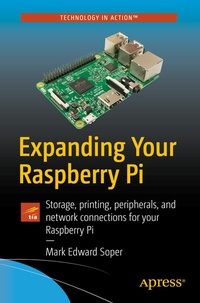
Expanding Your Raspberry Pi
Description

Gain a deeper understanding of how Raspberry Pi works to get the results you want right in the palm of your hand. This book helps you understand the right connections and software to drive your Raspberry Pi into opening the worlds of programming, electronic experiments, system control, digital imaging, and the Internet of Things to you.
You'll discover how to expand your Pi's storage for bigger programs, use its onboard connections to interface with cameras and control devices, printers and scanners. You'll also see how to share information with Windows and Apple computers and mobile devices, and use it away from AC power. You'll be able to turn any HDTV into a media player; stream and share files from desktop and mobile devices; use your Pi for image capture via camera or scanner; and more!
Expanding Your Raspberry Pi is your guide to doing almost anything a bigger computer can do - if you're ready for the challenge.
What You'll Learn
-
Connect, use, and manage mass storage devices for greater versatility
-
Link with desktop, laptop, and mobile devices using the Pi's built-in Wi-Fi and Bluetooth features
-
Share resources from your Pi with desktop and mobile devices
-
Capture video and still photos with your Pi
Who This Book Is For
Network administrators: Connect Raspberry Pi devices to other devices on a wired or wireless network for media streaming, file serving, or print serving
Teachers: Use Raspberry Pi to teach students how to connect different types of computers and operating systems with each other.
IT workers: Use Raspberry Pi with your existing printers, scanners, webcams, and home network
Reviews / Votes
"It covers a range of topics integral to configuring the Raspberry Pi, from installing an operating system to accessing a home network, mass storage, networked printers, and shared internet connections. . Each chapter gives a range of options for tackling a challenge using different software solutions and operating systems. The instructions are clearly written and easy to follow . . Summing Up: Recommended. All readers." (J. M. Smith, Choice, Vol. 55 (10), June, 2018)More details
Other editions
Additional editions
Person
Content
Chapter 1: Raspberry Pi System Anatomy.- Chapter 2: The Distro Bunch .- Chapter 3: Adding Mass Storage.- Chapter 4: Connecting to a Workgroup Network.- Chapter 5: Sharing an Internet connection.- Chapter 6: Setting up a print and scan server.- Chapter 7: Imaging and Video.- Chapter 8: Media Serving.- Chapter 9: GPIO Anatomy and Applications.- Chapter 10: Taking Your Raspberry Pi on the Road.
