

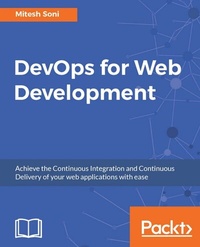
DevOps for Web Development
Achieve the Continuous Integration and Continuous Delivery of your web applications with ease
Published on 8. July 2025
408 pages
978-1-78646-835-2 (ISBN)
Description

Achieve the Continuous Integration and Continuous Delivery of your web applications with ease
Key Features
[*] Overcome the challenges of implementing DevOps for web applications, familiarize yourself with diverse third-party modules, and learn how to integrate them with bespoke code to efficiently complete tasks
[*] Understand how to deploy web applications for a variety of Cloud platforms such as Amazon EC2, AWS Elastic Beanstalk, Microsoft Azure, Azure Web Apps, and Docker Container
[*] Understand how to monitor applications deployed in Amazon EC2, AWS Elastic Beanstalk, Microsoft Azure, Azure Web Apps using Nagios, New Relic, Microsoft Azure, and AWS default monitoring features
Book DescriptionThe DevOps culture is growing at a massive rate, as many organizations are adopting it. However, implementing it for web applications is one of the biggest challenges experienced by many developers and admins, which this book will help you overcome using various tools, such as Chef, Docker, and Jenkins. On the basis of the functionality of these tools, the book is divided into three parts. The first part shows you how to use Jenkins 2.0 for Continuous Integration of a sample JEE application. The second part explains the Chef configuration management tool, and provides an overview of Docker containers, resource provisioning in cloud environments using Chef, and Configuration Management in a cloud environment. The third part explores Continuous Delivery and Continuous Deployment in AWS, Microsoft Azure, and Docker, all using Jenkins 2.0. This book combines the skills of both web application deployment and system configuration as each chapter contains one or more practical hands-on projects. You will be exposed to real-world project scenarios that are progressively presented from easy to complex solutions. We will teach you concepts such as hosting web applications, configuring a runtime environment, monitoring and hosting on various cloud platforms, and managing them. This book will show you how to essentially host and manage web applications along with Continuous Integration, Cloud Computing, Configuration Management, Continuous Monitoring, Continuous Delivery, and Deployment.What you will learn
[*] Grasp Continuous Integration for a JEE application-create and configure a build job for a Java application with Maven and with Jenkins 2.0
[*] Create built-in delivery pipelines of Jenkins 2 and build a pipeline configuration for end-to-end automation to manage the lifecycle of Continuous Integration
[*] Get to know all about configuration management using Chef to create a runtime environment
[*] Perform instance provisioning in AWS and Microsoft Azure and manage virtual machines on different cloud platforms-install Knife plugins for Amazon EC2 and Microsoft Azure
[*] Deploy an application in Amazon EC2, AWS Elastic Beanstalk, Microsoft Azure Web Apps, and a Docker container
[*] Monitor infrastructure, application servers, web servers, and applications with the use of open source monitoring solutions and New Relic
[*] Orchestrate multiple build jobs to achieve application deployment automation-create parameterized build jobs for end-to-end automation
Who this book is forIf you are a system admin or application and web application developer with a basic knowledge of programming and want to get hands-on with tools such as Jenkins 2 and Chef, and Cloud platforms such as AWS and Microsoft Azure, Docker, New Relic, Nagios, and their modules to host, deploy, monitor, and manage their web applications, then this book is for you.
Key Features
[*] Overcome the challenges of implementing DevOps for web applications, familiarize yourself with diverse third-party modules, and learn how to integrate them with bespoke code to efficiently complete tasks
[*] Understand how to deploy web applications for a variety of Cloud platforms such as Amazon EC2, AWS Elastic Beanstalk, Microsoft Azure, Azure Web Apps, and Docker Container
[*] Understand how to monitor applications deployed in Amazon EC2, AWS Elastic Beanstalk, Microsoft Azure, Azure Web Apps using Nagios, New Relic, Microsoft Azure, and AWS default monitoring features
Book DescriptionThe DevOps culture is growing at a massive rate, as many organizations are adopting it. However, implementing it for web applications is one of the biggest challenges experienced by many developers and admins, which this book will help you overcome using various tools, such as Chef, Docker, and Jenkins. On the basis of the functionality of these tools, the book is divided into three parts. The first part shows you how to use Jenkins 2.0 for Continuous Integration of a sample JEE application. The second part explains the Chef configuration management tool, and provides an overview of Docker containers, resource provisioning in cloud environments using Chef, and Configuration Management in a cloud environment. The third part explores Continuous Delivery and Continuous Deployment in AWS, Microsoft Azure, and Docker, all using Jenkins 2.0. This book combines the skills of both web application deployment and system configuration as each chapter contains one or more practical hands-on projects. You will be exposed to real-world project scenarios that are progressively presented from easy to complex solutions. We will teach you concepts such as hosting web applications, configuring a runtime environment, monitoring and hosting on various cloud platforms, and managing them. This book will show you how to essentially host and manage web applications along with Continuous Integration, Cloud Computing, Configuration Management, Continuous Monitoring, Continuous Delivery, and Deployment.What you will learn
[*] Grasp Continuous Integration for a JEE application-create and configure a build job for a Java application with Maven and with Jenkins 2.0
[*] Create built-in delivery pipelines of Jenkins 2 and build a pipeline configuration for end-to-end automation to manage the lifecycle of Continuous Integration
[*] Get to know all about configuration management using Chef to create a runtime environment
[*] Perform instance provisioning in AWS and Microsoft Azure and manage virtual machines on different cloud platforms-install Knife plugins for Amazon EC2 and Microsoft Azure
[*] Deploy an application in Amazon EC2, AWS Elastic Beanstalk, Microsoft Azure Web Apps, and a Docker container
[*] Monitor infrastructure, application servers, web servers, and applications with the use of open source monitoring solutions and New Relic
[*] Orchestrate multiple build jobs to achieve application deployment automation-create parameterized build jobs for end-to-end automation
Who this book is forIf you are a system admin or application and web application developer with a basic knowledge of programming and want to get hands-on with tools such as Jenkins 2 and Chef, and Cloud platforms such as AWS and Microsoft Azure, Docker, New Relic, Nagios, and their modules to host, deploy, monitor, and manage their web applications, then this book is for you.
All prices
More details
Edition
Digital original
Language
English
Place of publication
Birmingham
United Kingdom
Target group
Professional and scholarly
US School Grade: College Graduate Student
Edition type
Digital original
File size
72,39 MB
ISBN-13
978-1-78646-835-2 (9781786468352)
Copyright in bibliographic data and cover images is held by Nielsen Book Services Limited or by the publishers or by their respective licensors: all rights reserved.
Schweitzer Classification
Other editions
Additional editions
Person
Soni Mitesh :
Mitesh Soni has 8 years of experience in managing software for GNU/Linux and other UNIX-like operating systems in production environment. He started working as a professional with DevOps from 2013 and has worked on several live projects related to DevOps. https://www.linkedin.com/in/alessiogarofalo
Mitesh Soni has 8 years of experience in managing software for GNU/Linux and other UNIX-like operating systems in production environment. He started working as a professional with DevOps from 2013 and has worked on several live projects related to DevOps. https://www.linkedin.com/in/alessiogarofalo
Content
Table of Contents
Getting Started-DevOps Concepts, Tools, and Technology
Continuous Integration with Jenkins
Building the Code and Configuring Build Pipeline
Installing and Configuring Chef
Installing and Configuring Docker
Cloud Provisioning and Configuration Management
Deploying Application in AWS, Azure, and Docker
Monitoring Infrastructure and Application
Orchestrating Application Deployment
Getting Started-DevOps Concepts, Tools, and Technology
Continuous Integration with Jenkins
Building the Code and Configuring Build Pipeline
Installing and Configuring Chef
Installing and Configuring Docker
Cloud Provisioning and Configuration Management
Deploying Application in AWS, Azure, and Docker
Monitoring Infrastructure and Application
Orchestrating Application Deployment

