

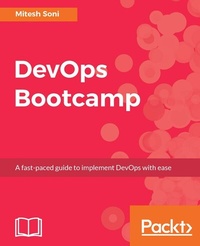
DevOps Bootcamp
The fastest way to learn DevOps
Published on 8. July 2025
312 pages
978-1-78728-223-0 (ISBN)
Description

Sharpen your DevOps knowledge with DevOps Bootcamp
Key Features
Improve your organization's performance to ensure smooth production of software and services.
Learn how Continuous Integration and Continuous Delivery practices can be utilized to cultivate the DevOps culture.
A fast-paced guide filled with illustrations and best practices to help you consistently ship quality software.
Book DescriptionDevOps Bootcamp delivers practical learning modules in manageable chunks. Each chunk is delivered in a day, and each day is a productive one. Each day builds your competency in DevOps. You will be able to take the task you learn every day and apply it to cultivate the DevOps culture. Each chapter presents core concepts and key takeaways about a topic in DevOps and provides a series of hands-on exercises. You will not only learn the importance of basic concepts or practices of DevOps but also how to use different tools to automate application lifecycle management. We will start off by building the foundation of the DevOps concepts. On day two, we will perform Continuous Integration using Jenkins and VSTS both by configuring Maven-based JEE Web Application?. We will also integrate Jenkins and Sonar qube for Static Code Analysis. Further, on day three, we will focus on Docker containers where we will install and configure Docker and also create a Tomcat Container to deploy our Java based web application. On day four, we will create and configure the environment for application deployment in AWS and Microsoft Azure Cloud for which we will use Infrastructure as a Service and Open Source Configuration Management tool Chef. For day five, our focus would be on Continuous Delivery. We will automate application deployment in Docker container using Jenkins Plugin, AWS EC2 using Script, AWS Elastic Beanstalk using Jenkins Plugin, Microsoft Azure VM using script, and Microsoft Azure App Services Using Jenkins. We will also configure Continuous Delivery using VSTS. We will then learn the concept of Automated Testing on day six using Apache JMeter and URL-based tests in VSTS. Further, on day seven, we will explore various ways to automate application lifecycle management using orchestration. We will see how Pipeline can be created in Jenkins and VSTS, so the moment Continuous? Integration is completed successfully, Continuous Delivery will start and application will be deployed. On the final day, our focus would be on Security access to Jenkins and Monitoring of CI resources, and cloud-based resources in AWS and Microsoft Azure Platform as a Service.What you will learn
Static Code Analysis using SOnarqube
Configure a Maven-based JEE Web Application
Perform Continuous Integration using Jenkins and VSTS
Install and configure Docker
Converge a Chef node using a Chef workstation
Accomplish Continuous Delivery in Microsoft Azure VM and Microsoft Azure App
Services (Azure Web Apps) using Jenkins
Perform Load Testing using Apache JMeter
Build and Release Automation using Visual Studio Team Services
Monitor Cloud-based resources
Who this book is forThe book is aimed at IT Developers and Operations-administrators who want to quickly learn and implement the DevOps culture in their organization.
Key Features
Improve your organization's performance to ensure smooth production of software and services.
Learn how Continuous Integration and Continuous Delivery practices can be utilized to cultivate the DevOps culture.
A fast-paced guide filled with illustrations and best practices to help you consistently ship quality software.
Book DescriptionDevOps Bootcamp delivers practical learning modules in manageable chunks. Each chunk is delivered in a day, and each day is a productive one. Each day builds your competency in DevOps. You will be able to take the task you learn every day and apply it to cultivate the DevOps culture. Each chapter presents core concepts and key takeaways about a topic in DevOps and provides a series of hands-on exercises. You will not only learn the importance of basic concepts or practices of DevOps but also how to use different tools to automate application lifecycle management. We will start off by building the foundation of the DevOps concepts. On day two, we will perform Continuous Integration using Jenkins and VSTS both by configuring Maven-based JEE Web Application?. We will also integrate Jenkins and Sonar qube for Static Code Analysis. Further, on day three, we will focus on Docker containers where we will install and configure Docker and also create a Tomcat Container to deploy our Java based web application. On day four, we will create and configure the environment for application deployment in AWS and Microsoft Azure Cloud for which we will use Infrastructure as a Service and Open Source Configuration Management tool Chef. For day five, our focus would be on Continuous Delivery. We will automate application deployment in Docker container using Jenkins Plugin, AWS EC2 using Script, AWS Elastic Beanstalk using Jenkins Plugin, Microsoft Azure VM using script, and Microsoft Azure App Services Using Jenkins. We will also configure Continuous Delivery using VSTS. We will then learn the concept of Automated Testing on day six using Apache JMeter and URL-based tests in VSTS. Further, on day seven, we will explore various ways to automate application lifecycle management using orchestration. We will see how Pipeline can be created in Jenkins and VSTS, so the moment Continuous? Integration is completed successfully, Continuous Delivery will start and application will be deployed. On the final day, our focus would be on Security access to Jenkins and Monitoring of CI resources, and cloud-based resources in AWS and Microsoft Azure Platform as a Service.What you will learn
Static Code Analysis using SOnarqube
Configure a Maven-based JEE Web Application
Perform Continuous Integration using Jenkins and VSTS
Install and configure Docker
Converge a Chef node using a Chef workstation
Accomplish Continuous Delivery in Microsoft Azure VM and Microsoft Azure App
Services (Azure Web Apps) using Jenkins
Perform Load Testing using Apache JMeter
Build and Release Automation using Visual Studio Team Services
Monitor Cloud-based resources
Who this book is forThe book is aimed at IT Developers and Operations-administrators who want to quickly learn and implement the DevOps culture in their organization.
All prices
More details
Edition
Digital original
Language
English
Place of publication
Birmingham
United Kingdom
Target group
Professional and scholarly
US School Grade: College Graduate Student
Edition type
Digital original
File size
19,87 MB
ISBN-13
978-1-78728-223-0 (9781787282230)
Copyright in bibliographic data and cover images is held by Nielsen Book Services Limited or by the publishers or by their respective licensors: all rights reserved.
Schweitzer Classification
Other editions
Additional editions
Person
Soni Mitesh :
Mitesh Soni has 8 years of experience in managing software for GNU/Linux and other UNIX-like operating systems in production environment. He started working as a professional with DevOps from 2013 and has worked on several live projects related to DevOps. https://www.linkedin.com/in/alessiogarofalo
Mitesh Soni has 8 years of experience in managing software for GNU/Linux and other UNIX-like operating systems in production environment. He started working as a professional with DevOps from 2013 and has worked on several live projects related to DevOps. https://www.linkedin.com/in/alessiogarofalo
Content
Table of Contents
DevOps Concepts and Assessment Framework
Continuous Integration
Containers
Cloud Computing and Configuration Management
Continuous Delivery
Automated Testing (Functional and Load Testing)
Orchestration: End to End Automation
Security and Monitoring
DevOps Concepts and Assessment Framework
Continuous Integration
Containers
Cloud Computing and Configuration Management
Continuous Delivery
Automated Testing (Functional and Load Testing)
Orchestration: End to End Automation
Security and Monitoring

