

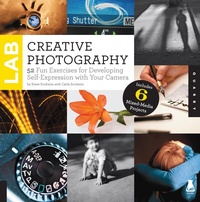
Creative Photography Lab
52 Fun Exercises for Developing Self-Expression with your Camera. Includes 6 Mixed-Media Projects
Published on 1. August 2013
144 pages
978-1-61058-930-7 (ISBN)
Description

Go ahead, have fun with your photography. Creative Photography Lab is a collection of fun and silly photography exercises designed to teach you something about your camera (and yourself!). Whether you're rockin' a digital SLR, a point and shoot, or even a phone camera, this book will:
- Provide easy exercises to help you discover your own personal style.
- Tackle the technical stuff.
- Explore a new way of seeing.
- Turn your camera into a powerful tool of self-expression.
- Help you capture amazing shots for your blog, social media, photo albums, your wall at home, or just for yourself.
You don't have to be a professional photographer or own expensive cameras and equipment to get inspiring shots. If you've ever taken a picture, this book is for you. Warning: once you get started, you'll never want to stop.
- Provide easy exercises to help you discover your own personal style.
- Tackle the technical stuff.
- Explore a new way of seeing.
- Turn your camera into a powerful tool of self-expression.
- Help you capture amazing shots for your blog, social media, photo albums, your wall at home, or just for yourself.
You don't have to be a professional photographer or own expensive cameras and equipment to get inspiring shots. If you've ever taken a picture, this book is for you. Warning: once you get started, you'll never want to stop.
Reviews / Votes
"The 52 assignments here will nurture readers' photography skills by acclimating them to photographic technology and by encouraging them to make this largely digital and mechanical medium more their own. Commercial photographer Steve Sonheim and artist, instructor, and author Carla Sonheim (Drawing Lab for Mixed Media Artists: 52 Creative Exercises To Make Drawing Fun) believe in the significance of a photograph, even in this age of ubiquitous cameras. Sections on observation, light, storytelling, portraiture, and more will help readers realize photography's creative potential. Assignments allow readers to use their choice of digital single-lens reflex, point-and-shoot, or smartphone cameras. VERDICT This highly accessible guidebook will have broad appeal." - Library JournalMore details
Series
Language
English
Place of publication
Beverly
United States
Publishing group
Quarto Publishing Group USA Inc
Illustrations
275 color photos
ISBN-13
978-1-61058-930-7 (9781610589307)
Copyright in bibliographic data and cover images is held by Nielsen Book Services Limited or by the publishers or by their respective licensors: all rights reserved.
Schweitzer Classification
Other editions
Additional editions

Steve Sonheim | Carla Sonheim
Creative Photography Lab
52 Fun Exercises for Developing Self-Expression with your Camera. Includes 6 Mixed-Media Projects
Book
08/2013
Quarry Books
€24.00
Article exhausted; check different version
Persons
Steve Sonheim is a graduate of Brooks Photography and has run a busy commercial photography studio for 20 years. More recently he has taught live and online classes, including Introduction to Photography, Photo Silly 101, Shoot Your Art, Photo Silly Light, Photo Silly Advanced.Carla Sonheim is an artist and creativity workshop instructor known for her fun and innovative projects and techniques. She is the author of "Drawing Lab for Mixed Media Artists" and "Drawing and Painting Imaginary Animals." http://sonheimphoto.com/www.carlasonheim.etsy.comwww.carlasonheim.wordpress.comCarla Sonheim is an illustrator and creativity workshop instructor known for her fun and innovative projects and techniques designed to help adult students recover a more child-like play approach to creating. One student recently said, "[Being in your workshop] is like being a kid again, but we get to do it as an adult." Carla is the author of three books: "The Art of Silliness: A Creativity Book for Everyone" (Perigee Books), "Drawing and Painting Imaginary Animals: A Mixed-Media Workshop" (Quarry) and the best-selling "Drawing Lab for Mixed-Media Artists" (Quarry). She currently resides in Seattle, WA where she holds numerous online workshops. Visit her online at carlasonheim.com and carlasonheim.wordpress.com.
Content
- Cover
- Title
- Contents
- Introduction
- UNIT 1 Fire Away
- Lab 1: Smartphone 30/30
- Lab 2: Blink!
- Lab 3: Blink! Revisited
- Lab 4: Shot in the Dark
- Lab 5: Hocus Focus
- Lab 6: Walk with a Blind Camera
- Lab 7: 100 Shots
- Lab 8: Spin Like a Top
- Lab 9: Mixed-Media Project with Carla: Textured Photo Flags
- UNIT 2 Seeing the Light
- Lab 10: Plus and Minus
- Lab 11: Light and Dark
- Lab 12: Shadows in Black and White
- Lab 13: Backlight
- Lab 14: Hunter
- Lab 15: Roaming Pony
- Lab 16: Same But Different
- Lab 17: On White
- Lab 18: Reflection
- Lab 19: Mixed-Media Project with Carla: Cereal Box Photo Paintings
- UNIT 3 Fellow Travelers
- Lab 20: Cat and Mouse
- Lab 21: Make Believe
- Lab 22: Faceless
- Lab 23: Window Light
- Lab 24: Animal Parts
- Lab 25: Tension
- Lab 26: Bugs
- Lab 27: Stranger Danger
- Lab 28: Moody Portrait
- Lab 29: Mixed-Media Project with Carla: Put a Fairy on It!
- UNIT 4 Talking to Yourself
- Lab 30: Camera-to-Work Day
- Lab 31: Hate It
- Lab 32: Step by Step
- Lab 33: Self Portrait
- Lab 34: Observation Friday
- Lab 35: Collection
- Lab 36: Document
- Lab 37: Mixed-Media Project with Carla: Mini Photo Journal
- UNIT 5 Finger Painting
- Lab 38: Blur
- Lab 39: Squiggle Drawing
- Lab 40: Head Like a Hole
- Lab 41: Night Vision
- Lab 42: Light Painting
- Lab 43: Bokeh
- Lab 44: Mixed-Media Project with Carla: Dots
- UNIT 6 Deeper Waters
- Lab 45: Splat!
- Lab 46: Emulate Nonphotographs
- Lab 47: Picture in Picture
- Lab 48: Seriously?
- Lab 49: Abstraction
- Lab 50: 25 Strangers
- Lab 51: Lose Yourself
- Lab 52: Mixed-Media Project with Carla: Abstract Painting
- Glossary of Terms
- Contributing Artists
- Acknowledgments
- About the Authors
