

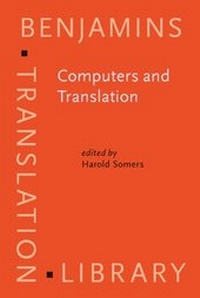
Computers and Translation
A translator's guide
1st Edition
Published on 28. May 2003
XVI, 351 pages
978-90-272-9669-6 (ISBN)
Description

This volume is about computers and translation. It is not, however, a Computer Science book, nor does it have much to say about Translation Theory. Rather it is a book for translators and other professional linguists (technical writers, bilingual secretaries, language teachers even), which aims at clarifying, explaining and exemplifying the impact that computers have had and are having on their profession. It is about Machine Translation (MT), but it is also about Computer-Aided (or -Assisted) Translation (CAT), computer-based resources for translators, the past, present and future of translation and the computer.
The editor and main contributor, Harold Somers, is Professor of Language Engineering at UMIST (Manchester). With over 25 years' experience in the field both as a researcher and educator, Somers is editor of one of the field's premier journals, and has written extensively on the subject, including the field's most widely quoted textbook on MT, now out of print and somewhat out of date.
The current volume aims to provide an accessible yet not overwhelmingly technical book aimed primarily at translators and other users of CAT software.
The editor and main contributor, Harold Somers, is Professor of Language Engineering at UMIST (Manchester). With over 25 years' experience in the field both as a researcher and educator, Somers is editor of one of the field's premier journals, and has written extensively on the subject, including the field's most widely quoted textbook on MT, now out of print and somewhat out of date.
The current volume aims to provide an accessible yet not overwhelmingly technical book aimed primarily at translators and other users of CAT software.
More details
Other editions
Additional editions
Book
05/2003
John Benjamins Publishing Co
€127.20
Shipment within 10-15 days
Person
Content
- Computers and Translation
- Editorial page
- Title page
- LCC page
- Dedication page
- Table of contents
- List of figures
- List of tables
- List of contributors
- Chapter 1. Introduction
- Notes
- References
- Chapter 2. The translator's workstation
- Conclusion
- Notes
- References
- Chapter 3. Translation memory systems
- Notes
- References
- Chapter 4. Terminology tools for translators
- Conclusion
- Notes
- References
- Chapter 5. Localisation and translation
- Notes
- References
- Chapter 6. Translation technologies and minority languages
- Conclusions
- Notes
- References
- Chapter 7. Corpora and the translator
- Notes
- References
- Chapter 8. Why translation is difficult for computers
- Conclusion
- Notes
- References
- Chapter 9. The relevance of linguistics for machine translation
- Conclusion
- Notes
- References
- Chapter 10. Commercial systems
- Conclusion
- References
- Chapter 11. Inside commercial machine translation
- Notes
- References
- Chapter 12. Going live on the internet
- Notes
- References
- Chapter 13. How to evaluate machine translation
- Conclusion
- Notes
- References
- Chapter 14. Controlled language for authoring and translation
- Notes
- References
- Chapter 15. Sublanguage
- Notes
- References
- Chapter 16. Post-editing
- Conclusion
- Notes
- References
- Chapter 17. Machine translation in the classroom
- Notes
- References
- Key to exercises
- Index
- The BENJAMINS TRANSLATION LIBRARY
