

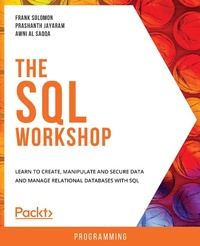
The SQL Workshop
Learn to create, manipulate and secure data and manage relational databases with SQL
1st Edition
Published on 30. December 2019
288 pages
978-1-83864-908-1 (ISBN)
Description

Get to grips with SQL fundamentals and learn how to efficiently create, read and update information stored in databasesKey Features - Understand the features and syntax of SQL and use them to query databases
- Learn how to create databases and tables and manipulate the data within them
- Create advanced queries and apply them on realistic databases with hands-on activities
Book DescriptionMany software applications are backed by powerful relational database systems, meaning that the skills to be able to maintain a SQL database and reliably retrieve data are in high demand. With its simple syntax and effective data manipulation capabilities, SQL enables you to manage relational databases with ease. The SQL Workshop will help you progress from basic to advanced-level SQL queries in order to create and manage databases successfully. This Workshop begins with an introduction to basic CRUD commands and gives you an overview of the different data types in SQL. You'll use commands for narrowing down the search results within a database and learn about data retrieval from single and multiple tables in a single query. As you advance, you'll use aggregate functions to perform calculations on a set of values, and implement process automation using stored procedures, functions, and triggers. Finally, you'll secure your database against potential threats and use access control to keep your data safe. Throughout this Workshop, you'll use your skills on a realistic database for an online shop, preparing you for solving data problems in the real world. By the end of this book, you'll have built the knowledge, skills and confidence to creatively solve real-world data problems with SQL.What you will learn - Create databases and insert data into them
- Use SQL queries to create, read, update, and delete data
- Maintain data integrity and consistency through normalization
- Customize your basic SQL queries to get the desired output
- Refine your database search using the WHERE and HAVING clauses
- Use joins to fetch data from multiple tables and create custom reports
- Improve web application performance by automating processes
- Secure a database with GRANT and REVOKE privileges
Who this book is forThis Workshop is suitable for anyone who wants to learn how to use SQL to work with databases. No prior SQL or database experience is necessary. Whether you're an aspiring software developer, database engineer, data scientist, or systems administrator, this Workshop will quickly get you up and running.
- Learn how to create databases and tables and manipulate the data within them
- Create advanced queries and apply them on realistic databases with hands-on activities
Book DescriptionMany software applications are backed by powerful relational database systems, meaning that the skills to be able to maintain a SQL database and reliably retrieve data are in high demand. With its simple syntax and effective data manipulation capabilities, SQL enables you to manage relational databases with ease. The SQL Workshop will help you progress from basic to advanced-level SQL queries in order to create and manage databases successfully. This Workshop begins with an introduction to basic CRUD commands and gives you an overview of the different data types in SQL. You'll use commands for narrowing down the search results within a database and learn about data retrieval from single and multiple tables in a single query. As you advance, you'll use aggregate functions to perform calculations on a set of values, and implement process automation using stored procedures, functions, and triggers. Finally, you'll secure your database against potential threats and use access control to keep your data safe. Throughout this Workshop, you'll use your skills on a realistic database for an online shop, preparing you for solving data problems in the real world. By the end of this book, you'll have built the knowledge, skills and confidence to creatively solve real-world data problems with SQL.What you will learn - Create databases and insert data into them
- Use SQL queries to create, read, update, and delete data
- Maintain data integrity and consistency through normalization
- Customize your basic SQL queries to get the desired output
- Refine your database search using the WHERE and HAVING clauses
- Use joins to fetch data from multiple tables and create custom reports
- Improve web application performance by automating processes
- Secure a database with GRANT and REVOKE privileges
Who this book is forThis Workshop is suitable for anyone who wants to learn how to use SQL to work with databases. No prior SQL or database experience is necessary. Whether you're an aspiring software developer, database engineer, data scientist, or systems administrator, this Workshop will quickly get you up and running.
More details
Other editions
Additional editions
Frank Solomon | Prashanth Jayaram | Awni Al Saqqa
The The SQL Workshop
Learn to create, manipulate and secure data and manage relational databases with SQL
Book
12/2019
Packt Publishing
€40.10
Shipment within 3-4 weeks
Content
- Cover
- FM
- Copyright
- Table of Contents
- Preface
- Chapter 1: SQL Basics
- Introduction
- Understanding Data
- An Overview of Basic SQL Commands
- Creating Databases
- The Use of Semicolons
- Data Types in SQL
- Creating Simple Tables
- Exercise 1.01: Building the PACKT_ONLINE_SHOP Database
- Populating Your Tables
- Exercise 1.02: Inserting Values into the Customers Table of the PACKT_ONLINE_SHOP Database
- Activity 1.01: Inserting Values into the Products Table in the PACKT_ONLINE_SHOP Database
- Summary
- Chapter 2: Manipulating Data
- Introduction
- The INSERT Operation
- Performing a Simple INSERT
- Exercise 2.01: Inserting One Row of Data into a Table
- Multiple Inserts
- Exercise 2.02: Specifying Default Values
- Using an INSERT Statement to Add Data from Another Dataset
- The DELETE Operation
- Exercise 2.03: Deleting a record from a table
- The ALTER Operation
- Exercise 2.04: Manipulating the Auto-Increment Values in a Table
- The UPDATE Operation
- The Basic UPDATE Statement
- ALIASING
- Conditional Update of Records
- Limiting the Records Using an UPDATE Statement
- Exercise 2.05: UPDATE Using Computed Values
- The DROP Operation
- Activity 2.01: Inserting Additional values to the Products table
- Summary
- Chapter 3: Normalization
- Introduction
- Primary Key Constraints
- Foreign Key Constraints
- Preserving Data Integrity
- Types of Data Integrity
- The Concept of Normalization
- First Normal Form (1NF)
- Second Normal Form (2NF)
- Third Normal Form (3NF)
- Denormalization
- Exercise 3.01: Building a Relationship between Two Tables
- Activity 3.01: Building a Relationship between the Orders and the OrderItems table
- Summary
- Chapter 4: The SELECT Statement
- Introduction
- What Does the SELECT Statement Do?
- Retrieving All Columns of a Table
- Selecting Limited Columns
- Exercise 4.01: Selecting Columns from a Table
- Using Naming Aliases
- Exercise 4.02: Aliasing the Column Headers
- Activity 4.01: Displaying Particular Columns from the Table
- Ordering Results
- Ordering Rows According to a Particular Column
- Ordering Rows According to Multiple Columns
- Using LIMIT
- Exercise 4.03: Using the LIMIT Keyword
- Using DISTINCT
- Using Mathematical Expressions
- Exercise 4.04: Calculating the Line Item Total
- Exercise 4.05: Calculating Discount
- Activity 4.02: Extracting the Top Five Highest Priced Items
- Summary
- Chapter 5: Shaping Data with the WHERE Clause
- Introduction
- The WHERE Clause Syntax
- Exercise 5.01: Implementing Logical Operators in the WHERE Clause
- Exercise 5.02: Using the BETWEEN Operator
- The Not Equal Operator
- Exercise 5.03: Using the != and && Operators
- The LIKE Operator
- Exercise 5.04: Using the LIKE Operator to Check a Pattern at the Beginning of a String
- Exercise 5.05: Using the LIKE Operator to Check for a Specified Length
- Checking for NULLS
- Exercise 5.06: Searching for NULL Values
- Combining Conditions with the AND, OR, and NOT Operators
- Exercise 5.07: Querying Multiple Conditions
- Activity 5.01: Combining Conditions to Extract Store Data
- Summary
- Chapter 6: JOINS
- Introduction
- INNER JOIN
- Exercise 6.01: Extracting Orders and Purchaser Information
- RIGHT JOIN
- Exercise 6.02: Implementing RIGHT JOIN
- LEFT JOIN
- Exercise 6.03: Implementing LEFT JOIN
- CROSS JOIN
- Exercise 6.04: Implementing CROSS JOINS
- UNION JOIN
- Exercise 6.05: Implementing a UNION JOIN
- Activity 6.01: Implementing JOINS
- Summary
- Chapter 7: Subqueries, Cases, and Views
- Introduction
- Subqueries
- Exercise 7.01: Working with Subqueries
- Activity 7.01: Finding the Product Category Name Using a Subquery
- Case Statements
- Exercise 7.02: Using Case Statements
- Activity 7.02: Categorizing the Shipments Using CASE Statements
- Views
- Exercise 7.03: Building a View
- Activity 7.03: Building a View
- Summary
- Chapter 8: SQL Programming
- Introduction
- Programming for SQL Products - The Basics
- Stored Procedures
- Exercise 8.01: Building a MySQL Stored Procedure That Returns a List of Packt Online Shop Order Details
- Exercise 8.02: Altering a MySQL Stored Procedure
- Activity 8.01: Building a Stored Procedure
- Functions
- Exercise 8.03: Build a MySQL Function
- Activity 8.02: Working with MySQL Functions
- Triggers
- Exercise 8.04: Build a MySQL Trigger
- Activity 8.03: Building a Trigger
- Summary
- Chapter 9: Security
- Introduction
- Access Control (Authorization)
- Exercise 9.01: Creating New MySQL users
- Exercise 9.02: Granting EXECUTE permission in MySQL
- Activity 9.01: Grant UPDATE permission on a table in MySQL
- Summary
- Chapter 10: Aggregate Functions
- Introduction
- Aggregate Functions (SUM, COUNT, AVG, MIN, and MAX) and the GROUP BY Clause
- Exercise 10.01: Implementing Aggregate Functions
- The HAVING Clause
- Exercise 10.02: Implementing the HAVING Clause
- The Differences between the SQL HAVING and WHERE Clauses
- SQL OVER and PARTITION BY
- The RANK and DENSE_RANK Functions
- Exercise 10.03: Implementing RANK
- Activity 10.01: Working with Aggregates
- Summary
- Chapter 11: Advanced SQL
- Introduction
- String Functions
- Exercise 11.01: Building a MySQL Query that Returns the OrderID, Quantity, and Notes Columns
- Exercise 11.02: Using LIKE in a Stored Procedure
- Activity 11.01: Implementing the LIKE Operator
- Dealing with NULL and COALESCE
- The COALESCE Function
- Exercise 11.03: Using the COALESCE Function to Handle a NULL Value in a Combined Set of Values
- Finding Duplicate Table Rows
- Transactions
- Activity 11.02: Using Transactions
- Summary
- Appendix
- Index
