

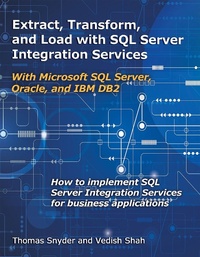
Extract, Transform, and Load with SQL Server Integration Services
With Microsoft SQL Server, Oracle, and IBM DB2
Published on 1. June 2018
396 pages
978-1-58347-883-7 (ISBN)
Description

Readers will learn by example how to use Microsoft SQL Server 2016 Integration Services (SSIS) as they design and implement extract, transform, and load (ETL) solutions to support a business application that integrates with a data warehouse and an online Web store across a heterogeneous system. This volume describes proven methods to support common ETL needs, such as databases communicating directly with each other, using files to exchange data, or performing database operations using Web services.
More details
Other editions
Additional editions
Thomas Snyder | Vedish Shah
Extract, Transform, and Load with SQL Server Integration Services
With Microsoft SQL Server, Oracle, and IBM DB2
Book
06/2018
MC Press, LLC
€74.50
Shipment within 3-4 weeks
Content
- Front Cover
- Title Page
- Copyright
- Contents
- Acknowledgments
- Chapter 1: Introduction
- Why Use SSIS?
- Efficiency
- Database Agnostic
- Support and Documentation
- Availability
- OLE DB vs. ODBC
- Alternative ETL Tools
- An SSIS Overview
- Goals of This Book
- Summary
- Chapter 2: Installation: Stocking the Toolbox
- Technology Stack
- Installing Microsoft Visual Studio 2015 Community Edition
- Installing Microsoft SQL Server 2016 Developer Edition
- Custom Installation
- Instance Configuration
- Install SQL Server Management Studio (SSMS)
- Installing Microsoft SQL Server Data Tools (SSDT)
- Installing Oracle Database Express Edition 11g
- Using Oracle Application Express (APEX)
- Ready to Code
- Optional Products
- Oracle SQL Developer
- SQuirreL SQL Client
- Chapter 3: Overview: Understanding the Toolbox
- Getting Started
- Deployment Models and Utilities
- Project Deployment
- Package Deployment
- Solution Explorer
- Package Views
- SSIS Toolbox
- Properties
- Variables
- Expression Builder
- Package Properties
- Record Sets
- Parameters and Return Values
- Common Elements
- Execute SQL Task
- Data Flow Task
- Script Task
- Containers
- Configurations and Parameters
- Converting a Project
- Chapter 4: Database Setup
- Getting the Most Benefit from This Book
- IBM DB2 Database
- System of Record Database
- Deploying the Code
- RUNSQLSTM to Execute SQL
- SQL Server Database
- Order Entry Database
- Deploying the Code
- Oracle Database
- Data Warehouse Database
- Chapter 5: Data Source Base Project
- Installing the OLE DB Drivers
- Microsoft SQL Server OLE DB Driver Installation
- IBM DB2 for i ODBC Driver Installation
- Oracle OLE DB Driver Installation
- Creating Our Data Source SSIS Base Package
- DB2 Connection Manager
- SQL Server Database Connection Manager
- Oracle Database Connection Manager
- Base Project
- SSIS Code Structure
- Preparing for Reuse
- Copy the Base Project
- Creating a Package Template
- Chapter 6: Extract, Transform, and Load
- ETL Process
- Load the Base Package Template
- Open SSIS Toolbox, After Closing It
- Populating the ORD Database
- Truncate the Target Tables
- Hello World?
- Populate the Target Tables
- Data Flow
- OLE DB Source: SOR
- OLE DB Destination: ORD
- Organizing Your Flow in a Container
- Copy the Container for Products
- Updating Multiple Records Across Multiple Databases
- Load the Base Package Template
- Updating the ORD Data Using OLE DB Command
- Merging Data from Multiple Databases with Merge Join Transformation
- Load the Base Package Template
- Data Conversion (Shortcut Tip)
- Sort Task
- Merge Join
- Derived Column
- A Few Alternative Techniques
- Sorting
- Aggregate
- Chapter 7: Exporting Data to Files
- Exporting Files
- Export to a CSV Text File
- Export to a Fixed-Width Text File
- Export to Excel
- Generating XML Using SQL
- Export to an XML File
- Chapter 8: Importing Files
- Importing a Comma-Separated Values (CSV) Text File
- Load the Base Package Template
- Table or View-Fast Load
- Importing from a Fixed-Width Text File
- Load the Base Package Template
- Importing from an Excel File
- Load the Base Package Template
- Importing from an XML File
- Load the Base Package Template
- Chapter 9: Logging
- Logging
- Text File Logs
- SSIS Log Provider for Text Files
- SSIS Log Provider for XML Files
- SSIS Log Provider for SQL Server Profiler
- SSIS Log Provider for Windows Event Log
- Database Log
- SSIS Log Provider for SQL Server
- Chapter 10: Using SPs, Expressions, Scripting, and Package Parts with SSIS
- Stored Procedure UPDATEs
- Load the Base Package Template
- Stored Procedure SELECT with Result Set
- Load the Base Package Template
- Expressions
- Renaming Output Files
- Copy the ORDPRODUCTExportExcelSP Package
- Scripting
- Sending Emails with Gmail
- Edit the C# Script Task
- Package Parts
- Create the Package Part
- Using an Existing Package Part
- Chapter 11: Flow Control, Exceptions, and Notifications
- Flow Control
- Control Flow
- Data Flow
- Precedence Constraints vs. Data Flow Paths
- Foreach Loops
- Load the Base Package Template
- Conditional Branching with Precedence Constraints
- Copy the ORDPRODUCTExportCSV Package
- Event Handling: Restaurant Manager
- Copy the ORDPRODUCTImportCSV Package
- Fast Load Exceptions
- Commitment Control
- Notifications
- Send Mail Task
- Chapter 12: Web Services
- SQL SELECT Statement
- Web Service XML
- Building a Simple Web Service
- Create a New Method in the Interface
- Using the Online Web Service
- RESTful Web Service
- SSIS Web Service Task
- Looping Web Service Calls
- Chapter 13: Configurations, Parameters, and Deployments
- Configurations
- Why Use a Configuration File Versus Updating the SSIS Package's XML?
- Parameters
- Deployments
- Visual Studio (SSDT)
- Deployment Wizard
- Command Line
- Manifest File
- SQL Server Management Studio (SSMS)
- Manual Deployments
- Chapter 14: Executing an SSIS Package
- The DTExec and DTExecUI Execution Utilities
- SQL Server Agent
- SQL Server Management Studio
- Appendix A: Additional Resources
- Index
