

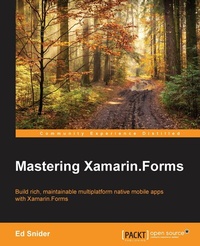
Mastering Xamarin.Forms
Build rich, maintainable multiplatform native mobile apps with Xamarin.Forms
Published on 8. July 2025
184 pages
978-1-78528-494-6 (ISBN)
Description

Build rich, maintainable multiplatform native mobile apps with Xamarin.Forms
Key Features
Build an effective mobile app architecture with the Xamarin.Forms toolkit
Maximize the testability, flexibility, and overall quality of your Xamarin.Forms mobile app
This step-by-step tutorial is packed with real-world scenarios and solutions to build professional grade mobile apps with Xamarin.Forms
Book DescriptionDiscover how to extend and build upon the components of the Xamarin.Forms toolkit to develop an effective, robust mobile app architecture. Starting with an app built with the basics of the Xamarin.Forms toolkit, we'll go step by step through several advanced topics to create a solution architecture rich with the benefits of good design patterns and best practices. We'll start by introducing a core separation between the app's user interface and the app's business logic by applying the MVVM pattern and data binding. Discover how to extend and build upon the components of the Xamarin.Forms toolkit to develop an effective, robust mobile app architecture. Starting with an app built with the basics of the Xamarin.Forms toolkit, we'll go step by step through several advanced topics to create a solution architecture rich with the benefits of good design patterns and best practices. We'll start by introducing a core separation between the app's user interface and the app's business logic by applying the MVVM pattern and data binding. Then we will focus on building out a layer of plugin-like services that handle platform-specific utilities such as navigation, geo-location, and the camera, as well as how to use these services with inversion of control and dependency injection. Next we'll connect the app to a live web-based API and set up offline synchronization. Then, we'll dive into testing the app-both the app logic through unit tests and the user interface using Xamarin's UITest framework. Finally, we'll integrate Xamarin Insights for monitoring usage and bugs to gain a proactive edge on app quality. What you will learn
Find out how, when, and why you should use architecture patterns and get best practices with Xamarin.Forms
Implement the Model-View-ViewModel (MVVM) pattern and data-binding in Xamarin.Forms mobile apps
Extend the Xamarin.Forms navigation API with a custom ViewModel-centric navigation service
Leverage the inversion of control and dependency injection patterns in Xamarin.Forms mobile apps
Work with online and offline data in Xamarin.Forms mobile apps
Test both business logic and user interface code in Xamarin.Forms mobile apps
Use platform-specific APIs to build rich custom user interfaces in Xamarin.Forms mobile apps
Explore how to improve mobile app quality with analytics and crash reporting using Xamarin Insights
Who this book is forThis book is intended for C# developers who are familiar with the Xamarin platform and the Xamarin.Forms toolkit. If you have already started working with Xamarin.Forms and want to take your app to the next level and make it more maintainable, testable, and flexible, then this book is for you.
Key Features
Build an effective mobile app architecture with the Xamarin.Forms toolkit
Maximize the testability, flexibility, and overall quality of your Xamarin.Forms mobile app
This step-by-step tutorial is packed with real-world scenarios and solutions to build professional grade mobile apps with Xamarin.Forms
Book DescriptionDiscover how to extend and build upon the components of the Xamarin.Forms toolkit to develop an effective, robust mobile app architecture. Starting with an app built with the basics of the Xamarin.Forms toolkit, we'll go step by step through several advanced topics to create a solution architecture rich with the benefits of good design patterns and best practices. We'll start by introducing a core separation between the app's user interface and the app's business logic by applying the MVVM pattern and data binding. Discover how to extend and build upon the components of the Xamarin.Forms toolkit to develop an effective, robust mobile app architecture. Starting with an app built with the basics of the Xamarin.Forms toolkit, we'll go step by step through several advanced topics to create a solution architecture rich with the benefits of good design patterns and best practices. We'll start by introducing a core separation between the app's user interface and the app's business logic by applying the MVVM pattern and data binding. Then we will focus on building out a layer of plugin-like services that handle platform-specific utilities such as navigation, geo-location, and the camera, as well as how to use these services with inversion of control and dependency injection. Next we'll connect the app to a live web-based API and set up offline synchronization. Then, we'll dive into testing the app-both the app logic through unit tests and the user interface using Xamarin's UITest framework. Finally, we'll integrate Xamarin Insights for monitoring usage and bugs to gain a proactive edge on app quality. What you will learn
Find out how, when, and why you should use architecture patterns and get best practices with Xamarin.Forms
Implement the Model-View-ViewModel (MVVM) pattern and data-binding in Xamarin.Forms mobile apps
Extend the Xamarin.Forms navigation API with a custom ViewModel-centric navigation service
Leverage the inversion of control and dependency injection patterns in Xamarin.Forms mobile apps
Work with online and offline data in Xamarin.Forms mobile apps
Test both business logic and user interface code in Xamarin.Forms mobile apps
Use platform-specific APIs to build rich custom user interfaces in Xamarin.Forms mobile apps
Explore how to improve mobile app quality with analytics and crash reporting using Xamarin Insights
Who this book is forThis book is intended for C# developers who are familiar with the Xamarin platform and the Xamarin.Forms toolkit. If you have already started working with Xamarin.Forms and want to take your app to the next level and make it more maintainable, testable, and flexible, then this book is for you.
All prices
More details
Edition
Digital original
Language
English
Place of publication
Birmingham
United Kingdom
Target group
US School Grade: College Graduate Student
Edition type
Digital original
File size
4,70 MB
ISBN-13
978-1-78528-494-6 (9781785284946)
Copyright in bibliographic data and cover images is held by Nielsen Book Services Limited or by the publishers or by their respective licensors: all rights reserved.
Schweitzer Classification
Other editions
New editions
Ed Snider
Mastering Xamarin.Forms
Build rich, maintainable, multi-platform, native mobile apps with Xamarin.Forms
E-Book
09/2024
2nd Edition
Packt Publishing Limited
€26.49
Available for download
Additional editions
Person
Snider Ed :
Ed Snider is a senior software developer, speaker, author, and Microsoft MVP based in the Washington D.C./Northern Virginia area. He has a passion for mobile design and development and regularly speaks about Xamarin and Windows app development in the community. Ed works at InfernoRed Technology, where his primary role is working with clients and partners to build mobile and media focused products on iOS, Android, and Windows. He started working with the .NET framework in 2005 when .NET 2.0 came out and has been building mobile apps with .NET since 2011. Ed blogs at edsnider[dot]net and can be found on Twitter at twitter[dot]com/edsnider.
Ed Snider is a senior software developer, speaker, author, and Microsoft MVP based in the Washington D.C./Northern Virginia area. He has a passion for mobile design and development and regularly speaks about Xamarin and Windows app development in the community. Ed works at InfernoRed Technology, where his primary role is working with clients and partners to build mobile and media focused products on iOS, Android, and Windows. He started working with the .NET framework in 2005 when .NET 2.0 came out and has been building mobile apps with .NET since 2011. Ed blogs at edsnider[dot]net and can be found on Twitter at twitter[dot]com/edsnider.
Content
Table of Contents
Getting Started
MVVM and Data Binding
Navigation Services
Platform specific services and dependency injection
User Interface
API Data Access
Authentication
Unit Testing
UI Testing
Getting Started
MVVM and Data Binding
Navigation Services
Platform specific services and dependency injection
User Interface
API Data Access
Authentication
Unit Testing
UI Testing

