
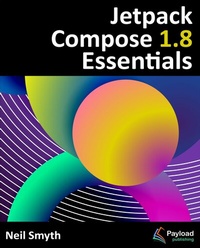
Jetpack Compose 1.8 Essentials
Description
Alles über E-Books | Antworten auf Fragen rund um E-Books, Kopierschutz und Dateiformate finden Sie in unserem Info- & Hilfebereich.
This book is a comprehensive guide to building Android apps using Jetpack Compose 1.8, Android Studio, Material Design 3, and the Kotlin programming language.
The book begins with the setup of the Android Studio development environment, followed by an introduction to Kotlin, covering data types, operators, control flow, functions, lambdas, and coroutines.
With this foundation established, the focus shifts to Jetpack Compose, Google's modern toolkit for creating native user interfaces. An in-depth exploration of Compose components and layout structures is provided, including rows, columns, boxes, flows, pagers, and lists. Additional topics include Android project architecture and the Compose development tools available in Android Studio.
Key concepts such as state management, modifiers, and navigation components are examined in detail. Additional chapters demonstrate how to create reusable layout components, implement biometric authentication for security, and integrate Gemini AI features into your apps.
Further coverage includes screen navigation, graphics rendering, animations, transitions, and gesture handling. Data management strategies involving view models, Room databases, live data, and the Database Inspector are also discussed.
Each topic includes step-by-step tutorials, downloadable source code, and access to over 55 online quizzes designed to reinforce key concepts.
With a basic understanding of programming, Android Studio installed, and access to a Windows, Mac, or Linux system, getting started is just a step away.
All prices
More details
Other editions
Additional editions

System requirements
File format: ePUB
Copy protection: Adobe-DRM (Digital Rights Management)
System requirements:
- Computer (Windows; MacOS X; Linux): Install the free reader Adobe Digital Editions prior to download (see eBook Help).
- Tablet/smartphone (Android; iOS): Install the free app Adobe Digital Editions or the app PocketBook before downloading (see eBook Help).
- E-reader: Bookeen, Kobo, Pocketbook, Sony, Tolino and many more (not Kindle).
The file format ePub works well for novels and non-fiction books – i.e., „flowing” text without complex layout. On an e-reader or smartphone, line and page breaks automatically adjust to fit the small displays.
This eBook uses Adobe-DRM, a „hard” copy protection. If the necessary requirements are not met, unfortunately you will not be able to open the eBook. You will therefore need to prepare your reading hardware before downloading.
Please note: We strongly recommend that you authorise using your personal Adobe ID after installation of any reading software.
For more information, see our ebook Help page.
File format: ePUB
Copy protection: Watermark-DRM (Digital Rights Management)
System requirements:
- Computer (Windows; MacOS X; Linux): Use a reading software that can process the file format ePUB: e.g., Adobe Digital Editions or FBReader – both free (see eBook Help).
- Tablet/Smartphone (Android; iOS): Before downloading, install the free app Adobe Digital Editions (see eBook Help).
- E-reader: Bookeen, Kobo, Pocketbook, Sony, Tolino and many more (not Kindle).
The file format ePUB works well for novels and non-fiction books – i.e., „flowing” text without complex layout. On an e-reader or smartphone, line and page breaks automatically adjust to fit the small displays.
This eBook uses Watermark-DRM, a „soft” copy protection. This means that there are no technical restrictions to prevent illegal distribution. However, there is a personalised watermark embedded in the eBook that can be used to identify the purchaser of the eBook in the event of misuse and to provide evidence for legal purposes.
For more information, see our eBook Help page.