

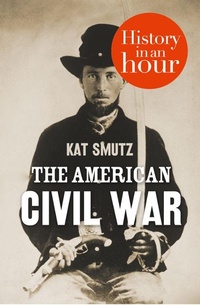
The American Civil War: History in an Hour
Published on 8. December 2011
60 pages
978-0-00-745519-5 (ISBN)
Description

Love history? Know your stuff with History in an Hour.
The American Civil War started when eleven southern 'slave' states declared their independence from the United States of America. Abraham Lincoln's Republican government were strongly against slavery and fought to abolish it and keep the country united.
The American Civil War: History in an Hour gives a concise and authoritative overview of these four years of bloody and devastating warfare to help you understand how the Civil War shaped America today and changed the history of slavery forever.
Know your stuff: read concise history of the tumultuous struggle between the Confederates and the Union in just one hour.
The American Civil War started when eleven southern 'slave' states declared their independence from the United States of America. Abraham Lincoln's Republican government were strongly against slavery and fought to abolish it and keep the country united.
The American Civil War: History in an Hour gives a concise and authoritative overview of these four years of bloody and devastating warfare to help you understand how the Civil War shaped America today and changed the history of slavery forever.
Know your stuff: read concise history of the tumultuous struggle between the Confederates and the Union in just one hour.
Reviews / Votes
'If the past is a foreign country, History in an Hour is like a high-class tour operator, offering delightfully enjoyable short breaks in the rich and diverse continent of our shared past' Dominic Sandbrook'The practice of History is ever-evolving, and the History In An Hour idea brings it back up to date for the digital age' Andrew Roberts, Bookseller
'This is genius' MacWorld.com
More details
Edition
Digital original
Language
English
Place of publication
London
United Kingdom
Publishing group
HarperCollins Publishers
Edition type
Digital original
Product notice
Reflowable
File size
3,16 MB
ISBN-13
978-0-00-745519-5 (9780007455195)
Copyright in bibliographic data and cover images is held by Nielsen Book Services Limited or by the publishers or by their respective licensors: all rights reserved.
Schweitzer Classification
Other editions
Additional editions

Audio
07/2019
HarperCollins
€61.21
Shipment within 15-20 days
Audio
07/2019
HarperCollins
€40.60
Shipment within 15-20 days
Kat Smutz | Jonathan Keeble
The American Civil War: History in an Hour
Audio
02/2012
William Collins
€35.45
Shipment within 15-20 days
Person
Having studied technology at Southwest Missouri State University, Kat Smutz conducted research in a variety of fields, most notably the everyday life of people in the United States during the Victorian era. Professionally, Kat has worked in law enforcement, as a teacher, and was a freelance journalist for twenty years. All of those experiences lend themselves well to her work for History an an Hour.
