

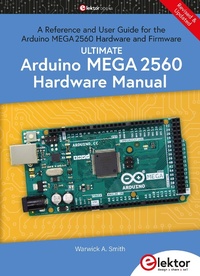
Ultimate Arduino Mega 2560 Hardware Manual
A Reference and User Guide for the Arduino MEGA2560 Hardware and Firmware
1st Edition
Published on 8. July 2021
240 pages
978-3-89576-446-2 (ISBN)
Description

A manual providing up-to-date hardware information for the Arduino Mega 2560.
The Arduino Mega 2560 is an upgrade to the popular Arduino Uno board, providing more pins, serial ports and memory. Arduino is the easy to use open-source electronics platform used by hobbyists, makers, hackers, experimenters, educators and professionals.
Get all the information that you need on the hardware and firmware found on Arduino Mega 2560 boards in this handy reference and user guide. Ideal for the workbench or desktop. This manual covers the Arduino Mega 2560 hardware and firmware, and is a companion volume to the Ultimate Arduino Uno Hardware Manual, which covers the Arduino Uno hardware and firmware.
- Contains all of the Arduino Mega 2560 hardware information in one place
- Covers Arduino / Genuino Mega 2560 revision 3 and earlier boards
- Easily find hardware technical specifications with explanations
- Pin reference chapter with interfacing examples
- Diagrams and illustrations for easy reference to pin functions and hardware connections
- Learn to back up and restore firmware on the board, or load new firmware
- Basic fault finding and repair procedures for Arduino Mega 2560 boards
- Power supply circuits simplified and explained
- Mechanical dimensions split into five easy to reference diagrams
- Contains circuit diagrams, parts list and board layout to easily locate components
- A chapter on shield compatibility explains how shields work across different Arduino boards
The Arduino Mega 2560 is an upgrade to the popular Arduino Uno board, providing more pins, serial ports and memory. Arduino is the easy to use open-source electronics platform used by hobbyists, makers, hackers, experimenters, educators and professionals.
Get all the information that you need on the hardware and firmware found on Arduino Mega 2560 boards in this handy reference and user guide. Ideal for the workbench or desktop. This manual covers the Arduino Mega 2560 hardware and firmware, and is a companion volume to the Ultimate Arduino Uno Hardware Manual, which covers the Arduino Uno hardware and firmware.
- Contains all of the Arduino Mega 2560 hardware information in one place
- Covers Arduino / Genuino Mega 2560 revision 3 and earlier boards
- Easily find hardware technical specifications with explanations
- Pin reference chapter with interfacing examples
- Diagrams and illustrations for easy reference to pin functions and hardware connections
- Learn to back up and restore firmware on the board, or load new firmware
- Basic fault finding and repair procedures for Arduino Mega 2560 boards
- Power supply circuits simplified and explained
- Mechanical dimensions split into five easy to reference diagrams
- Contains circuit diagrams, parts list and board layout to easily locate components
- A chapter on shield compatibility explains how shields work across different Arduino boards
More details
Other editions
Additional editions
Warwick A. Smith
Ultimate Arduino Mega 2560 Hardware Manual
A Reference and User Guide for the Arduino Mega 2560 Hardware and Firmware
Book
06/2021
1st Edition
Elektor
€39.95
Article exhausted; check different version
Person
Warwick A. Smith is an electronics engineer and embedded programmer from South Africa with experience in industrial, commercial, and aerospace related industries.
Warwick has a wide interest in various fields of technology, including embedded systems hardware, software, and information technology. His writing style has been described as "clear and concise" as well as "conversational and friendly".
Warwick has a wide interest in various fields of technology, including embedded systems hardware, software, and information technology. His writing style has been described as "clear and concise" as well as "conversational and friendly".
Content
- Intro
- Table of Contents
- Introduction
- Why Buy this Arduino MEGA Hardware Manual?
- Difference to the Arduino Uno Hardware Manual
- Target Audience
- Prerequisites
- Hardware Requirements
- Software Requirements
- What is Covered and What's Not Covered
- How to Use this Book
- Accompanying Resources
- Disclaimer, Errors and Corrections
- A Note from the Author
- Chapter 1 Arduino MEGA 2560 Overview
- 1.1 Arduino MEGA Description and Functionality
- 1.1.1 Arduino MEGA 2560 Board
- 1.1.2 Arduino MEGA 2560 vs. Arduino Uno
- 1.1.3 Uses of the Arduino MEGA 2560
- 1.1.4 Arduino MEGA 2560 Main Parts
- 1.1.4.1 Main Microcontroller
- 1.1.4.2 USB Connector
- 1.1.4.3 External Power In
- 1.1.4.4 Reset Button
- 1.1.4.5 Header Sockets with Arduino Pins
- 1.1.4.6 ON LED
- 1.1.4.7 L LED
- 1.1.4.8 TX LED (Transmit)
- 1.1.4.9 RX LED (Receive)
- 1.1.4.10 ATmega16U2 Microcontroller
- 1.1.4.11 ICSP Header
- 1.1.4.12 ICSP Header for ATmega16U2
- 1.1.4.13 Mounting Holes
- 1.1.5 Programming
- 1.1.6 Extending the Hardware
- 1.1.6.1 Add-on Boards: Shields
- Stacking Shields
- Shield Reverse Connection Protection
- 1.1.6.2 Prototype Shields
- 1.1.6.3 Strip-board
- 1.1.6.4 Electronic Breadboard
- 1.1.6.5 Custom PCB
- 1.1.7 Open-Source and Licensing
- 1.1.8 Third Party Compatible Boards
- 1.1.9 Build Quality, Warranty and Safety
- 1.1.10 Arduino and Genuino
- 1.2 Arduino MEGA 2560 Firmware
- 1.2.1 USB Bridge Firmware
- 1.2.2 Bootloader
- 1.3 Precautions During Handling and Usage
- 1.3.1 Static Electricity
- 1.3.2 Work Surface
- 1.3.3 Power
- 1.3.4 Voltage
- 1.3.5 Handling
- 1.3.6 Interfacing Precautions
- 1.4 Arduino MEGA 2560 History and Revisions
- 1.5 First Time Use and Basic Testing
- 1.5.1 New Arduino MEGA 2560 Default Behavior
- 1.5.1.1 Computer Drivers
- 1.5.1.2 Arduino MEGA 2560 Hardware Behavior
- On LED
- RX LED and L LED on Some Systems
- Factory or User Loaded Sketch Running
- 1.5.2 Loading a Sketch to an Arduino MEGA 2560
- 1.5.2.1 Select Board, Processor and Port
- 1.5.2.2 Loading a Test Sketch
- Open the Test Sketch
- Upload the Sketch
- Modify the Sketch
- 1.5.2.3 Serial Port Demonstration
- Serial Port Sketch Example
- Serial Monitor Window
- 1.5.3 Basic Testing
- 1.5.3.1 Visually Inspect the Board
- 1.5.3.2 Power LED and Voltages
- 1.5.3.3 Check Expected Default Behavior
- 1.5.3.4 Is the Board Recognized by the Host Computer?
- 1.5.3.5 Load a Test Sketch
- 1.6 Arduino MEGA 2560 References and Help
- 1.6.1 Installing Software
- 1.6.1.1 Windows
- 1.6.1.2 MAC OS X
- 1.6.1.3 Linux
- 1.6.2 Getting Started, Examples and Reference
- 1.6.2.1 Getting Started Guides
- 1.6.2.2 Arduino Examples and Tutorials
- 1.6.2.3 Building Breadboard Circuits
- 1.6.2.4 Arduino Software Reference
- 1.6.3 Getting Help
- 1.6.4 Related Open-Source Projects
- 1.6.4.1 Fritzing
- 1.6.4.2 Wiring
- 1.6.4.3 Processing
- 1.6.5 Arduino MEGA 2560 on the Web
- 1.7 Arduino MEGA 2560, DUE and MEGA ADK
- 1.7.1 Arduino DUE vs. Arduino MEGA 2560
- 1.7.2 Arduino MEGA ADK vs. Arduino MEGA 2560
- Chapter 2 Hardware Technical Information
- 2.1 Microcontroller
- 2.2 Atmel, Microchip and AVR
- 2.3 Memory
- 2.3.1 Flash Memory
- 2.3.1.1 Flash Memory Size
- 2.3.1.2 Flash Wear
- 2.3.1.3 Data Retention
- 2.3.2 SRAM
- 2.3.2.1 Volatile Memory
- 2.3.2.2 SRAM Size
- 2.3.3 EEPROM
- 2.3.3.1 EEPROM Programming
- 2.3.3.2 EEPROM Size
- 2.3.3.3 EEPROM Wear
- 2.3.4 Adding External Memory
- 2.3.4.1 SD Cards (SPI Interface)
- 2.3.4.2 Flash and EEPROM Chips (SPI / TWI Interface)
- 2.3.4.3 SPI Devices
- 2.3.4.4 TWI and I²C Devices
- 2.4 Power and USB
- 2.4.1 USB Power
- 2.4.2 USB Connection and Cable
- 2.4.3 External Power
- 2.4.4 Battery Power
- 2.4.5 Operating Voltage
- 2.5 Operating Frequency
- 2.6 LED Indicators and Reset Button
- 2.6.1 ON LED
- 2.6.2 L LED
- 2.6.3 TX LED
- 2.6.4 RX LED
- 2.6.5 Reset Button
- 2.7 User Pin Headers
- 2.7.1 Power Pins
- 2.7.1.1 GND Pins
- 2.7.1.2 5V Pins
- 2.7.1.3 3.3V Pin
- 2.7.1.4 Vin Pin
- 2.7.2 IOREF Pin and Unconnected Pin
- 2.7.3 RESET Pin
- 2.7.4 Digital, PWM and Communication Pins
- 2.7.4.1 Output Pins
- 2.7.4.2 Pin Current Rating
- 2.7.4.3 Input Pins
- 2.7.4.4 PWM Pins
- PWM Example Sketch
- Calculating PWM Duty Cycle
- PWM Frequency
- PWM LED Control Example
- 2.7.4.5 Communication Pins
- Serial Port / UART Pins to USB
- Serial Port / USART Pins
- TWI or I²C Pins
- SPI Pins
- 2.7.5 Analog In Pins
- 2.7.5.1 Analog In Example Sketch
- 2.7.5.2 Floating Analog Input Pin
- 2.7.5.3 Calculating Analog In Voltage
- 2.7.5.4 Analog In Pins Used as Digital I/O
- 2.7.6 AREF Pin and Internal ADC Reference Voltages
- 2.8 Programming Headers
- 2.8.1 MEGA 2560 with External Programmer on ICSP
- 2.8.2 Restore Bootloader with IDE and External Programmer
- 2.8.3 ATmega16U2 ICSP Header
- 2.8.4 ICSP Programming Resources
- 2.8.5 Using an Arduino as an In-System Programmer
- 2.9 Shared Pins
- 2.9.1 Serial Port Pins
- 2.9.2 L LED Pin
- 2.9.3 TWI or I²C Pins
- 2.9.4 ICSP SPI Pins and Reset
- 2.9.5 JTAG Pins
- Chapter 3 Pin Reference and Interfacing
- 3.1 Pin Default and Alternate Functions
- 3.1.1 Shared TWI Pins
- 3.1.2 Shared SPI Pins
- 3.2 ATmega2560 to Arduino MEGA 2560 Pin Mapping
- 3.2.1 ATmega2560 Ports
- 3.2.2 ATmega2560 Alternate Pin Functions
- 3.3 Pin Types and Interfacing
- 3.3.1 Digital Input / Output Pins
- 3.3.1.1 Pins as Outputs
- Why an LED Needs a Series Resistor
- How to Calculate a LED Current Limiting Series Resistor
- Current Sourcing and Current Sinking
- Current Sourcing
- Current Sinking
- Current Limitation Per Pin
- I/O Port Current Source and Sink Limits
- Switching Heavier Loads with Transistors and Relays
- 3.3.1.2 Pins as Inputs
- Pull-down Resistor
- Pull-up Resistor
- Internal Pull-up Resistors
- 3.3.2 PWM Pins
- 3.3.3 Analog Pins
- 3.3.4 TWI Bus Pins
- 3.3.4.1 TWI Interfacing Example
- TWI Pull-up Resistors
- 3.3.4.2 Accessing TWI Devices in Software
- 3.3.5 SPI Bus Pins
- 3.3.5.1 SPI Bus Interfacing Example
- 3.3.5.2 Accessing SPI Devices in Software
- 3.3.5.3 Accessing SD Cards in Software
- 3.3.6 Serial / UART Pins
- 3.3.6.1 Hardware Serial Ports
- Using the USB Port / Serial Port 0
- Using Serial Port 1, Serial Port 2 and Serial Port 3
- Serial Port Reference
- 3.3.6.2 Software Serial Port
- 3.3.7 Power Pins
- 3.3.7.1 GND Pins
- 3.3.7.2 5V Pins
- USB 5V
- External Power to 5V Regulator
- 3.3.7.3 3.3V Pin
- 3.3.7.4 Vin Pin
- 3.3.8 Reset Pin
- 3.3.9 IOREF Pin
- 3.3.10 AREF Pin
- 3.4 ICSP Header on Main Microcontroller
- 3.5 ICSP Header on USB Microcontroller
- 3.6 JP5 Header on USB Microcontroller
- 3.7 JTAG Pins
- 3.8 Finding the Datasheets
- 3.8.1 ATmega2560 Datasheet
- 3.8.2 ATmega16U2 Datasheet
- 3.8.3 Datasheets for Other Components
- Chapter 4 Power Reference
- 4.1 Power Supply Specification
- 4.1.1 Operating Voltage
- 4.1.2 USB Power Input
- 4.1.3 External Power Jack Input
- 4.1.4 External Power Jack Pinout
- 4.1.5 Vin Pin as Power Input
- 4.2 Power Circuit
- 4.2.1 External Power In and 5V Regulator
- 4.2.2 Power On Indicator LED
- 4.2.3 USB Power In
- 4.2.4 Automatic Switch
- 4.2.5 3.3V Regulator
- 4.2.6 Power Header Socket
- 4.2.7 Differences Between the MEGA 2560 and Uno Power Circuits
- 4.2.7.1 External Power In and 5V Regulator
- 4.2.7.2 Power On Indicator LED
- 4.2.7.3 USB Power In
- 4.2.7.4 Automatic Switch
- 4.2.7.5 3.3V Regulator
- 4.3 Power Supply Protection
- 4.3.1 Reverse Polarity Protection
- 4.3.2 5V Regulator Protection Features
- 4.3.3 3.3V Regulator Protection Features
- 4.3.4 USB Overload Protection
- Chapter 5 MEGA 2560 Firmware and Bootloader
- 5.1 Updating the USB to Serial Bridge Firmware using DFU
- 5.2 Microchip Studio
- 5.3 USB Microcontroller Firmware
- 5.3.1 Backing up the ATmega16U2 Firmware with Microchip Studio
- 5.3.2 DFU Bootloader Firmware
- 5.3.3 USB to Serial Bridge Firmware
- 5.3.4 Programming the USB Microcontroller using ICSP
- 5.3.5. ATmega16U2 Fuse Settings
- 5.4 Main Microcontroller Bootloader
- 5.4.1 Backing up the ATmega2560 Firmware with Microchip Studio
- 5.4.2 Bootloader Firmware - stk500v2
- 5.4.3 Restoring the Bootloader
- 5.4.4 ATmega2560 Fuse Settings
- 5.5 The RESET-EN Solder Jumper
- 5.6 Alternative Firmware Programming Methods
- Chapter 6 Circuit Diagram and Components
- 6.1 Circuit Diagram
- 6.1.1 Block Diagram
- 6.1.2 Main Microcontroller Circuit
- 6.1.3 USB Microcontroller Circuit
- 6.1.4 Power Supply Circuit
- 6.2 Component List
- 6.3 Component Positions on the Board
- 6.4 Getting an Electronic Copy of the Circuit Diagram
- Chapter 7 Fault Finding and Measurement
- 7.1 Basic Fault Finding and Repair
- 7.2 Replacing the Main Arduino MEGA 2560 Microcontroller
- 7.2.1 Replacement Part
- 7.2.2 Removing the Old Microcontroller
- 7.2.3 Soldering the New Microcontroller
- 7.2.4 Loading the Bootloader
- 7.3 Voltage Measurements
- 7.3.1 Powered from USB
- 7.3.1.1 5V Test Points
- 7.3.1.2 USB Power and 3.3V Circuit Test Points
- 7.3.1.3 Measuring Voltage on the L and ON LEDs
- 7.3.2 Powered from External Power Supply
- 7.4 Waveform Patterns and Measurement
- 7.4.1 Testing for Presence of Microcontroller Clocks
- 7.4.2 Testing for PWM Waveforms
- 7.4.3 Testing UART Outputs
- 7.4.4 TWI Signals
- 7.4.5 SPI Signals
- Chapter 8 Mechanical Dimensions and Templates
- 8.1 Measurements, Tolerance and Scale
- 8.2 Length, Width and Mass
- 8.3 Mounting Hole Spacing and Size
- 8.4 Shape Dimensions
- 8.5 Header Positions
- 8.6 Shield Reverse Connection Protection
- 8.7 Using Strip-board as a Shield
- 8.8 Drill Template and KiCad Template
- Chapter 9 Arduino Shield Compatibility
- 9.1 Shield Compatibility Considerations
- 9.2 Shield Compatibility Between Arduino Models
- 9.2.1 Shield Size
- 9.2.2 Shield Voltage
- 9.2.3 SPI Pin Compatibility
- 9.2.4 TWI Pin Compatibility
- 9.2.5 Shield Stacking
- 9.3 Compatibility Between Four Arduino Models
- 9.3.1 Arduino MEGA 2560
- 9.3.2 Arduino Due
- 9.3.3 Arduino Uno
- 9.3.4 Arduino Zero
- 9.3.5 5V Pin Current on MEGA and Uno
- 9.4 Arduino Shield Pin Compatibility
- 9.4.1 TWI Pins
- 9.4.2 SPI Pins
- 9.4.3 Digital Pins
- 9.4.4 Analog Pins
- 9.4.5 Power Pins
- 9.5 Example of Shield Compatibility Problems
- 9.5.1 Data Logger Shield Example
- 9.5.1.1 Shield Power
- 9.5.1.2 ICSP Connector
- 9.5.1.3 TWI Pins
- 9.5.2 Ethernet Shield Example
- 9.5.2.1 Shield Power
- 9.5.2.2 ICSP Connector and Stacking
- Appendix A Specifications Quick Reference
- Index
