
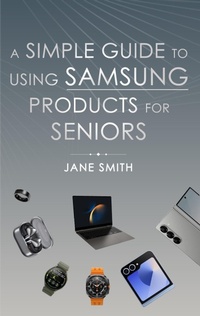
A Simple Guide to Using Samsung Products for Seniors
Description
Alles über E-Books | Antworten auf Fragen rund um E-Books, Kopierschutz und Dateiformate finden Sie in unserem Info- & Hilfebereich.
"A Simple Guide to Using Samsung Products for Seniors"- is here to make technology easy and fun! Whether you're new to Samsung devices or just need a little extra help, this guide will walk you through everything step by step.Designed especially for seniors, this book covers the basics, from setting up your samsung to making calls, sending messages, and browsing the internet. With simple instructions and helpful tips, you'll learn how to take photos, organize your calendar, and enjoy music, TV shows, and more. Plus, discover how to use health apps, set emergency contacts, and solve common problems with ease.Packed with clear explanations and friendly advice, this guide makes using Samsung products a breeze. No technical jargon-just easy-to-follow steps that will have you feeling confident in no time!"A Simple Guide to Using Samsung Products for Seniors" will help you stay connected, entertained, and empowered. Discover how easy it can be to use your Samsung device and start enjoying everything it has to offer today!

More details
System requirements
File format: ePUB
Copy protection: Adobe-DRM (Digital Rights Management)
System requirements:
- Computer (Windows; MacOS X; Linux): Install the free reader Adobe Digital Editions prior to download (see eBook Help).
- Tablet/smartphone (Android; iOS): Install the free app Adobe Digital Editions or the app PocketBook before downloading (see eBook Help).
- E-reader: Bookeen, Kobo, Pocketbook, Sony, Tolino and many more (not Kindle).
The file format ePub works well for novels and non-fiction books – i.e., „flowing” text without complex layout. On an e-reader or smartphone, line and page breaks automatically adjust to fit the small displays.
This eBook uses Adobe-DRM, a „hard” copy protection. If the necessary requirements are not met, unfortunately you will not be able to open the eBook. You will therefore need to prepare your reading hardware before downloading.
Please note: We strongly recommend that you authorise using your personal Adobe ID after installation of any reading software.
For more information, see our ebook Help page.