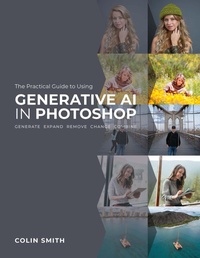
The Practical Guide to Using Generative AI in Photoshop
Description

Your guide to the world of Generative AI in Photoshop!
Everyone's talking about the new Generative AI capabilities of Adobe Photoshop, and for good reason: This is the biggest update to Photoshop in its history. With the power of AI photo editing, you can now remove, expand, generate, change, or combine almost anything you need to in order to create the images you want.
While these features are incredibly powerful, it can be a struggle to get the best results from these powerful tools. What exactly can Generative Fill and Generative Expand do, and how do they do it? When should you use these tools, and when should you use another tool? If you want to incorporate these tools into your workflow, it's very important to get an early grasp of these tools now?and get ahead of the crowd.
In this book, best-selling author Colin Smith walks you through Generative AI in Photoshop. With decades of experience working in the real world and training for Adobe, Apple, Nvidia, and many others, he knows Photoshop on a level that few do. He also has a knack for making learning fun and easy, and he can take complex topics and make them seem simple.
You will learn to:
• Generate a scene from scratch
• Extend an image
• Fix panoramas
• Remove crowds
• Remove any object
• Generate objects
• Replace objects
• Duplicate and move an image
• Combine variations of generated images
• Blend images into an extended scene
• Repair old or damaged photos
• Composite with your own photos
• Composite your photo into an AI scene
• Change backgrounds
• Add reflections
• Generate depth of field
• Create actions with Generative AI commands
• And much more!
Make no mistake: Generative AI is here to stay, and it is revolutionizing how we work in Photoshop. With The Practical Guide to Using Generative AI in Photoshop by your side, you will be ready to confidently move forward with these new tools and apply them to your own imagery. Whether you want to simply clean up your photos or create fantastical works of art?or anything in between?your only limitation will be your imagination.
More details
Other editions
Additional editions