

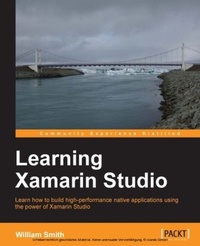
Learning Xamarin studio
Learn how to build high-performance native applications using the power of Xamarin Studio.
Published on 7. October 2025
248 pages
978-1-78355-082-1 (ISBN)
Description

Key Features
Book DescriptionThis book is intended for .NET developers with any level of experience and who are interested in building native applications without the hassle of becoming Objective-C or Java experts. Although it will be beneficial to have some development experience, particularly in .NET, Learning Xamarin help even a novice developer get past the headaches of setting up and customizing their new development environment so they can move on to producing high-quality native applications quickly.What you will learn
Integrate Visual Studio, Xcode, and the Android SDK into your development environment
Get to grips with all the new Xamarin Studio enhancements from Xamarin 3
Network your Windows box to a Mac build machine for iOS testing and deployment from a PC
Install and customize your development environment to suit your workflow
Set up Apple and Google developer accounts, and create provisioning profiles for your physical iOS devices
Install iOS simulators, create Android device definitions, and link to your physical devices
Test and debug your applications using NUnitLite, Instruments, simulators, emulators, and physical devices, all from within Xamarin Studio
Deploy your creations to the appropriate app store
Who this book is for
Book DescriptionThis book is intended for .NET developers with any level of experience and who are interested in building native applications without the hassle of becoming Objective-C or Java experts. Although it will be beneficial to have some development experience, particularly in .NET, Learning Xamarin help even a novice developer get past the headaches of setting up and customizing their new development environment so they can move on to producing high-quality native applications quickly.What you will learn
Integrate Visual Studio, Xcode, and the Android SDK into your development environment
Get to grips with all the new Xamarin Studio enhancements from Xamarin 3
Network your Windows box to a Mac build machine for iOS testing and deployment from a PC
Install and customize your development environment to suit your workflow
Set up Apple and Google developer accounts, and create provisioning profiles for your physical iOS devices
Install iOS simulators, create Android device definitions, and link to your physical devices
Test and debug your applications using NUnitLite, Instruments, simulators, emulators, and physical devices, all from within Xamarin Studio
Deploy your creations to the appropriate app store
Who this book is for
All prices
More details
Edition
Digital original
Language
English
Place of publication
Birmingham
United Kingdom
Target group
Professional and scholarly
US School Grade: College Graduate Student
Edition type
Digital original
File size
3,49 MB
ISBN-13
978-1-78355-082-1 (9781783550821)
Copyright in bibliographic data and cover images is held by Nielsen Book Services Limited or by the publishers or by their respective licensors: all rights reserved.
Schweitzer Classification
Other editions
Additional editions
Person
Smith William :
William Smith has been writing software since 1988, but he began his professional career in the environmental field with degrees in Environmental Science and Business Administration. While working in this field, William continued writing software as a hobbyist before returning to the University of Maryland for a degree in Computer Science. William currently works as an independent software engineer and author. He is the owner of Appsmiths LLC, a development and consulting firm concentrating on mobile application and game development using native tools as well as cross-platform tools, such as Xamarin and Monogame. William lives in rural West Virginia with his beautiful wife and four sons, where they enjoy hunting, fishing, and camping as a family.
William Smith has been writing software since 1988, but he began his professional career in the environmental field with degrees in Environmental Science and Business Administration. While working in this field, William continued writing software as a hobbyist before returning to the University of Maryland for a degree in Computer Science. William currently works as an independent software engineer and author. He is the owner of Appsmiths LLC, a development and consulting firm concentrating on mobile application and game development using native tools as well as cross-platform tools, such as Xamarin and Monogame. William lives in rural West Virginia with his beautiful wife and four sons, where they enjoy hunting, fishing, and camping as a family.
Content
Table of Contents
Installation and Setup of Xamarin Studio
Learning and Customizing the Environment
Integrating Xcode and the Android SDK
Working with Visual Studio
Xamarin. Forms
Application States
Debugging and Testing
Deployment
Appendix A
Installation and Setup of Xamarin Studio
Learning and Customizing the Environment
Integrating Xcode and the Android SDK
Working with Visual Studio
Xamarin. Forms
Application States
Debugging and Testing
Deployment
Appendix A

