

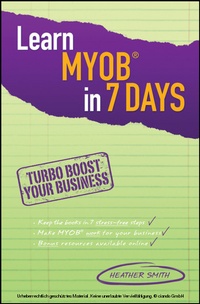
Learn MYOB in 7 Days
1st Edition
Published on 6. December 2011
224 pages
978-0-7303-7593-7 (ISBN)
Description

The step-by-step guide that takes the stress out of keeping your books with MYOB
This small business guide covers all the essentials, from setting up an account through to confidently producing financial reports, and all that's in between. In 7 quick and easy steps this book arms you with the knowledge you need to navigate your way through MYOB and will free up your time to focus on your business.
Packed full of tips, tricks and traps to avoid, this is essential reading for small business owners and bookkeepers wanting to quickly and easily learn MYOB.
More details
Other editions
Additional editions
Heather Smith
Learn MYOB in 7 Days
Book
01/2012
1st Edition
Wiley
€39.50
Article exhausted; check different version
Content
- Learn MYOB in 7 Days
- Contents
- About the author
- Acknowledgements
- Introduction
- An overview of MYOB software in Australia
- Day 1: Accounts Command Centre and Card File Centre
- Orientation
- Menu bar
- Command Centre and flowcharts
- Preferences
- Tax codes
- Chart of accounts
- Things to consider beforere viewing accounts
- Exploring a general ledger account
- Clearing accounts
- Card File Command Centre
- Exiting MYOB
- Day 2: Banking Command Centre
- Introduction and overview
- Cash versus accrual-based accounting
- Cash versus accrual in relation to MYOB
- Linked accounts
- Bank Register and Transaction Journal
- Creating a Spend Money entry
- Creating a recurring transaction
- Receiving money
- Using the Undeposited Funds account and preparing a bank deposit
- Preparing electronic payments
- Printing cheques
- Printing or emailing remittance advices
- Bank reconciliation
- How to do a bank reconciliation
- What is an audit trail, and why is it important?
- Use the owner's loan account to monitor the owner's spending
- Day 3: Sales Command Centre
- Introduction and overview
- Day 4: Purchase Command Centre
- Introduction and overview
- Day 5: Inventory Command Centre
- Introduction and overview
- Periodic and perpetual inventory
- Creating an Item
- Item List
- Entering an inventory purchase
- Recording receipt of goods delivered
- Entering an inventory sale
- Setting item prices
- Auto-Build items
- Day 6: Payroll Command Centre
- Introduction and overview
- Wages
- Superannuation
- Deductions
- Day 7: The wrap
- Introduction and overview
- Using the Command Panel
- Setting up MYOB AccountRight software
- Day-to-day use of MYOB AccountRight software
- 12 keys to staying in tiptop form
- Glossary
- Index
