

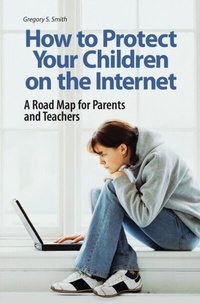
How to Protect Your Children on the Internet
A Road Map for Parents and Teachers
1st Edition
Published on 30. August 2007
216 pages
978-1-56720-732-3 (ISBN)
Description

Parents and teachers are often ill-equipped to deal with the variety of devices and applications such as email, instant messaging, browsing, blogs, cell phones, and personal digital assistant devices (PDAs) that can facilitate the dangers lurking online. How to Protect Your Children on the Internet offers a comprehensive overview of the ways in which youth use such technologies and exposes the risks they represent. At the same time, it provides a roadmap that will enable parents and teachers to become more engaged in children's online activities, arming them with techniques and tips to help protect their children. Smith underscores his arguments through chilling, real-life stories, revealing approaches people are using to deceive and to conceal their activities online. Filled with practical advice and recommendations, his book is indispensable to anyone who uses the Internet and related technologies, and especially to those charged with keeping children safe.
More details
Edition
1. Auflage
Language
English
Place of publication
New York
United States
Publishing group
Bloomsbury Publishing Plc
Target group
Interest Age: From 7 to 17 years
ISBN-13
978-1-56720-732-3 (9781567207323)
Copyright in bibliographic data and cover images is held by Nielsen Book Services Limited or by the publishers or by their respective licensors: all rights reserved.
Schweitzer Classification
Other editions
Additional editions
Book
09/2007
Praeger Publishers Inc
€58.50
Shipment within 15-20 days
Person
Gregory S. Smith is Vice President and Chief Information Officer (CIO) of Information Technology at the World Wildlife Fund in Washington, D.C. and Adjunct Professor in the School of Professional Studies in Business and Education Graduate Programs at The Johns Hopkins University. He is an expert in the field of information technology with several technical articles and public speaking engagements to his credit. In addition, he is the author of Straight to the Top: Becoming a World-Class CIO.
Content
- Intro
- Contents
- PREFACE
- ACKNOWLEDGMENTS
- Part One: Introduction to Technology and Risks on the Internet
- CHAPTER 1 Welcome to the Internet
- Growing Up
- The Internet: What Is It?
- Recommendations
- CHAPTER 2 Back to School
- Internet Technologies Defined: Education 101
- Recommendations
- CHAPTER 3 Risks Overview: Are Parents Making the Grade?
- An Overview of Online Risks
- Some Statistics for Kids Going Online
- How Are Parents Doing Protecting Their Kids?
- Protection at School and in Libraries
- Recommendations
- CHAPTER 4 The Risks of Going Online
- A Sampling of Unfortunate Events
- Recommendations
- Part Two: A Road Map to Protect Children While Online
- CHAPTER 5 How to Monitor Your Kids Online
- To Monitor or Not to Monitor
- Tricks Kids Use to Hide What They're Doing
- Nontechnical Parental Monitoring
- Software for Better Monitoring
- Recommendations
- CHAPTER 6 Internet Surfing, Blogs, and Social Networking
- Surfing/Browsing the Internet
- Search Engines: The Good, the Bad, and the Ugly
- Social Networking and Blogging
- Video Cameras Gone Wild
- Firewalls and Wireless
- Recommendations
- CHAPTER 7 Email
- Email Options and Programs
- Email Risks
- Kid-Friendly Email Programs
- Tricks Kids Use to Hide Email Activities
- Blocking Free Email Services
- File Attachment Risk
- Don't Forget about Spam
- Recommendations
- CHAPTER 8 Instant Messaging and Voice-over-IP
- IM Basics and Tools
- IM Lingo Parents Must Know
- Blocking IM: It's Not Easy
- Chat Rooms: A Hangout for Predators
- Making Phone Calls over the Internet
- How Predators Find Their Victims
- Recommendations
- CHAPTER 9 Cell Phones and PDAs
- An Overview of Portable Communication Devices
- Text Messaging: How Teens Communicate
- Monitoring Call Logs and Bills
- Browsing and IM Challenges with PDAs
- Recommendations
- CHAPTER 10 A Glimpse into the Future
- Converging Devices
- Free Stuff Everywhere (Advertisers' Heaven)
- Global Positioning Takes Off
- Built-in Security for Future Operating Systems
- Futuristic Ways to Stay Connected
- Recommendations
- CHAPTER 11 Talking to Your Kids about Online Risks
- An Internet Usage Contract
- When and How to Be Firm
- What Not to Say to Your Teen
- Advice from the Pros (Child Psychologists)
- Recommendations
- NOTES
- BIBLIOGRAPHY
- INDEX
