

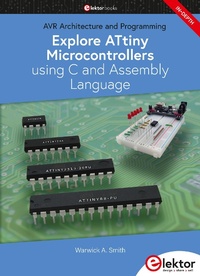
Explore ATtiny Microcontrollers using C and Assembly Language
AVR Architecture and Programming
1st Edition
Published on 20. December 2021
377 pages
978-3-89576-480-6 (ISBN)
Description

An in-depth look at the 8-bit AVR architecture found in ATtiny and ATmega microcontrollers, mainly from a software and programming point of view. Explore the AVR architecture using C and assembly language in Microchip Studio (formerly Atmel Studio) with ATtiny microcontrollers.
¿Learn the details of how AVR microcontrollers work internally, including the internal registers and memory map of ATtiny devices.
¿Program ATtiny microcontrollers using an Atmel-ICE programmer/ debugger, or use a cheap hobby programmer, or even an Arduino Uno as a programmer.
¿Most code examples can be run using the Microchip Studio AVR simulator.
¿Learn to write programs for ATtiny microcontrollers in assembly language.
¿See how assembly language is converted to machine code instructions by the assembler program.
¿Find out how programs written in the C programming language end up as assembly language and finally as machine code instructions.
¿Use the Microchip Studio debugger in combination with a hardware USB programmer/debugger to test assembly and C language programs, or use the Microchip Studio AVR simulator.
¿DIP packaged ATtiny microcontrollers are used in this volume for easy use on electronic breadboards, targeting mainly the ATtiny13(A) and ATtiny25/45/85.
¿Learn about instruction timing and clocks in AVR microcontrollers using ATtiny devices.
¿Be on your way to becoming an AVR expert with advanced debugging and programming skills
¿Learn the details of how AVR microcontrollers work internally, including the internal registers and memory map of ATtiny devices.
¿Program ATtiny microcontrollers using an Atmel-ICE programmer/ debugger, or use a cheap hobby programmer, or even an Arduino Uno as a programmer.
¿Most code examples can be run using the Microchip Studio AVR simulator.
¿Learn to write programs for ATtiny microcontrollers in assembly language.
¿See how assembly language is converted to machine code instructions by the assembler program.
¿Find out how programs written in the C programming language end up as assembly language and finally as machine code instructions.
¿Use the Microchip Studio debugger in combination with a hardware USB programmer/debugger to test assembly and C language programs, or use the Microchip Studio AVR simulator.
¿DIP packaged ATtiny microcontrollers are used in this volume for easy use on electronic breadboards, targeting mainly the ATtiny13(A) and ATtiny25/45/85.
¿Learn about instruction timing and clocks in AVR microcontrollers using ATtiny devices.
¿Be on your way to becoming an AVR expert with advanced debugging and programming skills
More details
Other editions
Additional editions
Warwick A. Smith
Explore ATtiny Microcontrollers using C and Assembly Language
AVR Architecture and Programming
Book
12/2021
1st Edition
Elektor
€44.95
Article exhausted; check different version
Person
Warwick A. Smith is an electronics engineer and embedded programmer from South Africa with experience in industrial, commercial and aerospace related industries. Warwick has a wide interest in various fields of technology, including embedded systems hardware, software, and information technology. His writing style has been described as "clear and concise" as well as "conversational and friendly".
Content
- Intro
- Introduction
- Broad Overview of this Book
- About the Targeted AVR Microcontrollers
- Primary Programming Software
- Why Learn Assembly Language?
- The Many Reasons for Learning Assembly Language
- C Programming
- Intended Audience
- Prerequisites
- Software Requirements
- Hardware Requirements
- A DIP Packaged ATtiny
- An Electronic Breadboard
- Programmer/Debugger
- Atmel-ICE Basic Kit
- Atmel-ICE Full Kit
- AVR Dragon
- AVRISP mkII
- Hobbyist USB Programmers
- Power Supply
- Jumper Links and Wires
- Electronic Components
- Optional Test Equipment
- Microchip, Atmel, Microchip Studio and Atmel Studio
- Accompanying Resources
- Let's Get Started
- Chapter 1 Overview of ATtiny Microcontrollers
- 1.1 ATtiny Microcontrollers
- 1.1.1 8-Pin Devices
- 1.1.1.1 ATtiny13 and ATtiny13A
- 1.1.1.2 ATtiny25, ATtiny45 and ATtiny85
- 1.1.2 14-Pin ATtiny24, ATtiny44 and ATtiny84
- 1.1.3 20-Pin Devices
- 1.1.3.1 ATtiny26
- 1.1.3.2 ATtiny261, ATtiny461 and ATtiny861
- 1.1.3.3 ATtiny2313 and ATtiny4313
- 1.1.4 28-Pin Devices
- 1.1.4.1 ATtiny48 and ATtiny88
- 1.1.4.2 ATtiny28L and ATtiny28V
- 1.2 Which ATtiny to Use
- 1.3 Comparison of ATtiny Devices
- 1.4 Summary
- Chapter 2 Hardware and Software Setup
- 2.1 Install Microchip Studio
- 2.1.1 Download Page and Software Version
- 2.1.2 Newest Software Version
- 2.1.3 Start the Installation
- 2.1.4 Installation Steps
- 2.2 8-Pin ATtiny Microcontroller LED Circuit
- 2.2.1 Circuit Power Supply
- 2.2.2 Decoupling Capacitor
- 2.3 A First Assembly Language Program
- 2.3.1 Start a New AVR Assembler Project in Microchip Studio
- 2.3.2 LED Blink Assembly Code
- 2.3.3 Build the Project
- 2.3.4 Fix Any Build Errors
- 2.3.5 Load the Program to the AVR Microcontroller
- 2.3.6 Fault Finding
- 2.4 A First C Program
- 2.4.1 Start a New GCC C Executable Project in Microchip Studio
- 2.4.2 LED Blink C Code
- 2.4.3 Build the Project
- 2.4.4 Fix Any Build Errors
- 2.4.5 Load the Program to the AVR Microcontroller
- 2.4.6 Fault Finding
- 2.5 Summary
- Chapter 3 Basics of Assembly Language
- 3.1 Mnemonics
- 3.2 AVR Instruction Set
- 3.3 Opcodes and Operands
- 3.4 Assembly Language Comments
- 3.5 LED Blink Program Operation
- 3.6 Using the Debugger and Simulator
- 3.6.1 Using the AVR Simulator and Debugger
- 3.6.2 Using a Physical AVR Microcontroller and Debugger
- 3.6.3 Putting an AVR Back into ISP mode
- 3.7 Summary
- Chapter 4 Binary Numbers and Memory
- 4.1 Bits and Bytes
- 4.1.1 Counting in Binary
- 4.1.2 Bytes and Nibbles
- 4.2 Weighted Number Systems
- 4.2.1 Weighted Decimal Numbers
- 4.2.2 Weighted Binary Numbers
- 4.3 Hexadecimal Numbers
- 4.3.1 Counting in Hexadecimal
- 4.3.2 Using Hexadecimal to Represent Binary
- 4.4 Calculating Number Sizes
- 4.4.1 Calculating the Maximum Value of a Binary Number
- 4.4.2 Calculating Memory Size
- 4.4.3 Converting Between Bytes and Kilobytes
- 4.5 Numbers in Assembly Programs
- 4.6 Numbers in C Programs
- 4.6 Summary
- Chapter 5 AVR Registers and Memory Map
- 5.1 AVR Registers
- 5.1.1 General Purpose Working Registers
- 5.1.2 I/O Registers
- 5.2 Using General Purpose Registers
- 5.2.1 Adding Two Registers
- 5.2.2 Incrementing a Register
- 5.3 AVR Memory Map
- 5.3.1 Program Memory
- 5.3.2 Data Memory
- 5.3.3 EEPROM
- 5.4 Accessing SRAM in Assembler Programs
- 5.4.1 SRAM Store and Load Example
- 5.4.2 Store and Load Example in the Simulator
- 5.4.3 SRAM Start Addresses
- 5.5 Summary
- Chapter 6 AVR Internal Architecture
- 6.1 Clock Pulses and Program Counter
- 6.1.1 Clock Pulses
- 6.1.2 Clock Pulse Period and Frequency
- 6.1.2.1 ATtiny13(A) Default Clock Frequency
- 6.1.2.2 ATtiny25/45/85 Default Clock Frequency
- 6.1.2.3 RC Oscillator Accuracy
- 6.1.2.4 Clock Sources and Improving Accuracy
- 6.1.2.5 Calculating Clock Period from Frequency
- 6.1.2.6 Calculating Clock Frequency from Period
- 6.1.3 The Program Counter
- 6.2 Microcontroller Buses
- 6.3 Harvard and von Neumann Architectures
- 6.4 Fetching and Executing Instructions
- 6.5 Status Register
- 6.5.1 Zero Flag
- 6.5.2 Negative Flag
- 6.6 Stack and Stack Pointer
- 6.6.1 How the Stack Works
- 6.6.2 Accessing the Stack with PUSH and POP
- 6.6.3 Calling a Subroutine
- 6.7 LED Blink Program Fully Explained
- 6.8 AVR Instruction Encoding
- 6.9 Addressing Modes
- 6.9.1 Register Direct Addressing
- 6.9.2 I/O Direct Addressing
- 6.9.3 Other Addressing Modes
- 6.10 Summary
- Chapter 7 Arithmetic and Logic Instructions
- 7.1 Positive and Negative Numbers
- 7.1.1 1's Compliment Numbers
- 7.1.2 2's Compliment Numbers
- 7.2 Addition
- 7.2.1 ADD - Add without Carry
- 7.2.2 ADC - Add with Carry
- 7.3 Subtraction
- 7.4 Logic Instructions
- 7.4.1 Logical AND
- 7.4.2 Logical OR
- 7.4.3 Logical Exclusive OR
- 7.5 Other Arithmetic and Logic Instructions
- 7.6 Summary
- Chapter 8 Programming AVR I/O Ports
- 8.1 Instructions for Accessing I/O Registers
- 8.1.1 Reading and Writing I/O Registers with IN and OUT
- 8.1.1.1 The IN Instruction
- 8.1.1.2 The OUT Instruction
- 8.1.2 I/O Register Bit Manipulation and Testing
- 8.1.3 Accessing I/O Registers as Data Space
- 8.2 I/O Ports
- 8.2.1 Configuring I/O Pins as Outputs in Assembler
- 8.2.1.1 Five LED 8-pin ATtiny Circuit
- 8.2.1.2 Using debugWIRE or ISP/SPI to Program an ATtiny AVR
- Program-only Programmers
- Peripheral Hardware Devices Interfering with Programming
- Putting the AVR into debugWIRE Mode
- 8.2.1.3 Build the 5 LED ATtiny Circuit on Breadboard
- 8.2.1.4 Assembly Code for the 5 LED Count Circuit
- 8.2.1.5 Select the Debugger or Simulator
- 8.2.1.6 What the LED Count Assembler Code Does
- 8.2.1.7 Build and Run the Program
- 8.2.1.8 How the LED Count Assembler Program Works
- 8.2.1.9 Using a Breakpoint in the Debugger
- 8.2.2 Configuring I/O Pins as Outputs in C
- 8.2.2.1 LED Count C Code
- 8.2.2.2 How the LED Count C Code Works
- 8.2.2.3 Running the LED Count C Code
- 8.2.2.4 LED Count C Code Disassembly
- 8.2.3 Limiting a Count Value
- 8.2.4 Three Ways to Toggle an LED with an AVR
- 8.2.4.1 Toggling an LED by Value
- 8.2.4.2 Toggling an LED by Exclusive OR
- 8.2.4.3 Toggling an LED with the PINB Register
- 8.2.5 Configuring I/O Pins as Inputs
- 8.3 Summary
- Chapter 9 Assembly Language Elements
- 9.1 Instructions and Labels
- 9.2 The Preprocessor and Include Files
- 9.3 Assembler Directives
- 9.3.1 Specifying Code and Data Locations
- 9.3.1.1 ORG Assembler Directive
- 9.3.1.2 CSEG Code Segment Directive
- 9.3.1.3 DSEG Data Segment and BYTE Directives
- 9.3.1.4 ESEG EEPROM Segment Directive
- 9.3.2 Reserving Memory
- 9.3.2.1 BYTE
- 9.3.2.2 DB - Define Constant Byte
- Modified Harvard Architecture
- Example Code using the DB Assembler Directive
- CSEG Directive and First RJMP Instruction
- Usage of the DB Assembler Directive
- Data Formats and Null Terminating Strings
- Location of DB Data in Program Memory and Alignment
- 16-bit Address Pointer Registers
- Loading the Z Register
- Reading Bytes from Program Memory
- Running the Example Code
- 9.3.2.3 DW - Define Constant Word
- 9.3.2.4 DD - Define Constant Double-word
- 9.3.2.5 DQ - Define Constant Quad-word
- 9.3.3 Defining Names for Registers with DEF
- 9.3.4 Equating Names to Expressions using EQU and SET
- 9.3.5 Conditional Assembly
- 9.4 Other Assembly Language Elements
- 9.5 Further Reading
- 9.6 Summary
- Chapter 10 AVR Timing, Timers and Interrupts
- 10.1 Instruction Timing
- 10.1.1 AVR CPU Versions
- 10.1.2 Instruction Timing Examples
- 10.1.2.1 The NOP Instruction
- 10.1.2.2 16-bit and 32-bit Instruction Timing
- 10.1.2.3 Timing of Branch Instructions
- The Simulator Cycle Counter and Stop Watch
- Simulator Cycle Counter Bug
- 10.2 Assembly Language Time Delay
- 10.2.1 Calculating a Software Delay Subroutine Time Delay
- 10.2.1.1 Delay Subroutine Cycle Counter Measurement
- 10.2.1.2 Delay Subroutine Mathematical Formula
- 10.2.2 A Better Software Delay Subroutine
- 10.2.2.1 Principle of Operation
- 10.2.2.2 32-bit Subtraction with 8-bit Registers
- 10.2.2.3 Timing of the Code
- 10.2.2.4 Testing the Code in Microchip Studio
- 10.2.3 A Changeable Software Time Delay Subroutine
- 10.2.3.1 Splitting an Assembly Language Project into Files
- 10.2.3.2 How the wait_ms Subroutine Works
- 10.2.3.3 Limits of the wait_ms Subroutine
- Simplifying the Formula
- Calculating the Maximum Delay Time of the Subroutine
- Posing Value Limits in Assembly Language
- Number Size Limits in the Assembler Program
- Solution to Flagging Out of Range Upper Values
- Flagging Out of Range High and Low Values
- 10.2.4 Passing a Value to a Subroutine
- 10.2.4.1 Simplest Way to Pass a Value
- 10.2.4.2 Improved Way to Pass a Value
- 10.3 Calling an Assembly Subroutine from C Code
- 10.3.1 Passing a Value to an Assembly Subroutine from C
- 10.3.1.1 Testing the wait_ms_c Project Code
- 10.3.1.2 How the wait_ms_c Project Code Works
- 10.3.2 Returning a Value from an Assembly Subroutine in C
- 10.4 Polled Timer Delay
- 10.4.1 Timer/Counter0 Registers
- 10.4.1.1 Timer/Counter0 Register Addresses
- 10.4.1.2 Using Counter/Timer0 as a Timer
- 10.4.2 Polled Timer Assembly Program
- 10.4.2.1 The IFNDEF Directive
- 10.4.2.2 Left Shift Operator
- 10.4.2.3 Register Write or Read-Modify-Write
- 10.4.2.4 Initializing Timer 0
- 10.4.2.5 Polling Timer 0
- 10.4.2.6 Running the Code in the Simulator
- 10.4.3 Polled Timer C Program
- 10.5 Timer Interrupt Delay
- 10.5.1 How Interrupts Work
- 10.5.2 The Interrupt Vector Table
- 10.5.3 Assembly Program Timer Interrupt
- 10.5.3.1 ATtiny13(A) Timer Interrupt Project
- The Interrupt Vector Table
- Main Program Code
- Interrupt Service Routine Code
- Running the Timer Interrupt Code
- 10.5.3.2 ATtiny25/45/85 Timer Interrupt Project
- 10.5.3.3 Universal Timer Interrupt Project
- 10.5.4 C Program Timer Interrupt
- 10.6 Summary
- Chapter 11 The AVR Instruction Set
- 11.1 AVR Instruction Set Overview and Categories
- 11.2 A Guided Tour through the ATtiny AVR Instruction Set
- 11.2.1 Arithmetic and Logic Instructions
- 11.2.1.1 Add and Subtract Instructions
- Addition Instructions
- Subtraction Instructions
- 11.2.1.2 Logical Instructions
- Logical AND
- Logical OR
- Logical Exclusive OR
- 11.2.1.3 Increment and Decrement Instructions
- 11.2.1.4 Sign Change Instructions
- 11.2.1.5 Bit Set and Clear Instructions
- 11.2.1.6 Register Set, Clear and Test Instructions
- 11.2.2 Branch Instructions
- 11.2.2.1 Jump Instructions
- 11.2.2.2 Subroutine Call Instructions
- 11.2.2.3 Return from Subroutine and Interrupt Instructions
- 11.2.2.4 Compare Instructions
- 11.2.2.5 Skip Instructions
- 11.2.2.6 Branch Instructions
- Branch if Bit in SREG Set or Cleared
- Branch if Equal or Not Equal - SREG Z Flag
- Branch if Carry Set or Cleared - SREG C Flag
- Branch if Same or Higher, or Lower - SREG C Flag
- Branch if Minus or Plus - SREG N Flag
- Branch if Greater or Equal, or Less Than Signed - SREG S Flag
- Branch if Half Carry Flag Set or Cleared - SREG H Flag
- Branch if T Bit Set or Cleared - SREG T Flag
- Branch if Overflow Flag Set or Cleared - SREG V Flag
- Branch if Interrupt Enabled or Disabled - SREG I Flag
- 11.2.3 Bit and Bit-test Instructions
- 11.2.3.1 Bit Set and Clear Instructions
- 11.2.3.2 Shift, Rotate and Swap Instructions
- Logical Shift Instructions
- Rotate through Carry Instructions
- Logical Shift and Rotate Code Example
- Led Chaser Logical Shift Code Example
- Arithmetic Shift and Swap Instructions
- 11.2.3.3 Status Register Bit Set and Clear Instructions
- Set or Clear SREG Bit
- Store or Load SREG T Bit to/from Register
- Set or Clear Carry Flag - SREG C Bit
- Set or Clear Negative Flag - SREG N Bit
- Set or Clear Zero Flag - SREG Z Bit
- Set or Clear Global Interrupt Flag Bit - SREG I Bit
- Set or Clear Sign Flag - SREG S Bit
- Set or Clear Two's Compliment Overflow Flag - SREG V Bit
- Set or Clear T Bit in SREG - SREG T Bit
- Set and Clear Half Carry Flag - SREG H bit
- 11.2.4 Data Transfer Instructions
- 11.2.4.1 Move/Copy Instructions
- 11.2.4.2 Load Immediate Instruction
- 11.2.4.3 Load Indirect Instructions
- 11.2.4.4 Store Indirect Instructions
- 11.2.4.5 Load Indirect with Displacement
- 11.2.4.6 Store Indirect with Displacement
- 11.2.4.7 Load Direct from SRAM
- 11.2.4.8 Store Direct to SRAM
- 11.2.4.9 Load Program Memory Instructions
- 11.2.4.10 Store Program Memory
- 11.2.4.11 Port IN and OUT Instructions
- 11.2.4.12 PUSH and POP Instructions
- 11.2.5 MCU Control Instructions
- 11.3 Entire AVR Instruction Set
- 11.3.1 Number of AVR Instructions
- 11.3.1.1 Total Number of AVR Instructions
- 11.3.1.2 Number of ATtiny AVR Instructions
- 11.3.1.3 Discrepancies in Documentation
- 11.3.2 Other AVR Instructions
- 11.3.2.1 Arithmetic and Logic Instructions
- 11.3.2.2 Branch Instructions
- 11.3.2.3 Data Transfer Instructions
- 11.3.3 Putting Instructions into Perspective
- 11.3.3.1 The Full AVR Instruction Set
- 11.3.3.2 The Plain AVR CPU
- 11.3.3.3 Reduced AVRrc Core
- 11.3.3.4 AVRe and AVRxt Cores
- 11.3.3.5 AVRe+ CPU
- 11.3.3.6 AVRxm CPU
- Chapter 12 Software Tools and Settings
- 12.1 AVR Assembler Programs
- 12.1.1 The AVRASM2 Assembler
- 12.1.1.1 Building a Project with AVRASM2
- 12.1.1.2 AVRASM2 on the Command Line
- 12.1.1.3 AVRASM2 Options in Microchip Studio
- 12.1.1.4 List File Options
- 12.1.2 The AVR-AS Assembler
- 12.1.3 The AVRA Assembler
- 12.2 The GNU C Toolchain
- 12.3 Where to from Here?
- 12.3.1 Objectives Achieved
- 12.3.2 What was Not Covered
- 12.3.3 Other AVR Microcontrollers
- 12.3.4 Assembly Language Resources
- Appendix A External Programmer Setup
- A.1 Hobby USB Programmer Capabilities
- A.1.1 Differences Between Hobby Programmers and the Atmel-ICE
- A.1.2 Programming Interfaces
- A.1.3 Using Hobby USB Programmers with this Book
- A.2 Overview of External Programmer Setup
- A.3 External Programmer Setup
- A.3.1 Install a Driver
- A.3.1.1 USBasp Driver
- A.3.1.2 USBtinyISP Driver
- A.3.1.3 Arduino Uno Sketch
- A.3.2 Download and Install avrdude
- A.3.3 Build an AVR Circuit and Connect a Programmer
- A.3.3.1 Connecting a USBasp
- 10-pin Male Header
- 10-pin Female Connector on Ribbon Cable
- 6-pin Adapter (ISP/SPI)
- A.3.3.2 Connecting a USBtinyISP
- 6-pin Male Header
- 6-pin Female Connector on Ribbon Cable
- A.3.3.3 Connecting an Arduino Uno ArduinoISP
- A.3.4 Programming Parameters
- A.3.4.1 Documentation for avrdude
- A.3.4.2 Parameters for avrdude Explained
- A.3.4.3 Parameters for a USBasp
- A.3.4.4 Parameters for a USBtinyISP
- A.3.4.5 Parameters for an ArduinoISP
- A.3.5 Microchip Studio External Tool Setup
- A.3.5.1 Open an Assembly or C Project
- A.3.5.2 Add an External Tool in Microchip Studio
- USBasp
- USBtinyISP
- ArduinoISP (Arduino Uno with ArduinoISP sketch loaded)
- A.3.5.3 Add a Toolbar Button for the External Tool
- A.3.6 Testing the Programmer
- A.3.7 Programming Problems and Solutions
- Appendix B Alternate Circuits and Programs
- B.1 8-Pin PDIP ATtiny13/25/45/85
- B.2 14-Pin PDIP ATtiny24/44/84
- B.3 20-Pin PDIP ATtiny26/261/461/861 and ATtiny2313/4313
- B.4 28-Pin PDIP ATtiny48/88
- B.5 Alternate Programs
- B.5.1 Alternate LED Blink Assembly Program
- B.5.2 Alternate LED Blink C Program
- Appendix C The ASCII Table
- C.1 Printable Characters
- C.2 ASCII Table
- Index
