

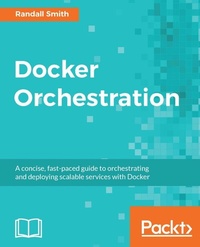
Docker Orchestration
A concise, fast-paced guide to orchestrating and deploying scalable services with Docker
Published on 8. July 2025
284 pages
978-1-78712-920-7 (ISBN)
Description

A concise, fast-paced guide to orchestrating and deploying scalable services with Docker
Key Features
- Explore the new features added to the core Docker Engine to make multi-container orchestration easy
- Leverage tools such as Docker Machine, Swarm, Compose, and third-party tools such as Kubernetes, Mesosphere, and CoreOS to orchestrate containers
- Use Docker Compose with Swarm and apply rolling updates for zero downtime deployments
Book DescriptionDocker orchestration is what you need when transitioning from deploying containers individually on a single host to deploying complex multi-container apps on many machines. This book covers the new orchestration features of Docker 1.12 and helps you efficiently build, test, and deploy your application using Docker. You will be shown how to build multi-container applications using Docker Compose. You will also be introduced to the building blocks for multi-host Docker clusters such as registry, overlay networks, and shared storage using practical examples. This book gives an overview of core tools such as Docker Machine, Swarm, and Compose which will enhance your orchestration skills. You'll learn how to set up a swarm using the decentralized building block. Next, you'll be shown how to make the most out of the in-built orchestration feature of Docker engine and you'll use third-party tools such as Kubernetes, Mesosphere, and CoreOS to orchestrate your existing process. Finally, you will learn to deploy cluster hosts on cloud services and automate your infrastructure. What you will learn
- Build scalable, reliable services with Docker
- See how to manage a service in Docker using Docker Swarm, Kubernetes, and Mesosphere
- Discover simpler orchestration tools such as CoreOS/Fleet and Rancher Cattle
- Understand cluster-wide logging, system monitoring, and troubleshooting
- Build, test, and deploy containers using Continuous Integration
- Deploy cluster hosts on cloud services and automate your infrastructure
Who this book is forThis book is aimed at Sysadmins and DevOps engineers who know what Docker does and are now looking to manage multiple containers on multiple hosts using the orchestration feature.
Key Features
- Explore the new features added to the core Docker Engine to make multi-container orchestration easy
- Leverage tools such as Docker Machine, Swarm, Compose, and third-party tools such as Kubernetes, Mesosphere, and CoreOS to orchestrate containers
- Use Docker Compose with Swarm and apply rolling updates for zero downtime deployments
Book DescriptionDocker orchestration is what you need when transitioning from deploying containers individually on a single host to deploying complex multi-container apps on many machines. This book covers the new orchestration features of Docker 1.12 and helps you efficiently build, test, and deploy your application using Docker. You will be shown how to build multi-container applications using Docker Compose. You will also be introduced to the building blocks for multi-host Docker clusters such as registry, overlay networks, and shared storage using practical examples. This book gives an overview of core tools such as Docker Machine, Swarm, and Compose which will enhance your orchestration skills. You'll learn how to set up a swarm using the decentralized building block. Next, you'll be shown how to make the most out of the in-built orchestration feature of Docker engine and you'll use third-party tools such as Kubernetes, Mesosphere, and CoreOS to orchestrate your existing process. Finally, you will learn to deploy cluster hosts on cloud services and automate your infrastructure. What you will learn
- Build scalable, reliable services with Docker
- See how to manage a service in Docker using Docker Swarm, Kubernetes, and Mesosphere
- Discover simpler orchestration tools such as CoreOS/Fleet and Rancher Cattle
- Understand cluster-wide logging, system monitoring, and troubleshooting
- Build, test, and deploy containers using Continuous Integration
- Deploy cluster hosts on cloud services and automate your infrastructure
Who this book is forThis book is aimed at Sysadmins and DevOps engineers who know what Docker does and are now looking to manage multiple containers on multiple hosts using the orchestration feature.
All prices
More details
Edition
Digital original
Language
English
Place of publication
Birmingham
United Kingdom
Target group
Professional and scholarly
US School Grade: College Graduate Student
Edition type
Digital original
File size
7,82 MB
ISBN-13
978-1-78712-920-7 (9781787129207)
Copyright in bibliographic data and cover images is held by Nielsen Book Services Limited or by the publishers or by their respective licensors: all rights reserved.
Schweitzer Classification
Other editions
Additional editions
Randall Smith
Docker Orchestration
A concise, fast-paced guide to orchestrating and deploying scalable services with Docker
Book
01/2017
Packt Publishing
€56.00
Shipment within 3-4 weeks
Person
Smith Randall :
Randall Smith is a senior systems administrator at Adams State University. He has been administering Windows, Linux, and BSD systems since 1999. He has been active in helping other sysadmins solve problems online and off. He has presented at the Colorado Higher Ed Computing Organization and Educause conferences on topics including Linux KVM and Ceph. In his spare time, Randall streams Let's Play gaming videos at Music Free Gaming on YouTube and Twitch.
Randall Smith is a senior systems administrator at Adams State University. He has been administering Windows, Linux, and BSD systems since 1999. He has been active in helping other sysadmins solve problems online and off. He has presented at the Colorado Higher Ed Computing Organization and Educause conferences on topics including Linux KVM and Ceph. In his spare time, Randall streams Let's Play gaming videos at Music Free Gaming on YouTube and Twitch.
Content
Table of Contents
Getting Started With Docker Orchestration
Building Multi-Container Applications with Docker Compose
Cluster Building Blocks: Registry, Overlay Networks, Shared Storage
Orchestration with Docker Swarm
Deploying and Managing Services with Kubernetes
Working with Mesosphere
Using Simpler Orchestration Tools: Fleet and Cattle
Monitoring Your Cluster
Using Continuous Integration to Build, Test and Deploy Containers
Why Stop with Containers? Automating Your Infrastructure
Getting Started With Docker Orchestration
Building Multi-Container Applications with Docker Compose
Cluster Building Blocks: Registry, Overlay Networks, Shared Storage
Orchestration with Docker Swarm
Deploying and Managing Services with Kubernetes
Working with Mesosphere
Using Simpler Orchestration Tools: Fleet and Cattle
Monitoring Your Cluster
Using Continuous Integration to Build, Test and Deploy Containers
Why Stop with Containers? Automating Your Infrastructure

