

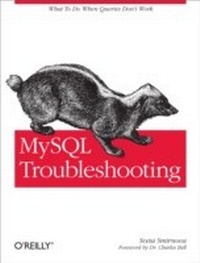
MySQL Troubleshooting
What To Do When Queries Don't Work
1st Edition
Published on 8. February 2012
266 pages
978-1-4493-3024-8 (ISBN)
Description

Stuck with bugs, performance problems, crashes, data corruption, and puzzling output? If youre a database programmer or DBA, theyre part of your life. The trick is knowing how to quickly recover from them. This unique, example-packed book shows you how to handle an array of vexing problems when working with MySQL.Written by a principal technical support engineer at Oracle, MySQL Troubleshooting provides the background, tools, and expert steps for solving problems from simple to complexwhether data you thought you inserted doesnt turn up in a query, or the entire database is corrupt because of a server failure. With this book in hand, youll work with more confidence.Understand the source of a problem, even when the solution is simpleHandle problems that occur when applications run in multiple threadsDebug and fix problems caused by configuration optionsDiscover how operating system tuning can affect your serverUse troubleshooting techniques specific to replication issuesGet a reference to additional troubleshooting techniques and tools, including third-party solutionsLearn best practices for safe and effective troubleshootingand for preventing problems
More details
Other editions
Additional editions
Book
03/2012
1st Edition
O'Reilly
€28.50
Shipment within 10-20 days
Content
- Intro
- Table of Contents
- Foreword
- Preface
- Audience
- How to Solve a Problem
- How This Book Is Organized
- Some Choices Made in This Book
- Conventions Used in This Book
- Using Code Examples
- Safari® Books Online
- How to Contact Us
- Acknowledgments
- Chapter 1. Basics
- Incorrect Syntax
- Wrong Results from a SELECT
- When the Problem May Have Been a Previous Update
- Getting Information About a Query
- Tracing Back Errors in Data
- Slow Queries
- Tuning a Query with Information from EXPLAIN
- Table Tuning and Indexes
- When to Stop Optimizing
- Effects of Options
- Queries That Modify Data
- No Silver Bullet
- When the Server Does Not Answer
- Issues with Solutions Specific to Storage Engines
- MyISAM Corruption
- Repairing a MyISAM table from SQL
- Repairing a MyISAM table using myisamchk
- InnoDB Corruption
- Permission Issues
- Chapter 2. You Are Not Alone: Concurrency Issues
- Locks and Transactions
- Locks
- Table Locks
- Row Locks
- Transactions
- Hidden Queries
- Deadlocks
- Implicit Commits
- Metadata Locking
- Metadata Locking Versus the Old Model
- How Concurrency Affects Performance
- Monitoring InnoDB Transactions for Concurrency Problems
- Monitoring Other Resources for Concurrency Problems
- Other Locking Issues
- Replication and Concurrency
- Statement-Based Replication Issues
- Mixing Transactional and Nontransactional Tables
- Issues on the Slave
- Effectively Using MySQL Troubleshooting Tools
- SHOW PROCESSLIST and the INFORMATION_SCHEMA.PROCESSLIST Table
- SHOW ENGINE INNODB STATUS and InnoDB Monitors
- INFORMATION_SCHEMA Tables
- PERFORMANCE_SCHEMA Tables
- Log Files
- Chapter 3. Effects of Server Options
- Service Options
- Variables That Are Supposed to Change the Server Behavior
- Options That Limit Hardware Resources
- Using the --no-defaults Option
- Performance Options
- Haste Makes Waste
- The SET Statement
- How to Check Whether Changes Had an Effect
- Descriptions of Variables
- Options That Affect Server and Client Behavior
- Server-related options
- Replication options
- Engine options
- InnoDB options
- MyISAM options
- Connection-related options
- Timeouts
- Security-related options
- Performance-Related Options
- Buffers and maximums
- Options that control the optimizer
- Engine-related options
- InnoDB options
- MyISAM options
- Calculating Safe Values for Options
- Options set for the whole server
- Thread options
- Buffers allocated for a specific operation
- Chapter 4. MySQL's Environment
- Physical Hardware Limits
- RAM
- Processors and Their Cores
- Disk I/O
- Network Bandwidth
- Example of the Effect of Latencies
- Operating System Limits
- Effects of Other Software
- Chapter 5. Troubleshooting Replication
- Displaying Slave Status
- Problems with the I/O Thread
- Problems with the SQL Thread
- When Data Is Different on the Master and Slave
- Circular Replication and Nonreplication Writes on the Slave
- Incomplete or Altered SQL Statements
- Different Errors on the Master and Slave
- Configuration
- When the Slave Lags Far Behind the Master
- Chapter 6. Troubleshooting Techniques and Tools
- The Query
- Slow Query Log
- Tools That Can Be Customized
- The MySQL Command-Line Interface
- Effects of the Environment
- Sandboxes
- Errors and Logs
- Error Information, Again
- Crashes
- Core file
- General log file
- Information-Gathering Tools
- Information Schema
- InnoDB Information Schema Tables
- InnoDB Monitors
- Performance Schema
- SHOW [GLOBAL] STATUS
- Localizing the Problem (Minimizing the Test Case)
- General Steps to Take in Troubleshooting
- Testing Methods
- Try the Query in a Newer Version
- Check for Known Bugs
- Workarounds
- Special Testing Tools
- Benchmarking Tools
- mysqlslap
- SysBench
- Gypsy
- MySQL Test Framework
- Maintenance Tools
- Chapter 7. Best Practices
- Backups
- Planning Backups
- Types of Backups
- Tools
- Gathering the Information You Need
- What Does It All Mean?
- Testing
- Prevention
- Privileges
- Environment
- Think About It!
- Appendix. Information Resources
- Resources Containing Information That Is Usually Useful
- Bug and Knowledge Databases
- Expert Knowledge Online
- Places Where You Can Ask for Help
- Books
- Index
