

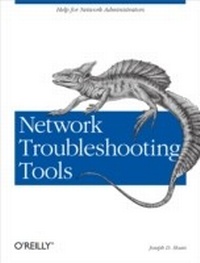
Network Troubleshooting Tools
Help for Network Administrators
1st Edition
Published on 9. August 2001
368 pages
978-0-596-55198-8 (ISBN)
Description

Over the years, thousands of tools have been developed for debugging TCP/IP networks. They range from very specialized tools that do one particular task, to generalized suites that do just about everything except replace bad Ethernet cables. Even better, many of them are absolutely free. There's only one problem: who has time to track them all down, sort through them for the best ones for a particular purpose, or figure out how to use them?Network Troubleshooting Tools does the work for you--by describing the best of the freely available tools for debugging and troubleshooting. You can start with a lesser-known version of ping that diagnoses connectivity problems, or take on a much more comprehensive program like MRTG for graphing traffic through network interfaces. There's tkined for mapping and automatically monitoring networks, and Ethereal for capturing packets and debugging low-level problems.This book isn't just about the tools available for troubleshooting common network problems. It also outlines a systematic approach to network troubleshooting: how to document your network so you know how it behaves under normal conditions, and how to think about problems when they arise, so you can solve them more effectively.The topics covered in this book include:Understanding your networkConnectivity testingEvaluating the path between two network nodesTools for capturing packetsTools for network discovery and mappingTools for working with SNMPPerformance monitoringTesting application layer protocolsSoftware sourcesIf you're involved with network operations, this book will save you time, money, and needless experimentation.
More details
Other editions
Additional editions
Content
- Intro
- Table of Contents
- Preface
- Audience
- Organization
- Conventions
- Acknowledgments
- Network Management and Troubleshooting
- General Approaches to Troubleshooting
- Need for Troubleshooting Tools
- Troubleshooting and Management
- Documentation
- Management Practices
- Professionalism
- Ego management
- Legal and ethical considerations
- Economic considerations
- Host Configurations
- Utilities
- ps
- top
- netstat
- lsof
- ifconfig
- arp
- Scanning Tools
- System Configuration Files
- Basic Configuration Files
- Configuration Programs
- Kernel
- Startup Files and Scripts
- Other Files
- Application files
- Security files
- Log files
- Microsoft Windows
- Connectivity Testing
- Cabling
- Installing New Cabling
- Maintaining Existing Cabling
- Testing Cabling
- Link lights
- Cable testers
- Other cable tests
- Testing Adapters
- Software Testing with ping
- ping
- How ping Works
- Simple examples
- Interpreting results
- Options
- Using ping
- Problems with ping
- Security and ICMP
- Smurf Attacks
- Ping of Death
- Other problems
- Alternatives to ping
- fping
- echoping
- arping
- Other programs
- Microsoft Windows
- Path Characteristics
- Path Discovery with traceroute
- Options
- Complications with traceroute
- Path Performance
- Performance Measurements
- Bandwidth Measurements
- ping revisited
- pathchar
- bing
- Packet pair software
- Throughput Measurements
- ttcp
- netperf
- iperf
- Other related tools
- Traffic Measurements with netstat
- Microsoft Windows
- Packet Capture
- Traffic Capture Tools
- Access to Traffic
- Capturing Data
- tcpdump
- Using tcpdump
- tcpdump Options
- Controlling program behavior
- Controlling how information is displayed
- Controlling what's displayed
- Filtering
- Analysis Tools
- sanitize
- tcpdpriv
- tcpflow
- tcp-reduce
- tcpshow
- tcpslice
- tcptrace
- trafshow
- xplot
- Other Packet Capture Programs
- Packet Analyzers
- ethereal
- Using ethereal
- Display filters
- Dark Side of Packet Capture
- Switch Security
- Protecting Yourself
- Microsoft Windows
- Device Discovery and Mapping
- Troubleshooting Versus Management
- Characteristics of Management Software
- Discovery and Mapping Tools
- Selecting a Product
- Device Discovery
- IP Address Management
- nmap
- arpwatch
- Device Identification
- Stack Fingerprinting
- queso
- nmap Revisited
- Scripts
- Tcl/Tk and scotty
- Mapping or Diagramming
- tkined
- Drawing maps with tkined
- Autodiscovery with tkined
- Politics and Security
- Microsoft Windows
- Cyberkit
- Other Tools for Windows
- Device Monitoring with SNMP
- Overview of SNMP
- SNMP-Based Management Tools
- NET SNMP (UCD SNMP)
- snmpget
- Configuration and options
- snmpgetnext, snmpwalk, and snmptable
- snmpset
- snmptranslate
- snmpnetstat
- snmpstatus
- Agents and traps
- scotty
- tkined
- ICMP monitoring
- SNMP traps
- Examining MIBs
- Monitoring SNMP objects
- Other commands
- Caveats
- Non-SNMP Approaches
- Microsoft Windows
- Windows SNMP Setup
- SNMP Tools
- Other Options
- Performance Measurement Tools
- What, When, and Where
- Host-Monitoring Tools
- Point-Monitoring Tools
- ntop
- Interactive mode
- Web mode
- Network-Monitoring Tools
- mrtg
- mrtg configuration file
- rrd and the Future of mrtg
- cricket
- RMON
- Microsoft Windows
- ntop, mrtg, and cricket on Windows
- getif revisited
- Testing Connectivity Protocols
- Packet Injection Tools
- Custom Packets Generators
- hping
- nemesis
- Other tools
- Load Generators
- spray
- MGEN
- Network Emulators and Simulators
- NISTNet
- ns and nam
- Microsoft Windows
- Application-Level Tools
- Application-Protocols Tools
- HTTP
- FTP and TFTP
- Name Services
- nslookup and dig
- doc, dnswalk, and lamers
- Other tools
- NIS and NIS+
- Routing
- NFS
- Microsoft Windows
- Miscellaneous Tools
- Communications Tools
- Automating Documentation
- vnc
- ssh
- Log Files and Auditing
- syslog
- Configuring syslog
- Remote logging
- Log File Management
- Other Approaches to Logging
- tcpwrappers
- NTP
- Security Tools
- tripwire
- Microsoft Windows
- Troubleshooting Strategies
- Generic Troubleshooting
- Task-Specific Troubleshooting
- Installation Testing
- Firewall testing
- Performance Analysis and Monitoring
- General steps
- Bottleneck analysis
- Capacity planning
- Software Sources
- Installing Software
- Generic Installs
- Solaris Packages
- Red Hat Package Manager
- FreeBSD Ports
- Generic Sources
- Licenses
- Sources for Tools
- Resources and References
- Sources of Information
- References by Topic
- System Management
- TCP/IP
- Specific Protocols
- Performance
- Troubleshooting
- Wiring
- Security
- Scripting
- Microsoft Windows
- References
- Index
