

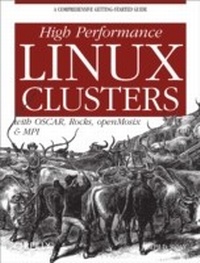
High Performance Linux Clusters with OSCAR, Rocks, OpenMosix, and MPI
A Comprehensive Getting-Started Guide
1st Edition
Published on 16. November 2004
370 pages
978-0-596-55245-9 (ISBN)
Description

To the outside world, a "e;supercomputer"e; appears to be a single system. In fact, it's a cluster of computers that share a local area network and have the ability to work together on a single problem as a team. Many businesses used to consider supercomputing beyond the reach of their budgets, but new Linux applications have made high-performance clusters more affordable than ever. These days, the promise of low-cost supercomputing is one of the main reasons many businesses choose Linux over other operating systems.This new guide covers everything a newcomer to clustering will need to plan, build, and deploy a high-performance Linux cluster. The book focuses on clustering for high-performance computation, although much of its information also applies to clustering for high-availability (failover and disaster recovery). The book discusses the key tools you'll need to get started, including good practices to use while exploring the tools and growing a system. You'll learn about planning, hardware choices, bulk installation of Linux on multiple systems, and other basic considerations. Then, you'll learn about software options that can save you hours--or even weeks--of deployment time.Since a wide variety of options exist in each area of clustering software, the author discusses the pros and cons of the major free software projects and chooses those that are most likely to be helpful to new cluster administrators and programmers. A few of the projects introduced in the book include:MPI, the most popular programming library for clusters. This book offers simple but realistic introductory examples along with some pointers for advanced use.OSCAR and Rocks, two comprehensive installation and administrative systemsopenMosix (a convenient tool for distributing jobs), Linux kernel extensions that migrate processes transparently for load balancingPVFS, one of the parallel filesystems that make clustering I/O easierC3, a set of commands for administering multiple systemsGanglia, OpenPBS, and cloning tools (Kickstart, SIS and G4U) are also covered. The book looks at cluster installation packages (OSCAR & Rocks) and then considers the core packages individually for greater depth or for folks wishing to do a custom installation. Guidelines for debugging, profiling, performance tuning, and managing jobs from multiple users round out this immensely useful book.
More details
Other editions
Additional editions
Joseph D. Sloan
High Performance Linux Clusters with OSCAR, Rocks, OpenMosix, and MPI
With OSCAR, Rocks, openMosix, and MPI
Book
12/2004
1st Edition
O'Reilly
€37.50
Shipment within 10-20 days
Content
- Intro
- Table of Contents
- Preface
- Audience
- Organization
- Conventions
- How to Contact Us
- Using Code Examples
- Acknowledgments
- Part I
- Cluster Architecture
- Modern Computing and the Role of Clusters
- Uniprocessor Computers
- Multiple Processors
- Centralized multiprocessors
- Multicomputers
- Cluster structure
- Types of Clusters
- Distributed Computing and Clusters
- Limitations
- Amdahl's Law
- My Biases
- Cluster Planning
- Design Steps
- Determining Your Cluster's Mission
- What Is Your User Base?
- How Heavily Will the Cluster Be Used?
- What Kinds of Software Will You Run on the Cluster?
- How Much Control Do You Need?
- Will This Be a Dedicated or Shared Cluster?
- What Resources Do You Have?
- How Will Cluster Access Be Managed?
- What Is the Extent of Your Cluster?
- What Security Concerns Do You Have?
- Architecture and Cluster Software
- System Software
- Programming Software
- Control and Management
- Cluster Kits
- CD-ROM-Based Clusters
- BCCD
- Benchmarks
- Cluster Hardware
- Design Decisions
- Node Hardware
- CPUs and motherboards
- Memory and disks
- Monitors, keyboards, and mice
- Adapters, power supplies, and cases
- Cluster Head and Servers
- Cluster Network
- Environment
- Cluster Layout
- Power and Air Conditioning
- Power
- HVAC
- Physical Security
- Linux for Clusters
- Installing Linux
- Selecting a Distribution
- Downloading Linux
- What to Install?
- Configuring Services
- DHCP
- NFS
- Running NFS
- Automount
- Other Cluster File System
- SSH
- Using SSH
- Other Services and Configuration Tasks
- Apache
- Network Time Protocol (NTP)
- Virtual Network Computing (VNC)
- Multicasting
- Hosts file and name services
- Cluster Security
- Part II
- openMosix
- What Is openMosix?
- How openMosix Works
- Selecting an Installation Approach
- Installing a Precompiled Kernel
- Downloading
- Installing
- Configuration Changes
- Using openMosix
- User Tools
- mps and mtop
- migrate
- mosctl
- mosmon
- mosrun
- setpe
- openMosixView
- Testing openMosix
- Recompiling the Kernel
- Is openMosix Right for You?
- OSCAR
- Why OSCAR?
- What's in OSCAR
- Installing OSCAR
- Prerequisites
- Network Configuration
- Loading Software on Your Server
- A Basic OSCAR Installation
- Step 0: Downloading additional packages
- Step 1: Package selection
- Step 2: Configuring packages
- Step 3: Installing server software
- Step 4: Building a client image
- Step 5: Defining clients
- Step 6: Setting up the network
- Step 7: Completing the setup
- Step 8: Testing
- Custom Installations
- Changes OSCAR Makes
- Making Changes
- Security and OSCAR
- pfilter
- SSH and OPIUM
- Using switcher
- Using LAM/MPI with OSCAR
- Rocks
- Installing Rocks
- Prerequisites
- Downloading Rocks
- Installing the Frontend
- Install Compute Nodes
- Customizing the Frontend
- User management with 411
- X Window System
- Customizing Compute Nodes
- Adding packages
- Changing disk partitions
- Other changes
- Managing Rocks
- Using MPICH with Rocks
- Part III
- Cloning Systems
- Configuring Systems
- Distributing Files
- Pushing files with rsync
- Automating Installations
- Kickstart
- Configuration file
- Using Kickstart
- g4u
- SystemImager
- Image server setup
- Golden client setup
- Retrieving the image
- Cloning the systems
- Other tasks
- Notes for OSCAR and Rocks Users
- Programming Software
- Programming Languages
- Selecting a Library
- LAM/MPI
- Installing LAM/MPI
- User Configuration
- Using LAM/MPI
- Testing the Installation
- MPICH
- Installing
- User Configuration
- Using MPICH
- Testing the Installation
- MPE
- Other Programming Software
- Debuggers
- HDF5
- SPRNG
- Notes for OSCAR Users
- Adding MPE
- Notes for Rocks Users
- Management Software
- C3
- Installing C3
- Using C3 Commands
- cexec
- cget
- ckill
- cpush
- crm
- cshutdown
- clist, cname, and cnum
- Further examples and comments
- Ganglia
- Installing and Using Ganglia
- RRDTool
- Apache and PHP
- Ganglia monitor core
- Web frontend
- Notes for OSCAR and Rocks Users
- Scheduling Software
- OpenPBS
- Architecture
- Installing OpenPBS
- Configuring PBS
- Managing PBS
- Using PBS
- PBS's GUI
- Maui Scheduler
- Notes for OSCAR and Rocks Users
- Parallel Filesystems
- PVFS
- Installing PVFS on the Head Node
- Configuring the Metadata Server
- I/O Server Setup
- Client Setup
- Running PVFS
- Troubleshooting
- Using PVFS
- Notes for OSCAR and Rocks Users
- Part IV
- Getting Started with MPI
- MPI
- Core MPI
- MPI_Init
- MPI_Finalize
- MPI_Comm_size
- MPI_Comm_rank
- MPI_Get_processor_name
- A Simple Problem
- Background
- Single-Processor Program
- An MPI Solution
- A C Solution
- Transferring Data
- MPI_Send
- MPI_Recv
- MPI Using FORTRAN
- MPI Using C++
- I/O with MPI
- Broadcast Communications
- Broadcast Functions
- MPI_Bcast
- MPI_Reduce
- Additional MPI Features
- More on Point-to-Point Communication
- Non-Blocking Communication
- MPI_Isend and MPI_Irecv
- MPI_Wait
- MPI_Test
- MPI_Iprobe
- MPI_Cancel
- MPI_Sendrecv and MPI_Sendrecv_replace
- More on Collective Communication
- Gather and Scatter
- MPI_Gather
- MPI_Scatter
- Managing Communicators
- Communicator Commands
- MPI_Comm_group
- MPI_Group_incl and MPI_Group_excl
- MPI_Comm_create
- MPI_Comm_free and MPI_Group_free
- MPI_Comm_split
- Packaging Data
- User-Defined Types
- MPI_Type_struct
- MPI_Type_commit
- Packing Data
- MPI_Pack
- MPI_Unpack
- Designing Parallel Programs
- Overview
- Problem Decomposition
- Decomposition Strategies
- Data decomposition
- Control decomposition
- Mapping Tasks to Processors
- Communication Overhead
- Load Balancing
- Other Considerations
- Parallel I/O
- MPI-IO Functions
- MPI_File_open
- MPI_File_seek
- MPI_File_read
- MPI_File_close
- Random Numbers
- Debugging Parallel Programs
- Debugging and Parallel Programs
- Avoiding Problems
- Programming Tools
- Rereading Code
- Tracing with printf
- Symbolic Debuggers
- gdb
- ddd
- Using gdb and ddd with MPI
- Notes for OSCAR and Rocks Users
- Profiling Parallel Programs
- Why Profile?
- Writing and Optimizing Code
- Timing Complete Programs
- Timing C Code Segments
- Manual Timing with MPI
- MPI Functions
- MPI_Wtime
- MPI_Wtick
- MPI_Barrier
- PMPI
- Profilers
- gprof
- gcov
- Profiling Parallel Programs with gprof and gcov
- MPE
- Using MPE
- Customized MPE Logging
- Notes for OSCAR and Rocks Users
- Part V
- References
- Books
- URLs
- General Cluster Information
- Linux
- Cluster Software
- Grid Computing and Tools
- Cloning and Management Software
- Filesystems
- Parallel Benchmarks
- Programming Software
- Scheduling Software
- System Software and Utilities
- Index
