

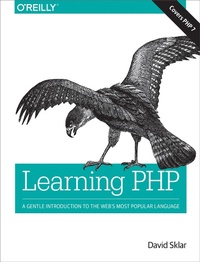
Learning PHP
Description

If you want to get started with PHP, this book is essential. Author David Sklar (PHP Cookbook) guides you through aspects of the language you need to build dynamic server-side websites. By exploring features of PHP 5.x and the exciting enhancements in the latest release, PHP 7, you'll learn how to work with web servers, browsers, databases, and web services. End-of-chapter exercises help you make the lessons stick.
Whether you're a hobbyist looking to build dynamic websites, a frontend developer ready to add server-side programs, or an experienced programmer who wants to get up to speed with this language, this gentle introduction also covers aspects of modern PHP, such as internationalization, using PHP from the command line, and package management.
- Learn how PHP interacts with browsers and servers
- Understand data types, variables, logic, looping, and other language basics
- Explore how to use arrays, functions, and objects
- Build and validate web forms
- Work with databases and session management
- Access APIs to interact with web services and other websites
- Jumpstart your project with popular PHP web application frameworks
More details
Other editions
Additional editions
Content
- Intro
- Copyright
- Table of Contents
- Preface
- Who This Book Is For
- Contents of This Book
- What's Not in This Book
- Other Resources
- Conventions Used in This Book
- Programming Conventions
- Typographical Conventions
- Using Code Examples
- Safari® Books Online
- Comments and Questions
- Acknowledgments
- Chapter 1. Orientation and First Steps
- PHP's Place in the Web World
- What's So Great About PHP?
- PHP Is Free (as in Money)
- PHP Is Free (as in Speech)
- PHP Is Cross-Platform
- PHP Is Widely Used
- PHP Hides Its Complexity
- PHP Is Built for Web Programming
- PHP in Action
- Basic Rules of PHP Programs
- Start and End Tags
- Whitespace and Case-Sensitivity
- Comments
- Chapter Summary
- Chapter 2. Data: Working with Text and Numbers
- Text
- Defining Text Strings
- Manipulating Text
- Numbers
- Using Different Kinds of Numbers
- Arithmetic Operators
- Variables
- Operating on Variables
- Putting Variables Inside Strings
- Chapter Summary
- Exercises
- Chapter 3. Logic: Making Decisions and Repeating Yourself
- Understanding true and false
- Making Decisions
- Building Complicated Decisions
- Repeating Yourself
- Chapter Summary
- Exercises
- Chapter 4. Groups of Data: Working with Arrays
- Array Basics
- Creating an Array
- Choosing a Good Array Name
- Creating a Numeric Array
- Finding the Size of an Array
- Looping Through Arrays
- Modifying Arrays
- Sorting Arrays
- Using Multidimensional Arrays
- Chapter Summary
- Exercises
- Chapter 5. Groups of Logic: Functions and Files
- Declaring and Calling Functions
- Passing Arguments to Functions
- Returning Values from Functions
- Understanding Variable Scope
- Enforcing Rules on Arguments and Return Values
- Running Code in Another File
- Chapter Summary
- Exercises
- Chapter 6. Data and Logic Together: Working with Objects
- Object Basics
- Constructors
- Indicating a Problem with Exceptions
- Extending an Object
- Property and Method Visibility
- Namespaces
- Chapter Summary
- Exercises
- Chapter 7. Exchanging Information with Users: Making Web Forms
- Useful Server Variables
- Accessing Form Parameters
- Form Processing with Functions
- Validating Data
- Required Elements
- Numeric or String Elements
- Number Ranges
- Email Addresses
- &select& Menus
- HTML and JavaScript
- Beyond Syntax
- Displaying Default Values
- Putting It All Together
- Chapter Summary
- Exercises
- Chapter 8. Remembering Information: Databases
- Organizing Data in a Database
- Connecting to a Database Program
- Creating a Table
- Putting Data into the Database
- Inserting Form Data Safely
- A Complete Data Insertion Form
- Retrieving Data from the Database
- Changing the Format of Retrieved Rows
- Retrieving Form Data Safely
- A Complete Data Retrieval Form
- Chapter Summary
- Exercises
- Chapter 9. Working with Files
- Understanding File Permissions
- Reading and Writing Entire Files
- Reading a File
- Writing a File
- Reading and Writing Parts of Files
- Working with CSV Files
- Inspecting File Permissions
- Checking for Errors
- Sanitizing Externally Supplied Filenames
- Chapter Summary
- Exercises
- Chapter 10. Remembering Users: Cookies and Sessions
- Working with Cookies
- Activating Sessions
- Storing and Retrieving Information
- Configuring Sessions
- Login and User Identification
- Why setcookie() and session_start() Want to Be at the Top of the Page
- Chapter Summary
- Exercises
- Chapter 11. Talking to Other Websites and Services
- Simple URL Access with File Functions
- Comprehensive URL Access with cURL
- Retrieving URLs via GET
- Retrieving URLs via POST
- Using Cookies
- Retrieving HTTPS URLs
- Serving API Requests
- Chapter Summary
- Exercises
- Chapter 12. Debugging
- Controlling Where Errors Appear
- Fixing Parse Errors
- Inspecting Program Data
- Adding Debug Output
- Using a Debugger
- Handling Uncaught Exceptions
- Chapter Summary
- Exercises
- Chapter 13. Testing: Ensuring Your Program Does the Right Thing
- Installing PHPUnit
- Writing a Test
- Isolating What You Test
- Test-Driven Development
- More Information About Testing
- Chapter Summary
- Exercises
- Chapter 14. Software Engineering Practices You Should Be Aware Of
- Source Control
- Issue Tracking
- Environments and Deployment
- Scaling Eventually
- Chapter Summary
- Chapter 15. Handling Dates and Times
- Displaying the Date or Time
- Parsing a Date or Time
- Calculating Dates and Times
- Working with Timezones
- Chapter Summary
- Chapter 16. Package Management
- Installing Composer
- Adding a Package to Your Program
- Finding Packages
- Getting More Information on Composer
- Chapter Summary
- Chapter 17. Sending Email
- Swift Mailer
- Chapter Summary
- Chapter 18. Frameworks
- Laravel
- Symfony
- Zend Framework
- Chapter Summary
- Chapter 19. Command-Line PHP
- Writing Command-Line PHP Programs
- Using PHP's Built-in Web Server
- Running a PHP REPL
- Chapter Summary
- Chapter 20. Internationalization and Localization
- Manipulating Text
- Sorting and Comparing
- Localizing Output
- Chapter Summary
- Appendix A. Installing and Configuring the PHP Engine
- Using PHP with a Web-Hosting Provider
- Installing the PHP Engine
- Installing on OS X
- Installing on Linux
- Installing on Windows
- Modifying PHP Configuration Directives
- Appendix Summary
- Appendix B. Answers to Exercises
- Chapter 2
- Exercise 1
- Exercise 2
- Exercise 3
- Exercise 4
- Exercise 5
- Chapter 3
- Exercise 1
- Exercise 2
- Exercise 3
- Exercise 4
- Chapter 4
- Exercise 1
- Exercise 2
- Exercise 3
- Exercise 4
- Chapter 5
- Exercise 1
- Exercise 2
- Exercise 3
- Exercise 4
- Exercise 5
- Chapter 6
- Exercise 1
- Exercise 2
- Exercise 3
- Exercise 4
- Chapter 7
- Exercise 1
- Exercise 2
- Exercise 3
- Exercise 4
- Exercise 5
- Chapter 8
- Exercise 1
- Exercise 2
- Exercise 3
- Exercise 4
- Chapter 9
- Exercise 1
- Exercise 2
- Exercise 3
- Exercise 4
- Exercise 5
- Chapter 10
- Exercise 1
- Exercise 2
- Exercise 3
- Exercise 4
- Chapter 11
- Exercise 1
- Exercise 2
- Exercise 3
- Exercise 4
- Chapter 12
- Exercise 1
- Exercise 2
- Exercise 3
- Exercise 4
- Chapter 13
- Exercise 2
- Exercise 3
- Exercise 4
- Index
- About the Author
- Colophon
