

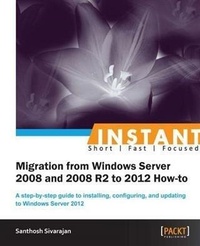
Instant Migration from Windows Server 2008 and 2008 R2 to 2012 How-to
A step-by-step guide to installing, configuring, and updating to Windows Server 2012
1st Edition
Published on 13. January 2025
84 pages
978-1-84968-745-4 (ISBN)
Description

A step-by-step guide to installing, configuring, and updating to Windows Server 2012Key Features - Learn something new in an Instant! A short, fast, focused guide delivering immediate results.
- Install and configure Windows Server 2012 and upgrade Active Directory
- Decommission old servers and convert your environment into the Windows Server 2012 native environment
- Walks you through different migration scenarios based on the author's own experience, providing a step-by-step guide to solving real-world business problems
Book DescriptionMigrating to a new server involves a lot of decision making and planning. Windows Server 2012 comes with exciting new features and ease of use. This book will help you migrate to your new server in no time. "Instant Migration from Windows Server 2008 and 2008 R2 to 2012 How-to" provides you with many practical and real world scenarios in a step-by-step guide. It is designed to lead you through the entire process of migration.Beginning with an introduction to Windows Server 2012, the author then takes you through the installation and configuration of the server, before continuing on to migrate the existing services to Windows Server and how to decommission old servers. The 'Äúhow-to'Äù migration scenarios described are based on the author's own field experiences, guaranteeing real-world solutions. The scenarios include Active Directory, enabling a Remote Desktop, Print Server, and Hyper-V migration details. From the planning to theimplementation phase, "Instant Migration from Windows Server 2008 and 2008 R2 to 2012 How-to" is your comprehensive guide for completing migration solutions.What you will learn - Install and configure the Windows Server 2012
- Learn the administration of Windows Server 2012
- Master Active Directory Migration, DNS Migration, and DHCP Migration
- Follow step-by-step instructions on data and file server migration
- Learn about printer and print server migration
- Discover how to implement Hyper-V migration
- Explore Infrastructure services (DNS, DHPC, and so on) and File and Printer server migration scenarios
Who this book is forThis book is intended for Windows server administrators who are performing migrations from their existing Windows Server 2008 / 2008 R2 environment to Windows Server 2012. The reader must be familiar with Windows Server 2008.
- Install and configure Windows Server 2012 and upgrade Active Directory
- Decommission old servers and convert your environment into the Windows Server 2012 native environment
- Walks you through different migration scenarios based on the author's own experience, providing a step-by-step guide to solving real-world business problems
Book DescriptionMigrating to a new server involves a lot of decision making and planning. Windows Server 2012 comes with exciting new features and ease of use. This book will help you migrate to your new server in no time. "Instant Migration from Windows Server 2008 and 2008 R2 to 2012 How-to" provides you with many practical and real world scenarios in a step-by-step guide. It is designed to lead you through the entire process of migration.Beginning with an introduction to Windows Server 2012, the author then takes you through the installation and configuration of the server, before continuing on to migrate the existing services to Windows Server and how to decommission old servers. The 'Äúhow-to'Äù migration scenarios described are based on the author's own field experiences, guaranteeing real-world solutions. The scenarios include Active Directory, enabling a Remote Desktop, Print Server, and Hyper-V migration details. From the planning to theimplementation phase, "Instant Migration from Windows Server 2008 and 2008 R2 to 2012 How-to" is your comprehensive guide for completing migration solutions.What you will learn - Install and configure the Windows Server 2012
- Learn the administration of Windows Server 2012
- Master Active Directory Migration, DNS Migration, and DHCP Migration
- Follow step-by-step instructions on data and file server migration
- Learn about printer and print server migration
- Discover how to implement Hyper-V migration
- Explore Infrastructure services (DNS, DHPC, and so on) and File and Printer server migration scenarios
Who this book is forThis book is intended for Windows server administrators who are performing migrations from their existing Windows Server 2008 / 2008 R2 environment to Windows Server 2012. The reader must be familiar with Windows Server 2008.
More details
Other editions
Additional editions
Santhosh Sivarajan
Migrating from 2008 and 2008 R2 to Windows Server 2012
Book
03/2013
Packt Publishing
€29.50
No shipping information available
Person
Sivarajan Santhosh :
Santhosh Sivarajan is a recognized subject matter expert in the Microsoft technology arena. He has extensive experience in designing, migrating, developing, and implementing enterprise solutions using Microsoft products and technologies. His certifications include MCITP, MCTS, MCSE, MCSA, Network+, CCNA, and many more. He is also a certified migration expert in Quest Migration Manager products. His blog (http://blogs.sivarajan.com) and SS Technology Forum (http://www.sivarajan.com/forum) are well known in the industry for providing free technical information and support. Microsoft has recognized Santhosh with the Microsoft Most Valuable Professional (MVP) award multiple times for his exceptional contribution to the technical community. He lives in Sugarland, Texas with his wife Anjali and daughter Gayathri.
Santhosh Sivarajan is a recognized subject matter expert in the Microsoft technology arena. He has extensive experience in designing, migrating, developing, and implementing enterprise solutions using Microsoft products and technologies. His certifications include MCITP, MCTS, MCSE, MCSA, Network+, CCNA, and many more. He is also a certified migration expert in Quest Migration Manager products. His blog (http://blogs.sivarajan.com) and SS Technology Forum (http://www.sivarajan.com/forum) are well known in the industry for providing free technical information and support. Microsoft has recognized Santhosh with the Microsoft Most Valuable Professional (MVP) award multiple times for his exceptional contribution to the technical community. He lives in Sugarland, Texas with his wife Anjali and daughter Gayathri.
Content
- Intro
- Instant Migration from Windows Server 2008 and 2008 R2 to 2012 How-to
- Instant Migration from Windows Server 2008 and 2008 R2 to 2012 How-to
- Credits
- About the Author
- About the Reviewers
- www.PacktPub.com
- Support files, eBooks, discount offers and more
- Why Subscribe?
- Free Access for Packt account holders
- Instant Updates on New Packt Books
- Preface
- What this book covers
- What you need for this book
- Who this book is for
- Conventions
- Reader feedback
- Customer support
- Downloading the example code
- Errata
- Piracy
- Questions
- 1. Instant Migration from Windows Server 2008 and 2008 R2 to 2012 How-to
- Installing Windows Server 2012 (Must know)
- Getting ready
- How to do it...
- How it works...
- There´s more...
- Converting Server Core to Server with a GUI (Should know)
- Getting ready
- How to do it...
- How it works...
- There´s more...
- Converting Server with a GUI to Server Core (Should know)
- Getting ready
- How to do it...
- How it works...
- There´s more...
- Configuring Windows Server 2012 (Must know)
- Getting ready
- How to do it...
- How it works...
- There´s more...
- Installing administration tools (Must know)
- Getting ready
- How to do it...
- How it works...
- There´s more...
- Working with Server Manager properties (Should know)
- How to do it...
- How it works...
- There´s more...
- Adding servers to Server Manager (Should know)
- How to do it...
- How it works...
- Creating server group (Should know)
- How to do it...
- How it works...
- Enabling remote desktop (Should know)
- How to do it...
- How it works...
- Add and remove roles and features (Must know)
- How to do it...
- How it works...
- There´s more...
- Active Directory migration (Must know)
- Getting ready
- How to do it...
- How it works...
- There´s more...
- FSMO role transfer/migration (Must know)
- How to do it...
- How it works...
- There´s more...
- Windows Server Migration Tools (Must know)
- Getting ready
- How to do it...
- How it works...
- There´s more...
- Dynamic Host Configuration Protocol (DHCP) migration (Must know)
- How to do it...
- How it works.
- There´s more...
- DNS migration (Should know)
- How to do it...
- How it works.
- There´s more...
- Data and file server migration (Must know)
- How to do it...
- How it works...
- Printer and print server migration (Must know)
- How to do it...
- How it works...
- There´s more...
- Hyper-V migration (Should know)
- How to do it...
- How it works...
- There´s more...
- Decommissioning old domain controllers (Must know)
- How to do it...
- How it works...
- Forest and domain functional level (Must know)
- How to do it...
- How it works...
- There´s more...
