

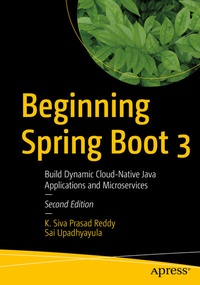
Beginning Spring Boot 3
Description

Learn the Spring Boot 3 micro framework and build your first Java-based cloud-native applications and microservices. Spring Boot is the lightweight, nimbler cousin to the bigger Spring Framework, with plenty of "bells and whistles." This updated edition includes coverage of Spring Native, which will help you speed up your Spring Boot applications, as well as messaging with Spring Boot, Spring GraphQL, Spring Data JDBC and reactive relational database connectivity (R2DBC) with SQL.
This new edition also covers enhancements to actuator endpoints, MongoDB 4.0 support, layered JAR and WAR support, support to build OCI images using Cloud Native Build Packs, changes to the DataSource initialization mechanism, and how bean validation support has moved to a separate spring-boot-validation-starter module. This book will teach you how to work with relational and NoSQL databases for data accessibility using Spring Boot with Spring Data, how to persist data with the JavaPersistence APIs (JPA), MyBatis, and much more. You'll learn how to enhance your native cloud or web applications with other APIs such as REST and how to build reactive web applications using Spring Boot with WebFlux.
Finally, you'll learn how to test applications using JUnit 5, as well as how to secure and deploy your application or service to cloud providers like Heroku. After reading Beginning Spring Boot 3 , you'll have the skills needed to start building your own Spring Boot cloud-native, Java-based applications and microservices with confidence, and to take the next steps in your career.
What You Will Learn
- Explore the Spring Boot 3 micro framework using Spring Native for faster, better performance
- Build cloud-native Java applications and microservices with Spring Boot
- Work with relational and NoSQL databases using Boot with Spring Data
- Create reactive web applications using Spring's WebFlux
- Secure, test, and deploy applications and services
Who This Book Is For
IT professionals such as cloud architects, infrastructure administrators, and network/cloud operatorsMore details
Other editions
Additional editions
Persons
Siva Prasad Reddy Katamareddy is a Software Architect with 16 years of experience in building scalable distributed enterprise applications. He has worked in banking and e-commerce domains using Java, Kotlin, GoLang, SpringBoot, JPA/Hibernate, MicroServices, REST APIs, SQL, and NoSQL Databases. His current technical focus is on modern architectures, including MicroServices, CI/CD, and DevOps, as well as infrastructure automation using Jenkins, Terraform, AWS CDK and Pulumi.
Sai Subramanyam Upadhyayula is a passionate software engineer who likes to share his knowledge about Java and Spring Boot through his blog and YouTube Channel, "Programming Techie." He has experience working with a variety of technologies, including Java, Kotlin, Typescript, Spring Boot, JPA/Hibernate, MongoDB, Angular, and Golang. He also dabbles with DevOps-related activities by working with Jenkins and AWS.
Content
Chapter - 1: Introduction to Spring Boot.- Chapter - 2: Getting Started with Spring Boot.- Chapter - 3: Spring Boot Essentials.- Chapter - 4: Web Applications with Spring Boot.- Chapter - 5: Working with JDBC.- Chapter - 6: Working with MyBatis.- Chapter - 7: Working with JOOQ.- Chapter - 8: Working with JPA.- Chapter - 9: Working with MongoDB.- Chapter - 10: Building REST APIs Using Spring Boot.- Chapter - 11: Reactive Programming Using Spring WebFlux.- Chapter - 12: Securing Web Applications.- Chapter - 13: Spring Boot Actuator.- Chapter - 14: Testing Spring Boot Applications.- Chapter - 15: GraphQL with Spring Boot.- Chapter - 16: Deploying Spring Boot Applications.- Chapter - 17: Spring Boot Autoconfiguration.- Chapter - 18: Creating a Custom Spring Boot Starter.- Chapter - 19: Spring Boot With Kotlin, Scala, and Groovy.- Chapter - 20: Introducing JHipster.- Chapter - 21: Spring Native.
