

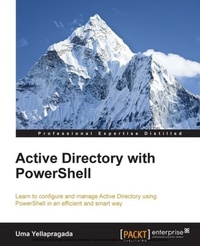
Active Directory with PowerShell
Learn to configure and manage Active Directory using PowerShell in an efficient and smart way
Published on 7. October 2025
230 pages
978-1-78217-600-8 (ISBN)
Description

Key Features
Book DescriptionIf you are looking to automate repetitive tasks in Active Directory management using the PowerShell module, then this book is for you. Any experience in PowerShell would be an added advantage.What you will learn
Manage user and computer accounts using PowerShell
Automate group membership additions, removals, and bulk operations using PowerShell
Perform various query operations against Active Directory to fetch user, computer, and group details in an efficient and faster way
Understand how sites, subnets, and domains are managed
Perform advanced operations such as Domain Controller promotion/demotion
Discover how to automate replication checks, fine grained password policy creation, and FSMO roles transfer/seize using PowerShell
Get to know more about DNS server management, record creation/modification/ deletion, and DNS client management with PowerShell
Find out ways to automate DFSN and DFSR installation and configuration using PowerShell
Who this book is forIf you are looking to automate repetitive tasks in Active Directory management using the PowerShell module, then this book is for you. Any experience in PowerShell would be an added advantage.
Book DescriptionIf you are looking to automate repetitive tasks in Active Directory management using the PowerShell module, then this book is for you. Any experience in PowerShell would be an added advantage.What you will learn
Manage user and computer accounts using PowerShell
Automate group membership additions, removals, and bulk operations using PowerShell
Perform various query operations against Active Directory to fetch user, computer, and group details in an efficient and faster way
Understand how sites, subnets, and domains are managed
Perform advanced operations such as Domain Controller promotion/demotion
Discover how to automate replication checks, fine grained password policy creation, and FSMO roles transfer/seize using PowerShell
Get to know more about DNS server management, record creation/modification/ deletion, and DNS client management with PowerShell
Find out ways to automate DFSN and DFSR installation and configuration using PowerShell
Who this book is forIf you are looking to automate repetitive tasks in Active Directory management using the PowerShell module, then this book is for you. Any experience in PowerShell would be an added advantage.
All prices
More details
Edition
Digital original
Language
English
Place of publication
Birmingham
United Kingdom
Target group
Professional and scholarly
US School Grade: College Graduate Student
Edition type
Digital original
File size
3,11 MB
ISBN-13
978-1-78217-600-8 (9781782176008)
Copyright in bibliographic data and cover images is held by Nielsen Book Services Limited or by the publishers or by their respective licensors: all rights reserved.
Schweitzer Classification
Other editions
Additional editions
Sitaram Pamarthi
Active Directory with PowerShell
Book
01/2015
Packt Publishing
€55.50
Shipment within 3-4 weeks
Persons
U PADMAVATHI YELLAPRAGADA :
Uma Yellapragada has over 11 years of experience in the IT industry. Her core experience includes management of Active Directory, Microsoft Exchange, System Center Operations Manager (SCOM), Microsoft Office Communications Server (OCS/Lync), Microsoft Digital/Information Rights Management Services (DRMS/IRM), Hyper-V, VMware, PowerShell, and VBScript. She also has experience working with process technologies such as ITIL, Six Sigma, and PMP. She is the kind of person who challenges herself on a day-to-day basis and searches for areas of improvement as part of her work. As a result of this, she developed a passion for scripting with VBScript and PowerShell. She blogs her activities and research at http://techyyblog.com and writes occasionally at http://techibee.com.
Uma Yellapragada has over 11 years of experience in the IT industry. Her core experience includes management of Active Directory, Microsoft Exchange, System Center Operations Manager (SCOM), Microsoft Office Communications Server (OCS/Lync), Microsoft Digital/Information Rights Management Services (DRMS/IRM), Hyper-V, VMware, PowerShell, and VBScript. She also has experience working with process technologies such as ITIL, Six Sigma, and PMP. She is the kind of person who challenges herself on a day-to-day basis and searches for areas of improvement as part of her work. As a result of this, she developed a passion for scripting with VBScript and PowerShell. She blogs her activities and research at http://techyyblog.com and writes occasionally at http://techibee.com.
Content
Table of Contents
Let's get started
Managing User and Computer accounts
Working with Groups and memberships
Configuring Group Policies
Managing Domains, OUs, and Sites
Advanced AD Operations using PowerShell
Management of DFS and DFSR using Powershell
Managing AD DNS using PowerShell
Miscellaneous Scripts and Resources for Further Learning
Let's get started
Managing User and Computer accounts
Working with Groups and memberships
Configuring Group Policies
Managing Domains, OUs, and Sites
Advanced AD Operations using PowerShell
Management of DFS and DFSR using Powershell
Managing AD DNS using PowerShell
Miscellaneous Scripts and Resources for Further Learning

