

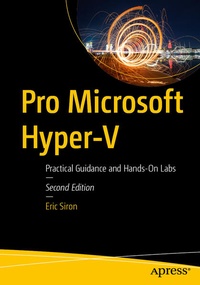
Pro Microsoft Hyper-V
Description

Successfully create and manage your Hyper-V environment without any of the marketing fluff. This book's lab-driven, hands-on approach will get you up and running as quickly and efficiently as possible. Virtualization is the cornerstone of today's data center. As a modern-day IT pro, you are required to manage environments that are in a regular state of flux and increasing in both size and complexity. To keep up, you need practical information in a format that is succinct, yet comprehensive and highly applicable.
Pro Microsoft Hyper-V breaks down critical and time-saving topics into a series of easy-to-digest chapters, showing you how to perform Hyper-V management tasks using both GUI and PowerShell-based tools. Building on your existing knowledge of Windows Server management, Active Directory, networking, and storage, expert and Microsoft MVP Eric Siron begins with a foundation of why computing workloads are virtualized. This is followed by chapters covering the range of management tasks associated with virtualized environments, including: managing hosts and guest machines; networking, storage, and high availability (host and guest); disaster recovery and virtual machine migration; and monitoring.
What You'll Learn
- Apply practical information to administer your Hyper-V environments
- Understand multiple administration styles (GUI, command line, and automation)
- Written by IT pros for IT pros - just the information you really need without the padding
- Administer and use containers
- Utilize hands-on labs to learn about storage, networking, and high availability
Who This Book Is For
IT administrators tasked with implementing Hyper-V environments or migrating from VMware. IT pros joining a team that is responsible for managing Hyper-V and "lone administrators" covering the gamut in smaller organizations will also find this book indispensable.
New To This Edition
- Checkpoints: automatic checkpoints, backup checkpoints
- Monitoring: SCOM, CIM, third party
- Migration: Compare VM, remove instructions for MSVMC but leave references (it is long out of support and may cause problems)
- Security: firewall, antivirus, domain membership, workgroup, isolated, SMB: auth rate, SMB: signing, SMB: disable NTLM, SMB: dialect control, shielded VMs replaced with Azure Confidential Computing, secure boot
- Azure Stack HCI, Azure Edition
- Management: add ARC
- Storage: ReFS
- Clustering: cluster-aware updating, dynamic processor capabilities, workgroup clusters, rolling cluster upgrades
- Configuration: GPU partitioning and Direct Device Assignment
- Advanced: CIM, nested virtualization
- Networking: Receive Segment Coalescing, Switch Embedded Teaming, Software Defined Networking
More details
Other editions
Additional editions
Person
Eric Siron is a three-time and current awardee of the Microsoft Most Valuable Professional award (MVP) in Cloud and Datacenter Management. He currently works with Microsoft infrastructure software and other technologies in the healthcare industry. Along with fellow MVP Andy Syrewicze, he founded Project Runspace, an organization that seeks to encourage the systems administrators and architects of tomorrow. Eric has been an IT professional since 1998 and has published books including Microsoft Hyper-V Cluster Design and Hyper-V Security.
Content
Chapter 1: Introduction to Hyper-V.- Chapter 2: Creating your First Hyper-V Virtual Machine.- Chapter 3: Configuring Hyper-V Hosts.-Chapter 4: Connecting Hyper-V Hosts to Storage Infrastructure.- Chapter 5: Configuring Hyper-V Virtual Machines.- Chapter 6: Configuring Hyper-V Networking.- Chapter 7: Managing Hyper-V Integration Services.- Chapter 8: Managing Virtual Machine Files.-Chapter 9: Utilizing Hyper-V Checkpoints.- Chapter 10: Utilizing Hyper-V Checkpoints.- Chapter 11: Providing High Availability for Hyper-V Virtual Machines.- Chapter 12: Migrating Virtual Machines Between Hosts without Clusters.- Chapter 13: Configuring Hyper-V Security.- Chapter 14: Monitoring Hyper-V and its Virtual Machines.- Chapter 15: Moving Existing Workloads to Hyper-V.- Chapter 16: Preparing for Disaster with Hyper-V Replica.- Chapter 17: Working with Containers in Hyper-V.- Chapter 18: Exploring Management Tools for Hyper-V.- Chapter 19: Achieving Advanced Hyper-V Management with CIM.- Chapter 20: Continuing Your Hyper-V Learning.
