

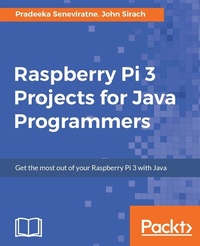
Raspberry Pi 3 Projects for Java Programmers
Get the most out of your Raspberry Pi 3 with Java
Published on 8. July 2025
286 pages
978-1-78646-361-6 (ISBN)
Description

Learn the art of building enticing projects by unleashing the potential of Raspberry Pi 3 using Java
Key Features
[*]Explore the small yet powerful mini computer in order to run java applications
[*]Leverage Java libraries to build exciting projects on home automation, IoT, and Robotics by leveraging Java libraries
[*]Get acquainted with connecting electronic sensors to your Raspberry Pi 3 using Java APIs.
Book DescriptionRaspberry Pi is a small, low cost and yet very powerful development platform. It is used to interact with attached electronics by the use of it's GPIO pins for multiple use cases, mainly Home Automation and Robotics. Our book is a project-based guide that will show you how to utilize the Raspberry Pi's GPIO with Java and how you can leverage this utilization with your knowledge of Java. You will start with installing and setting up the necessary hardware to create a seamless development platform. You will then straightaway start by building a project that will utilize light for presence detection. Next, you will program the application, capable of handling real time data using MQTT and utilize RPC to publish data to adafruit.io. Further, you will build a wireless robot on top of the zuma chassis with the Raspberry Pi as the main controller. Lastly, you will end the book with advanced projects that will help you to create a multi-purpose IoT controller along with building a security camera that will perform image capture and recognize faces with the help of notifications. By the end of the book, you will be able to build your own real world usable projects not limited to Home Automation, IoT and/or Robotics utilizing logic, user and web interfaces. What you will learn
[*]Use presence detection using the integrated bluetooth chip
[*]Automatic light switch using presence detection
[*]Use a centralized IoT service to publish data using RPC
[*]Control a robot by driving motors using PWM
[*]Create a small web service capable of performing actions on the Raspberry Pi and supply readings
[*]Image capture using Java together with the OpenCV framework
Who this book is forThe book is aimed at Java programmers who are eager to get their hands-on Raspberry Pi and build interesting projects using java. They have a very basic knowledge of Raspberry Pi.
Key Features
[*]Explore the small yet powerful mini computer in order to run java applications
[*]Leverage Java libraries to build exciting projects on home automation, IoT, and Robotics by leveraging Java libraries
[*]Get acquainted with connecting electronic sensors to your Raspberry Pi 3 using Java APIs.
Book DescriptionRaspberry Pi is a small, low cost and yet very powerful development platform. It is used to interact with attached electronics by the use of it's GPIO pins for multiple use cases, mainly Home Automation and Robotics. Our book is a project-based guide that will show you how to utilize the Raspberry Pi's GPIO with Java and how you can leverage this utilization with your knowledge of Java. You will start with installing and setting up the necessary hardware to create a seamless development platform. You will then straightaway start by building a project that will utilize light for presence detection. Next, you will program the application, capable of handling real time data using MQTT and utilize RPC to publish data to adafruit.io. Further, you will build a wireless robot on top of the zuma chassis with the Raspberry Pi as the main controller. Lastly, you will end the book with advanced projects that will help you to create a multi-purpose IoT controller along with building a security camera that will perform image capture and recognize faces with the help of notifications. By the end of the book, you will be able to build your own real world usable projects not limited to Home Automation, IoT and/or Robotics utilizing logic, user and web interfaces. What you will learn
[*]Use presence detection using the integrated bluetooth chip
[*]Automatic light switch using presence detection
[*]Use a centralized IoT service to publish data using RPC
[*]Control a robot by driving motors using PWM
[*]Create a small web service capable of performing actions on the Raspberry Pi and supply readings
[*]Image capture using Java together with the OpenCV framework
Who this book is forThe book is aimed at Java programmers who are eager to get their hands-on Raspberry Pi and build interesting projects using java. They have a very basic knowledge of Raspberry Pi.
All prices
More details
Edition
Digital original
Language
English
Place of publication
Birmingham
United Kingdom
Target group
Professional and scholarly
US School Grade: College Graduate Student
Edition type
Digital original
File size
22,48 MB
ISBN-13
978-1-78646-361-6 (9781786463616)
Copyright in bibliographic data and cover images is held by Nielsen Book Services Limited or by the publishers or by their respective licensors: all rights reserved.
Schweitzer Classification
Other editions
Additional editions
Pradeeka Seneviratne | John Sirach
Raspberry Pi 3 Projects for Java Programmers
Book
05/2017
Packt Publishing
€51.00
Shipment within 3-4 weeks
Persons
Sirach John :
John Sirach works as a Product Owner at Greenhouse Innovation. He has more than 10 years of experience with Internet-related disciplines from connectivity to hosting and Internet Of Things. Currently, he is involved in the open source "PiDome Home Automation platform" project as a passionate Java and JavaFX software developer and project maintainer. In the past 10 years, he has gained experience with large-scale web applications committed to online services with the most experience gained in frontend web development and application middleware.Seneviratne Pradeeka :
Pradeeka Seneviratne is a software engineer with over 10 years' experience in computer programming and systems design. He is an expert in the development of Arduino- and Raspberry Pi-based embedded systems. Pradeeka is currently a full-time embedded software engineer who works with embedded systems and highly scalable technologies. Previously, he worked as a software engineer for several IT infrastructure and technology servicing companies. He collaborated with the Outernet project as a volunteer hardware and software tester for Lighthouse- and Raspberry Pi-based DIY Outernet receivers based on Ku band satellite frequencies. He is also the author of five books: Internet of Things with Arduino Blueprints [Packt Publishing] IoT: Building Arduino-Based Projects [Packt Publishing] Building Arduino PLCs [Apress] Raspberry Pi 3 Projects for Java Programmers [Packt Publishing] Beginning BBC micro:bit [Apress]
John Sirach works as a Product Owner at Greenhouse Innovation. He has more than 10 years of experience with Internet-related disciplines from connectivity to hosting and Internet Of Things. Currently, he is involved in the open source "PiDome Home Automation platform" project as a passionate Java and JavaFX software developer and project maintainer. In the past 10 years, he has gained experience with large-scale web applications committed to online services with the most experience gained in frontend web development and application middleware.Seneviratne Pradeeka :
Pradeeka Seneviratne is a software engineer with over 10 years' experience in computer programming and systems design. He is an expert in the development of Arduino- and Raspberry Pi-based embedded systems. Pradeeka is currently a full-time embedded software engineer who works with embedded systems and highly scalable technologies. Previously, he worked as a software engineer for several IT infrastructure and technology servicing companies. He collaborated with the Outernet project as a volunteer hardware and software tester for Lighthouse- and Raspberry Pi-based DIY Outernet receivers based on Ku band satellite frequencies. He is also the author of five books: Internet of Things with Arduino Blueprints [Packt Publishing] IoT: Building Arduino-Based Projects [Packt Publishing] Building Arduino PLCs [Apress] Raspberry Pi 3 Projects for Java Programmers [Packt Publishing] Beginning BBC micro:bit [Apress]
Content
Table of Contents
Setting up Your Raspberry Pi
Automatic Light Switch Using Presence Detection
A Social and Personal Digital Photo Frame
Integrating a Real-Time IoT Dashboard
Wireless Controlled Robot
Building a Multipurpose IoT Controller
Security Camera with Face Recognition
Setting up Your Raspberry Pi
Automatic Light Switch Using Presence Detection
A Social and Personal Digital Photo Frame
Integrating a Real-Time IoT Dashboard
Wireless Controlled Robot
Building a Multipurpose IoT Controller
Security Camera with Face Recognition

