

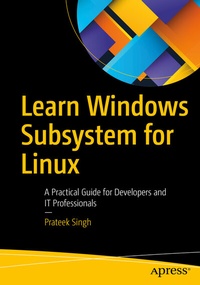
Learn Windows Subsystem for Linux
Description

Become productive with seamless interoperability between Windows and the Linux subsystem, and understand the problems that Windows Subsystem for Linux (WSL) solves. Microsoft has pushed the boundaries of open source research with WSL and you don't want to miss this ride.
You will learn keywords, definitions, new features, setup, and use cases around WSL, starting from downloading to setup to interoperability between Windows and Linux subsystems. You will understand the architecture of WSL and all the new features in WSL 2. This book includes wonderful use cases, including a dedicated chapter to how to start programming and web development on WSL, and the ability to use containerization solutions like Docker and Kubernetes.
WSL is a great solution to work natively in a Linux environment from your Windows 10 machines. Modern applications demand integration of cross-platform tools, services and technologies. WSL makes life for developers and system administratorseasy because it allows Linux applications to run on Windows without worrying about installing a Linux distribution on a traditional Virtual Machine. It is remarkable product with powerful functionality - get started with it using this book today.
What You'll Learn
- Review the workings and internals of WSL and WSL2
- Run Linux-based applications natively on Windows
- Establish your development environment in WSL
- Build mixed experiences (Windows-Linux)
- Set up and manage WSL and supported distribution packages.
Who This Book Is For
Programmers, web developers and system administrators working on Windows and Linux environments who want to bridge the gap between operating systems by running a Linux as a subsystem on Windows to boost their overall productivity, performance and delivery.
More details
Other editions
Additional editions
Person
Prateek Singh is an IT Infrastructure and cloud developer, an avid PowerShell blogger, and an open source community contributor. In 2017 and 2018, FeedSpot and SQLHack recognized his blog RidCurious.com as among the "Top 50 PowerShell blogs in the world". Prateek has written more than 250 articles on his blog and several other websites such as 4SysOps.com, IPSwitch.com, and TechTarget.com and also runs a YouTube channel on PowerShell Scripting and Azure.
Content
