

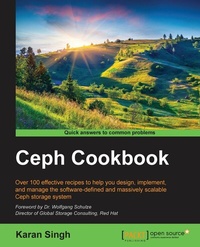
Ceph Cookbook
Over 100 effective recipes to help you design, implement, and manage the software-defined and massively scalable Ceph storage system
Published on 13. January 2025
326 pages
978-1-78439-736-4 (ISBN)
Description

Over 100 effective recipes to help you design, implement, and manage the software-defined and massively scalable Ceph storage system
Key Features
[*]Implement a Ceph cluster successfully and gain deep insights into its best practices
[*]Harness the abilities of experienced storage administrators and architects, and run your own software-defined storage system
[*]This comprehensive, step-by-step guide will show you how to build and manage Ceph storage in production environment
Book DescriptionCeph is a unified, distributed storage system designed for excellent performance, reliability, and scalability. This cutting-edge technology has been transforming the storage industry, and is evolving rapidly as a leader in software-defined storage space, extending full support to cloud platforms such as Openstack and Cloudstack, including virtualization platforms. It is the most popular storage backend for Openstack, public, and private clouds, so is the first choice for a storage solution. Ceph is backed by RedHat and is developed by a thriving open source community of individual developers as well as several companies across the globe. This book takes you from a basic knowledge of Ceph to an expert understanding of the most advanced features, walking you through building up a production-grade Ceph storage cluster and helping you develop all the skills you need to plan, deploy, and effectively manage your Ceph cluster. Beginning with the basics, you'll create a Ceph cluster, followed by block, object, and file storage provisioning. Next, you'll get a step-by-step tutorial on integrating it with OpenStack and building a Dropbox-like object storage solution. We'll also take a look at federated architecture and CephFS, and you'll dive into Calamari and VSM for monitoring the Ceph environment. You'll develop expert knowledge on troubleshooting and benchmarking your Ceph storage cluster. Finally, you'll get to grips with the best practices to operate Ceph in a production environment. What you will learn
[*]Understand, install, configure, and manage the Ceph storage system
[*]Get to grips with performance tuning and benchmarking, and gain practical tips to run Ceph in production
[*]Integrate Ceph with OpenStack Cinder, Glance, and nova components
[*]Deep dive into Ceph object storage, including s3, swift, and keystone integration
[*]Build a Dropbox-like file sync and share service and Ceph federated gateway setup
[*]Gain hands-on experience with Calamari and VSM for cluster monitoring
[*]Familiarize yourself with Ceph operations such as maintenance, monitoring, and troubleshooting
[*]Understand advanced topics including erasure coding, CRUSH map, cache pool, and system maintenance
Who this book is forThis book is aimed at storage and cloud system engineers, system administrators, and technical architects who are interested in building software-defined storage solutions to power their cloud and virtual infrastructure. If you have basic knowledge of GNU/Linux and storage systems, with no experience of software defined storage solutions and Ceph, but eager to learn this book is for you.
Key Features
[*]Implement a Ceph cluster successfully and gain deep insights into its best practices
[*]Harness the abilities of experienced storage administrators and architects, and run your own software-defined storage system
[*]This comprehensive, step-by-step guide will show you how to build and manage Ceph storage in production environment
Book DescriptionCeph is a unified, distributed storage system designed for excellent performance, reliability, and scalability. This cutting-edge technology has been transforming the storage industry, and is evolving rapidly as a leader in software-defined storage space, extending full support to cloud platforms such as Openstack and Cloudstack, including virtualization platforms. It is the most popular storage backend for Openstack, public, and private clouds, so is the first choice for a storage solution. Ceph is backed by RedHat and is developed by a thriving open source community of individual developers as well as several companies across the globe. This book takes you from a basic knowledge of Ceph to an expert understanding of the most advanced features, walking you through building up a production-grade Ceph storage cluster and helping you develop all the skills you need to plan, deploy, and effectively manage your Ceph cluster. Beginning with the basics, you'll create a Ceph cluster, followed by block, object, and file storage provisioning. Next, you'll get a step-by-step tutorial on integrating it with OpenStack and building a Dropbox-like object storage solution. We'll also take a look at federated architecture and CephFS, and you'll dive into Calamari and VSM for monitoring the Ceph environment. You'll develop expert knowledge on troubleshooting and benchmarking your Ceph storage cluster. Finally, you'll get to grips with the best practices to operate Ceph in a production environment. What you will learn
[*]Understand, install, configure, and manage the Ceph storage system
[*]Get to grips with performance tuning and benchmarking, and gain practical tips to run Ceph in production
[*]Integrate Ceph with OpenStack Cinder, Glance, and nova components
[*]Deep dive into Ceph object storage, including s3, swift, and keystone integration
[*]Build a Dropbox-like file sync and share service and Ceph federated gateway setup
[*]Gain hands-on experience with Calamari and VSM for cluster monitoring
[*]Familiarize yourself with Ceph operations such as maintenance, monitoring, and troubleshooting
[*]Understand advanced topics including erasure coding, CRUSH map, cache pool, and system maintenance
Who this book is forThis book is aimed at storage and cloud system engineers, system administrators, and technical architects who are interested in building software-defined storage solutions to power their cloud and virtual infrastructure. If you have basic knowledge of GNU/Linux and storage systems, with no experience of software defined storage solutions and Ceph, but eager to learn this book is for you.
All prices
More details
Edition
Digital original
Language
English
Place of publication
Birmingham
United Kingdom
Target group
Professional and scholarly
US School Grade: College Graduate Student
Edition type
Digital original
File size
43,78 MB
ISBN-13
978-1-78439-736-4 (9781784397364)
Copyright in bibliographic data and cover images is held by Nielsen Book Services Limited or by the publishers or by their respective licensors: all rights reserved.
Schweitzer Classification
Other editions
Additional editions
Person
Karan is an IT expert and passionate tech enthusiast living with his beautiful wife Monika in Finland. He holds Honours degree in Bachelor of Computer Science and a Master degree in System Engineering from BITS, Pilani. Apart from this, he is a certified professional for technologies like OpenStack, NetApp and Oracle Solaris.
Karan is currently working as a System Specialist of Storage and Cloud Platform for CSC - IT Center for Science Ltd. focusing all his energies on providing IaaS cloud solutions based on OpenStack and Ceph and building economic multi-petabyte storage system using Ceph. Karan possesses a rich skill set and working experience of a variety of cloud technologies. He devotes a part of his time to R&D and learning technologies. He is also the author of the very first book on Ceph titled Learning Ceph, published in 2014.
Karan possesses extensive system administration skills and has excellent working experience on a variety of Unix environments, backup, enterprise storage systems, and cloud platforms. When not working on Ceph and OpenStack, Karan can be found working with Configuration management, containers and devops related tools.
He loves writing about technologies and is an avid blogger. You can reach him on Twitter.
Karan is currently working as a System Specialist of Storage and Cloud Platform for CSC - IT Center for Science Ltd. focusing all his energies on providing IaaS cloud solutions based on OpenStack and Ceph and building economic multi-petabyte storage system using Ceph. Karan possesses a rich skill set and working experience of a variety of cloud technologies. He devotes a part of his time to R&D and learning technologies. He is also the author of the very first book on Ceph titled Learning Ceph, published in 2014.
Karan possesses extensive system administration skills and has excellent working experience on a variety of Unix environments, backup, enterprise storage systems, and cloud platforms. When not working on Ceph and OpenStack, Karan can be found working with Configuration management, containers and devops related tools.
He loves writing about technologies and is an avid blogger. You can reach him on Twitter.
Content
Table of Contents
Installing Ceph
Working with Ceph Block device
Working with Ceph Object Storage
Working with Ceph Filesystem
Monitoring your Ceph cluster using Calamari
Operating and managing a Ceph cluster
Planning a production grade Ceph cluster
Ceph performance tuning and benchmarking
Best Practices
More Ceph
Installing Ceph
Working with Ceph Block device
Working with Ceph Object Storage
Working with Ceph Filesystem
Monitoring your Ceph cluster using Calamari
Operating and managing a Ceph cluster
Planning a production grade Ceph cluster
Ceph performance tuning and benchmarking
Best Practices
More Ceph

