

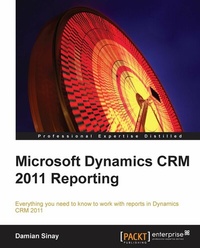
Microsoft Dynamics CRM 2011 Reporting
Everything you need to know to work with reports in Dynamics CRM 2011
1st Edition
Published on 13. January 2025
308 pages
978-1-84968-231-2 (ISBN)
Description

Everything you need to know to work with reports in Dynamics CRM 2011Key Features - Create reports with SQL Reporting Services for CRM
- Empower your reports with the different Report Wizards and dashboards
- Troubleshoot and optimize your reports for better performance
Book DescriptionAll of the data entered into a CRM means nothing if it is unable to report the important information to our managers and executives in such a way that they can easily and quickly get the results they need. A better reporting system would enable them to make the necessary improvements to the processes that any business needs in a dynamic business world.For users and developers wishing to take advantage of using the report capabilities of Dynamics CRM, this is the book for you. Microsoft Dynamics CRM 2011 Reporting is a practical and excellent reference guide that provides you with a number of different options you can use to create and empower the Reporting capabilities of Dynamics CRM. This will give you a good grounding in using the reports in your Dynamics CRM 2011 implementations. This book looks at all the different options we can use to create reports in Dynamics CRM 2011, starting with SQL Reporting Services and custom reports, created in either CRM Report Wizard, SQL Report Builder, or Visual Studio. It will also show other options we can use such as dashboards, charts, and different ways to optimize and automate reports.We will also learn how to build our own reports either using the different wizards for basic reports or using Visual Studio for more complex reports. We will explore the options mobile CRM users have who want to run and see reports on these mobile devices.What you will learn - Understand the different report types we can create in Microsoft Dynamics CRM
- Learn basic database concepts like ERD and SQL and Fetch XML languages to create queries on our reports
- Create basic reports with the wizard and Visual Studio
- Build advanced reports with the SQL Report Builder
- Present reports in charts, dashboards and forms
- Integrate reports on CRM entity forms and extending the form s control capabilities
- Incorporate reports in CRM dashboards and understand chart basics to display important information
- Bind CRM data by using early or late binding and SQL reporting services report execution
- Follow the best practices and troubleshooting of different authentication issues
Who this book is forThis book is great for users and developers new to the Dynamics CRM Reports and SQL Server Reporting services, and who are looking to get a good grounding in how to use the reporting capabilities of Dynamics CRM 2011. It's assumed that you will have some experience in HTML and JavaScript already to build the advanced reports, but no previous programming experience is required to build and learn how to create some basic to intermediate reports, which will be used during the exercises within this book.
- Empower your reports with the different Report Wizards and dashboards
- Troubleshoot and optimize your reports for better performance
Book DescriptionAll of the data entered into a CRM means nothing if it is unable to report the important information to our managers and executives in such a way that they can easily and quickly get the results they need. A better reporting system would enable them to make the necessary improvements to the processes that any business needs in a dynamic business world.For users and developers wishing to take advantage of using the report capabilities of Dynamics CRM, this is the book for you. Microsoft Dynamics CRM 2011 Reporting is a practical and excellent reference guide that provides you with a number of different options you can use to create and empower the Reporting capabilities of Dynamics CRM. This will give you a good grounding in using the reports in your Dynamics CRM 2011 implementations. This book looks at all the different options we can use to create reports in Dynamics CRM 2011, starting with SQL Reporting Services and custom reports, created in either CRM Report Wizard, SQL Report Builder, or Visual Studio. It will also show other options we can use such as dashboards, charts, and different ways to optimize and automate reports.We will also learn how to build our own reports either using the different wizards for basic reports or using Visual Studio for more complex reports. We will explore the options mobile CRM users have who want to run and see reports on these mobile devices.What you will learn - Understand the different report types we can create in Microsoft Dynamics CRM
- Learn basic database concepts like ERD and SQL and Fetch XML languages to create queries on our reports
- Create basic reports with the wizard and Visual Studio
- Build advanced reports with the SQL Report Builder
- Present reports in charts, dashboards and forms
- Integrate reports on CRM entity forms and extending the form s control capabilities
- Incorporate reports in CRM dashboards and understand chart basics to display important information
- Bind CRM data by using early or late binding and SQL reporting services report execution
- Follow the best practices and troubleshooting of different authentication issues
Who this book is forThis book is great for users and developers new to the Dynamics CRM Reports and SQL Server Reporting services, and who are looking to get a good grounding in how to use the reporting capabilities of Dynamics CRM 2011. It's assumed that you will have some experience in HTML and JavaScript already to build the advanced reports, but no previous programming experience is required to build and learn how to create some basic to intermediate reports, which will be used during the exercises within this book.
All prices
More details
Other editions
Additional editions
Manish Kumaar | Damian Sinay
Microsoft Dynamics Crm 2011 Reporting
Book
05/2013
Packt Publishing
€63.10
Shipment within 3-4 weeks
Person
Sinay Damian Hernan :
Damian Sinay has over 15 years experience in the software development and IT industry. He started working with the.NET framework when its first Version 1.0 was in the beta stage. In 2002, he won first prize in the "Building solutions based on XML Web Services" contest, which spanned across Latin America, by Microsoft. In 2006, he wrote his first book in his native language (Spanish) on web services with C# development. He started working with CRM solutions prior to the first release of Microsoft Dynamics CRM's initial version. Since then, he has exclusively been developing and implementing solutions for Dynamics CRM and SharePoint. He is certified in Versions 3.0, 4.0, and 2011 including development, installation, configuration, and implementation of Dynamics CRM. He has around 18 Microsoft certifications (MCP) in SQL, C#, ASP.NET, TFS, Project, CRM, and SharePoint 2007 and 2010. Among many other things, he has co-authored the Dynamics CRM unleashed books for Versions 4.0 and 2011. He held the Microsoft Most Valuable Professional (MVP) award in Dynamics CRM in 2012 and serves as the CEO of Remoting Coders, a Microsoft Partner company that is turning 10 years old in 2013, providing solutions using Microsoft products and technologies. You can contact Damian at damian@sinay.com.ar, follow him on Twitter at @damiansinay, and can also read the blog at http://www.remotingcoders.com/Blogsite/.
Damian Sinay has over 15 years experience in the software development and IT industry. He started working with the.NET framework when its first Version 1.0 was in the beta stage. In 2002, he won first prize in the "Building solutions based on XML Web Services" contest, which spanned across Latin America, by Microsoft. In 2006, he wrote his first book in his native language (Spanish) on web services with C# development. He started working with CRM solutions prior to the first release of Microsoft Dynamics CRM's initial version. Since then, he has exclusively been developing and implementing solutions for Dynamics CRM and SharePoint. He is certified in Versions 3.0, 4.0, and 2011 including development, installation, configuration, and implementation of Dynamics CRM. He has around 18 Microsoft certifications (MCP) in SQL, C#, ASP.NET, TFS, Project, CRM, and SharePoint 2007 and 2010. Among many other things, he has co-authored the Dynamics CRM unleashed books for Versions 4.0 and 2011. He held the Microsoft Most Valuable Professional (MVP) award in Dynamics CRM in 2012 and serves as the CEO of Remoting Coders, a Microsoft Partner company that is turning 10 years old in 2013, providing solutions using Microsoft products and technologies. You can contact Damian at damian@sinay.com.ar, follow him on Twitter at @damiansinay, and can also read the blog at http://www.remotingcoders.com/Blogsite/.
Content
- Intro
- Microsoft Dynamics CRM 2011 Reporting
- Table of Contents
- Microsoft Dynamics CRM 2011 Reporting
- Credits
- About the Author
- About the Reviewers
- www.PacktPub.com
- Support files, eBooks, discount offers and more
- Why Subscribe?
- Free Access for Packt account holders
- Instant Updates on New Packt Books
- Preface
- What this book covers
- What you need for this book
- Who this book is for
- Conventions
- Reader feedback
- Customer support
- Downloading the example code
- Errata
- Piracy
- Questions
- 1. Introduction to Reporting in Microsoft Dynamics CRM
- CRM report types
- CRM report settings
- Categories
- Related Record Types
- Display in
- Languages
- SQL reporting services versions
- SQL Server databases
- Windows Service
- Report Manager website
- Report Server Web service
- Installation and configuration of Reporting Services Extensions
- Installation and configuration of Report Authoring Extension (Visual Studio development)
- Summary
- 2. Database Basics
- ERD basics
- Relationship types
- One-to-many relationships (1:N)
- Many-to-one relationships (N:1)
- Many-to-many relationships (N:N)
- SQL overview
- Select
- Update
- Delete
- Insert
- WHERE
- ORDER BY
- group by
- join
- SQL advanced
- CREATE TABLE
- DROP TABLE
- Stored procedures
- Cursors
- Transactions
- FetchXML overview
- Select fields
- Filters and conditions
- Order by
- Group by
- Linking to other entities
- Inner join
- Outer join
- Summary
- 3. Creating Your First Report in CRM
- Using Microsoft Dynamics CRM 2011 Report Wizard
- Using Visual Studio
- Publishing the report
- Summary
- 4. SQL Server Report Builder
- Report Builder overview
- Datasets
- Query Designer
- Creating a new report
- Table or Matrix Wizard
- Adding a logo to our report
- Advanced reports with Report Builder
- Map Wizard
- Map visualization types
- Testing the Map report
- The Report Builder's limitations
- Summary
- 5. Creating Contextual Reports
- Using Visual Studio
- Toolbox
- Expressions
- Prefilters
- Report parameters in detail
- CRM_FilterText
- CRM_FormatDate
- CRM_FormatTime
- CRM_FullName
- CRM_FilteredAccount
- CRM_URL
- CRM_CalendarType
- Data sources
- Embedded data sources
- Shared data sources
- Data sets
- Groups on data sets
- Adding columns to the report
- Hiding and showing columns
- Charts
- Drill-down and collapsible controls
- Summary
- 6. Creating Inline Reports
- Embedding reports on an entity form
- Creating a custom solution
- Creating the HTML web resource
- Implementing the report control
- Developer Toolkit
- Summary
- 7. Using Reports and Charts in Dashboard
- Showing report on a dashboard
- Exporting dashboards
- Basic charts
- Drill-down chart
- Charts editor
- Exporting charts
- Charts internals
- 3D charts
- Summary
- 8. Advance Custom Reporting and Automation
- The ASP.NET report
- Late binding
- Early binding
- CRM integration
- Silverlight reports
- MVVM
- Basic report automation
- Report scheduling
- Advanced report automation (programmatically)
- Summary
- 9. Failure Recovery and Best Practices
- Common failures in SSR authentication
- Tracing
- Enabling CRM Trace
- Using SQL Trace
- Report development best practices
- Report deployment best practices
- Improving the performance of reports
- Creating report caching
- Creating report snapshots
- Summary
- 10. Mobile Client
- New features for mobile clients
- The sales process
- The autosave feature
- SQL Server 2012 with SP1
- Microsoft Surface
- The mobile client's considerations
- Authentication considerations
- Custom reports development considerations
- Summary
- A. Expression Snippets
- Basic expressions
- Constants
- Variables
- Advanced expressions with VBScript code
- References
- Working with control events
- Actions
- Visibility
- Interactive Sorting
- Summary
- Index

