

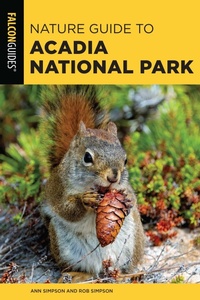
Nature Guide to Acadia National Park
Published on 1. April 2025
280 pages
978-1-4930-7454-9 (ISBN)
Description

This field guide dedicated to wildlife of Acadia National Park is an information-packed book that introduces park visitors to animals, plants, insects, and more that reside in the area in a colorful, easy-to-use package. Including full-color photos and easy-to-understand descriptions and with full cooperation from the park association, this book will appeal to anyone interested in nature.
More details
Series
Language
English
Place of publication
New York
United States
Publishing group
Globe Pequot Press
Illustrations
546 Color Photos, 1 Maps
File size
51,29 MB
ISBN-13
978-1-4930-7454-9 (9781493074549)
Copyright in bibliographic data and cover images is held by Nielsen Book Services Limited or by the publishers or by their respective licensors: all rights reserved.
Schweitzer Classification
Other editions
Additional editions
Ann Simpson | Rob Simpson
Nature Guide to Acadia National Park
Book
04/2025
Falcon Guides
€24.00
Article not available at the moment
Persons
As professional photographers, biologists and authors, Ann and Rob Simpson are noted national park experts having spent years involved with research and interpretation in the national parks. They have accumulated over 20,000 thousand stunning photographs of Sequoia and Kings Canyon National Parks including the world famous giant sequoias. Their photographic, educational, and biological expertise has proven to be a fantastic combination for leading "Canon Photography in the Parks" national park workshops for Canon and American Park Network.
Ann and Rob Simpson are well-known and highly sought after nature and wildlife photographers and writers. Long known for their stunning images of the natural world their work has been widely published in magazines such as National Geographic, Time Magazine, National Wildlife and Ranger Rick as well as many calendars, postcards and books including Birds of Shenandoah National Park. Their photography business, Simpson's Nature Photography, keeps their staff busy with photo requests from agents around the world. Their work can be seen at www.agpix.com/snphotos
Ann and Rob Simpson are well-known and highly sought after nature and wildlife photographers and writers. Long known for their stunning images of the natural world their work has been widely published in magazines such as National Geographic, Time Magazine, National Wildlife and Ranger Rick as well as many calendars, postcards and books including Birds of Shenandoah National Park. Their photography business, Simpson's Nature Photography, keeps their staff busy with photo requests from agents around the world. Their work can be seen at www.agpix.com/snphotos
Content
- Intro
- ACADIA NATIONAL PARK:THE BASICS
- ACKNOWLEDGMENTS
- PARTNERS WITH ACADIA
- INTRODUCTION
- MAMMALS
- BIRDS
- AMPHIBIANS
- REPTILES
- FISH
- BUTTERFLIES AND MOTHS
- INSECTS AND INVERTEBRATES
- TIDE POOLS AND MARINE INVERTEBRATES
- TREES
- SHRUBS
- WILDFLOWERS
- GRASSES, SEDGES, AND RUSHES
- FERNS AND FERN ALLIES
- MOSSES AND LIVERWORTS
- LICHENS
- MUSHROOMS
- GALLS
- ROCKS AND MINERALS
- REFERENCES
- GLOSSARY
- INDEX
- ABOUT THE AUTHORS
