

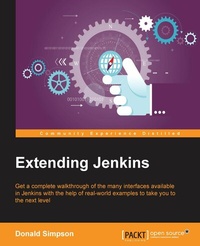
Extending Jenkins
Get a complete walkthrough of the many interfaces available in Jenkins with the help of real-world examples to take you to the next level with Jenkins
Published on 13. January 2025
152 pages
978-1-78528-498-4 (ISBN)
Description

Get a complete walkthrough of the many interfaces available in Jenkins with the help of real-world examples to take you to the next level with Jenkins
Key Features
[*] Find out how to interact with Jenkins from within Eclipse, NetBeans, and IntelliJ IDEA
[*] Develop custom solutions that act upon Jenkins information in real time
[*] A step-by-step, practical guide to help you learn about extension points in existing plugins and how to build your own plugin
Book DescriptionJenkins CI is the leading open source continuous integration server. It is written in Java and has a wealth of plugins to support the building and testing of virtually any project. Jenkins supports multiple Software Configuration Management tools such as Git, Subversion, and Mercurial. This book explores and explains the many extension points and customizations that Jenkins offers its users, and teaches you how to develop your own Jenkins extensions and plugins. First, you will learn how to adapt Jenkins and leverage its abilities to empower DevOps, Continuous Integration, Continuous Deployment, and Agile projects. Next, you will find out how to reduce the cost of modern software development, increase the quality of deliveries, and thereby reduce the time to market. We will also teach you how to create your own custom plugins using Extension points. Finally, we will show you how to combine everything you learned over the course of the book into one real-world scenario.What you will learn
[*] Retrieve and act upon Jenkins information in real time
[*] Find out how to interact with Jenkins through a variety of IDEs
[*] Develop your own Form and Input validation and customization
[*] Explore how Extension points work, and develop your own Jenkins plugin
[*] See how to use the Jenkins API and command-line interface
[*] Get to know how to remotely update your Jenkins configuration
[*] Design and develop your own Information Radiator
[*] Discover how Jenkins customization can help improve quality and reduce costs
Who this book is forThis book is aimed primarily at developers and administrators who are interested in taking their interaction and usage of Jenkins to the next level. The book assumes you have a working knowledge of Jenkins and programming in general, and an interest in learning about the different approaches to customizing and extending Jenkins so it fits your requirements and your environment perfectly.
Key Features
[*] Find out how to interact with Jenkins from within Eclipse, NetBeans, and IntelliJ IDEA
[*] Develop custom solutions that act upon Jenkins information in real time
[*] A step-by-step, practical guide to help you learn about extension points in existing plugins and how to build your own plugin
Book DescriptionJenkins CI is the leading open source continuous integration server. It is written in Java and has a wealth of plugins to support the building and testing of virtually any project. Jenkins supports multiple Software Configuration Management tools such as Git, Subversion, and Mercurial. This book explores and explains the many extension points and customizations that Jenkins offers its users, and teaches you how to develop your own Jenkins extensions and plugins. First, you will learn how to adapt Jenkins and leverage its abilities to empower DevOps, Continuous Integration, Continuous Deployment, and Agile projects. Next, you will find out how to reduce the cost of modern software development, increase the quality of deliveries, and thereby reduce the time to market. We will also teach you how to create your own custom plugins using Extension points. Finally, we will show you how to combine everything you learned over the course of the book into one real-world scenario.What you will learn
[*] Retrieve and act upon Jenkins information in real time
[*] Find out how to interact with Jenkins through a variety of IDEs
[*] Develop your own Form and Input validation and customization
[*] Explore how Extension points work, and develop your own Jenkins plugin
[*] See how to use the Jenkins API and command-line interface
[*] Get to know how to remotely update your Jenkins configuration
[*] Design and develop your own Information Radiator
[*] Discover how Jenkins customization can help improve quality and reduce costs
Who this book is forThis book is aimed primarily at developers and administrators who are interested in taking their interaction and usage of Jenkins to the next level. The book assumes you have a working knowledge of Jenkins and programming in general, and an interest in learning about the different approaches to customizing and extending Jenkins so it fits your requirements and your environment perfectly.
All prices
More details
Edition
Digital original
Language
English
Place of publication
Birmingham
United Kingdom
Target group
Professional and scholarly
US School Grade: College Graduate Student
Edition type
Digital original
File size
4,05 MB
ISBN-13
978-1-78528-498-4 (9781785284984)
Copyright in bibliographic data and cover images is held by Nielsen Book Services Limited or by the publishers or by their respective licensors: all rights reserved.
Schweitzer Classification
Other editions
Additional editions
Donald Simpson
Extending Jenkins
Get a complete walkthrough of the many interfaces available in Jenkins with the help of real-world examples to take you to the next level with Jenkins
Book
12/2015
Packt Publishing
€44.90
Shipment within 3-4 weeks
Person
Simpson Donald :
Donald Simpson is an information technology consultant based in Scotland, UK. He specializes in helping organizations improve the quality and reduce the cost of software development through the adoption of process automation and Agile methodologies. Starting out as a Java developer, Donald's interest in application servers, networking, and automation led him to a career as a build engineer. He remains highly technical and hands-on and enjoys learning about new technologies and finding ways to automate and improve manual processes. He can be reached at www.donaldsimpson.co.uk.
Donald Simpson is an information technology consultant based in Scotland, UK. He specializes in helping organizations improve the quality and reduce the cost of software development through the adoption of process automation and Agile methodologies. Starting out as a Java developer, Donald's interest in application servers, networking, and automation led him to a career as a build engineer. He remains highly technical and hands-on and enjoys learning about new technologies and finding ways to automate and improve manual processes. He can be reached at www.donaldsimpson.co.uk.
Content
Table of Contents
Preparatory Steps
Automating the Jenkins UI
Jenkins and the IDE
The API and the CLI
Extension Points
Developing your own Jenkins plugin
Extending Jenkins plugins
Testing and debugging Jenkins plugins
Putting it all together
Preparatory Steps
Automating the Jenkins UI
Jenkins and the IDE
The API and the CLI
Extension Points
Developing your own Jenkins plugin
Extending Jenkins plugins
Testing and debugging Jenkins plugins
Putting it all together

